Page 66 of 182 TP1A002–1 English
Aug 2015
Linx 8900 Operating Manual —
Line and message settings
Linx 8900
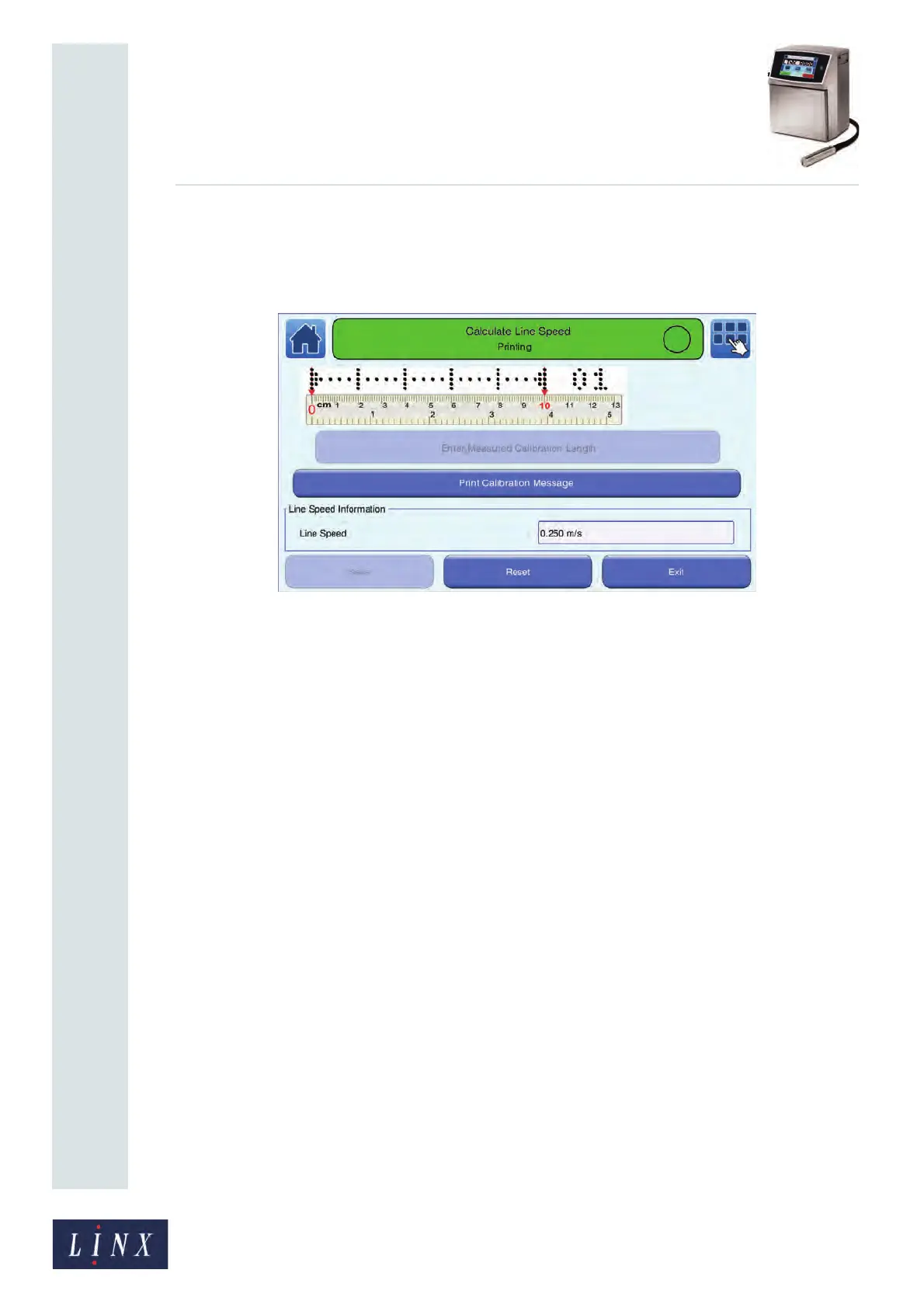
If the printer is in the ‘Idle’ state, the printer enters the ‘Jet Starting’ state, and then
the ‘Jet Running’ state. When the printer is in the ‘Printing’ state, the Print
Calibration Message button is enabled. The current line speed is shown in the
“Line Speed Information” box.
Figure 65. Calculate Line Speed: Print Calibration Message screen
5 Start the production line. When the paper or product moves under the printhead,
touch the Print Calibration Message button. The Enter Measured Calibration
Length button is enabled and the printer prints a calibration message.
NOTE: You may have to create a minimum of three calibration messages to
calculate an accurate line speed. The number at the end of the calibration
message shows the number of messages printed.
6 Measure the length of the printed calibration message. This value is the distance
between the outer edges of the end arrows, shown by the red dots in Figure 64 on
page 65. For reference, when the length of the calibration message is 100 mm (plus
or minus 1 mm), the line speed is accurate.



 To Next Page