Page 15 of 182 TP1A002–1 English
Aug 2015
Linx 8900 Operating Manual —
Printer user interface
Linx 8900
• Secondary Keyboard—this option allows you to select a secondary keyboard layout
that is different from the primary keyboard. For example, you can change between an
English (United Kingdom) keyboard and a Russian keyboard. See ‘Primary and
secondary keyboards’ on page 17 for more information about this option.
• Extended character set—you can access an extended set of characters for the current
selected keyboard. See ‘Extended character sets’ on page 16 for more information about
this option.
2.2.2 Use the keyboard
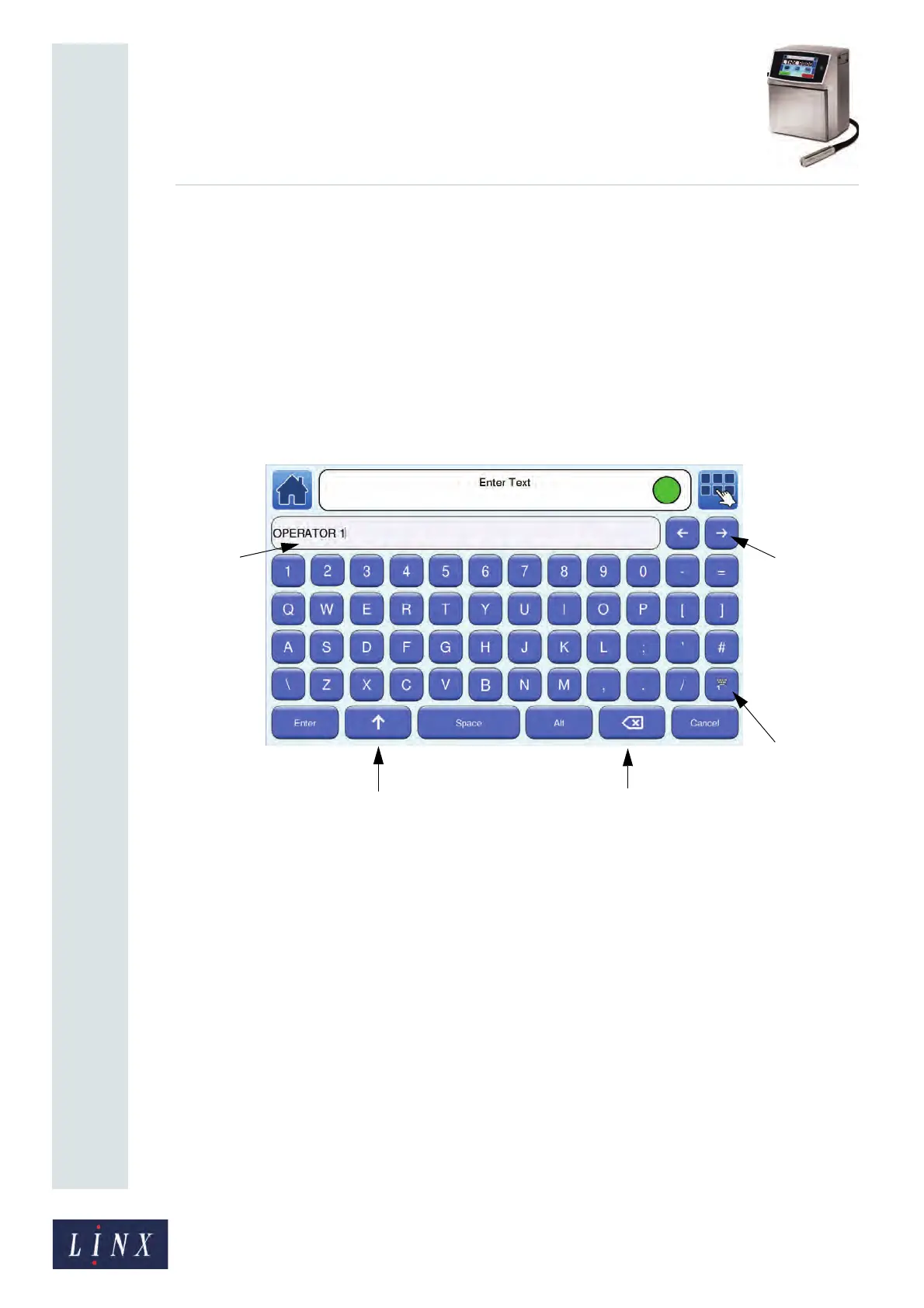
The printer uses a touch screen keyboard for data entry (for example, when you create or
edit a message).
Figure 11. English (United Kingdom) keyboard (uppercase mode)
89103
Text edit
Scroll buttons
Shift button
Backspace button
Toggle
Keyboard
button
box



 To Next Page