Page 72 of 182 TP1A002–1 English
Aug 2015
Linx 8900 Operating Manual —
Line and message settings
Linx 8900
5.5.1 Set the 24 V Alarm options
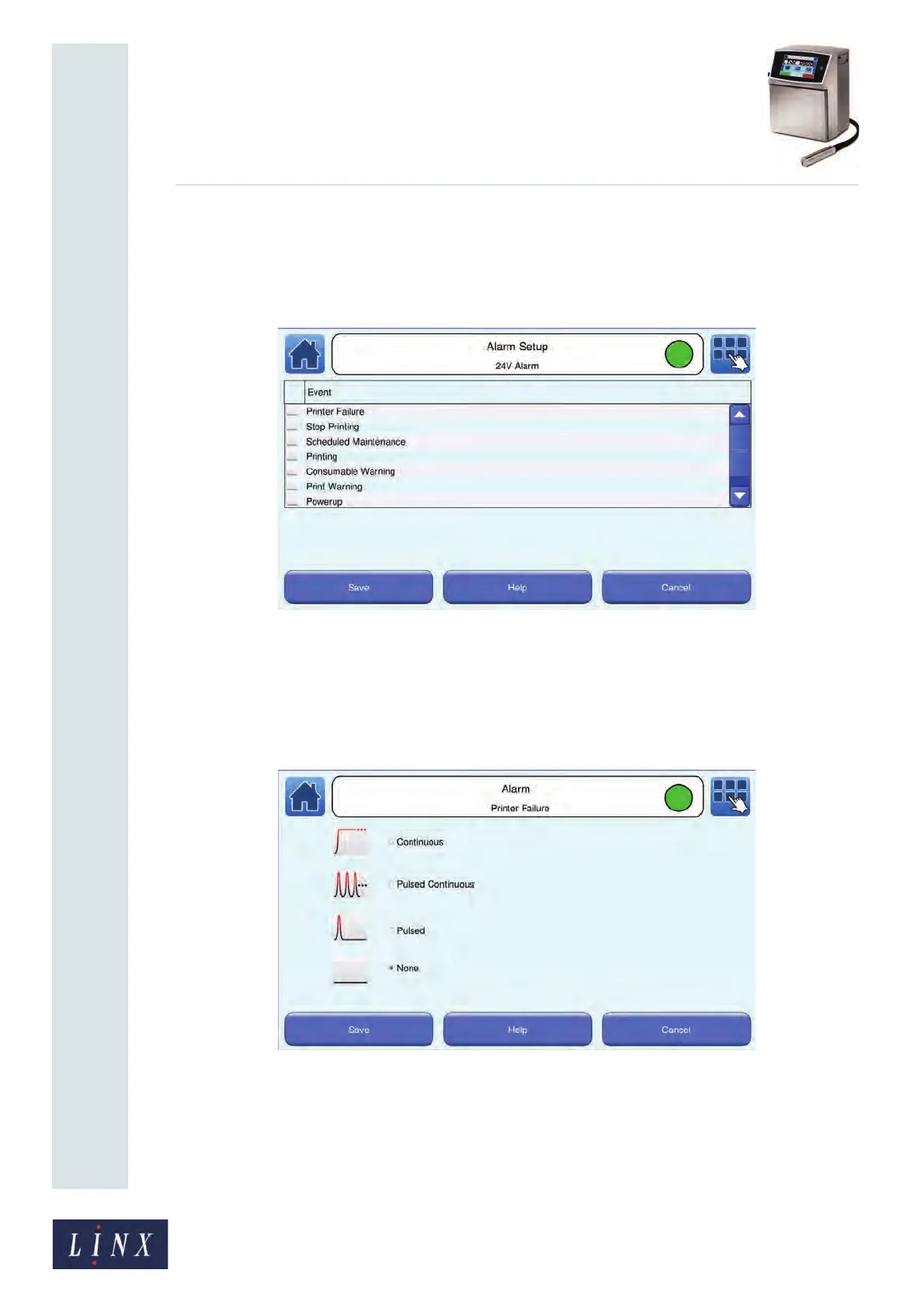
1 On the Alarm Setup screen, touch the 24V Alarm button to display the Alarm
Setup: 24V Alarm screen for your selected line. The printer displays a list of system
events.
Figure 72. Alarm Setup: 24V Alarm screen
2 To select an alarm mode for a system event, touch the name of the system event you
require (for example, “Printer Failure”). The printer displays a list of alarm modes
with information graphics. Touch the name of the alarm mode to use for that
system event (for example, “Continuous”). The radio button to the left of the name
of the alarm mode is selected.
Figure 73. Alarm: Printer Failure screen
Each alarm mode has a different priority—a Continuous alarm has the highest
priority, followed by a Pulsed Continuous alarm, then a Pulsed alarm. If an alarm is
active, and an event occurs with a higher-priority alarm type, the higher-priority
alarm becomes active. For example, if a Continuous alarm and a Pulsed Continuous
alarm are both active, the printer generates a Continuous alarm.



 To Next Page