Page 48 of 182 TP1A002–1 English
Aug 2015
Linx 8900 Operating Manual —
Change the printer setup
Linx 8900
Select Message Styles
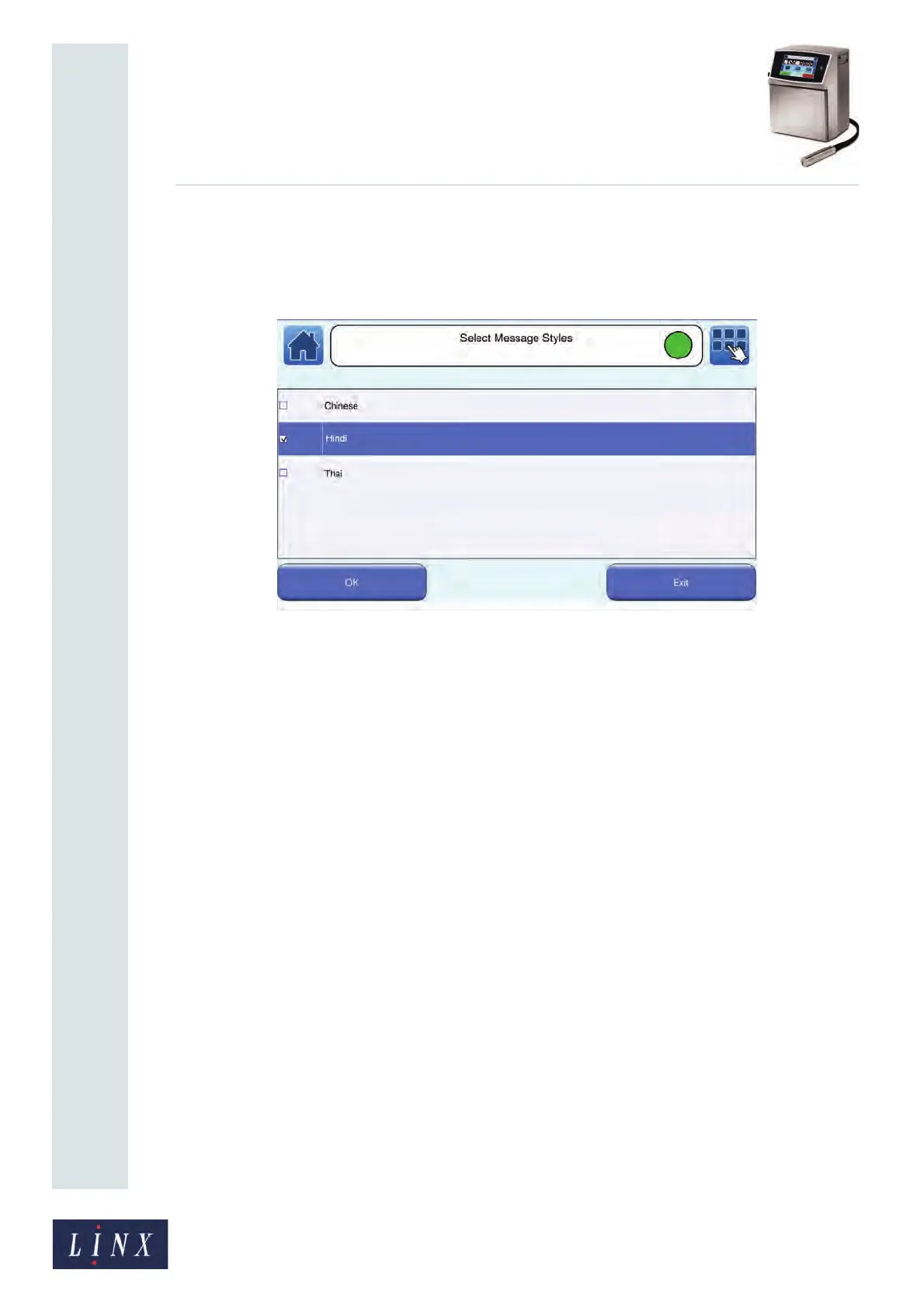
This option allows you to change the message styles that you use to create messages. For
example, with the styles for your current locale, you can also select Hindi or Simplified
Chinese message styles.
Figure 50. Select Message Styles screen
Touch the box to the left of a message style to select that style for use. Touch the OK button
to return to the Editor Settings screen. Touch the Exit button on the Select Message Styles
screen to cancel any changes.
Force Default Style
Select Yes or No. If you select Yes, any new message automatically uses the default message
style. You do not have the option to select another message style when you create a
message. See ‘Default Message Style’ on page 60 for more information about default
message styles.
Start Day
This option allows you to specify a start day for the week. The start day defines which day
of the week is day number one when the 'd1-7 (Day number of week)' date format is used in
a date field.
89118



 To Next Page