Page 33 of 182 TP1A002–1 English
Aug 2015
Linx 8900 Operating Manual —
Different keyboard systems
Linx 8900
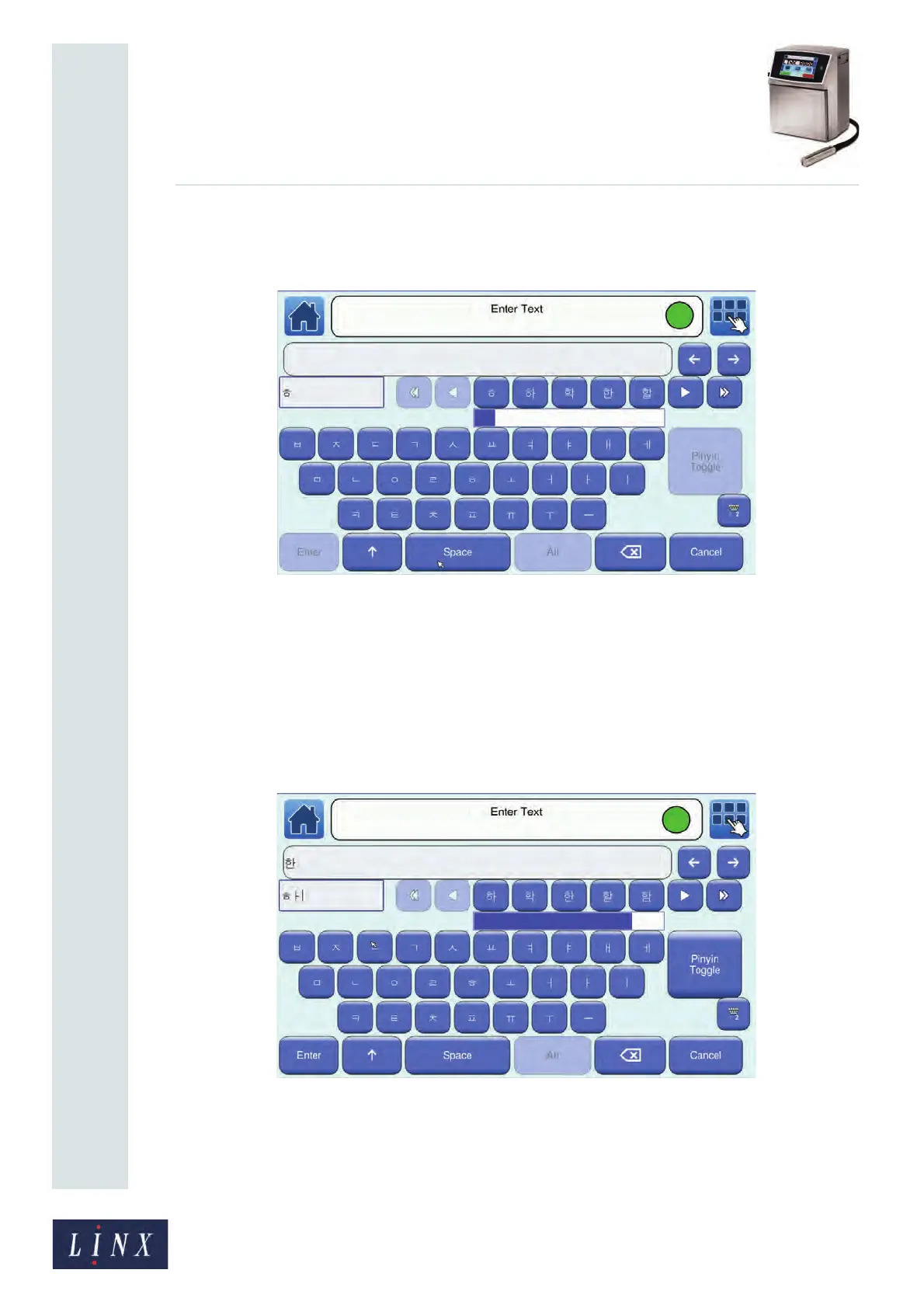
3 Enter a valid Jamo character in the lower text box. When each Jamo character is
entered in the box, valid future combinations of Jamo characters that form Hangul
symbols are displayed to the right of the lower text box.
Figure 33. Korean character selector (2)
You can use the left arrow or right arrow buttons to scroll through the Hangul
symbols. Use the Home arrow or End arrow buttons to move to the start or the end
of the list of symbols. The blue bar below the characters shows your position in the
list of symbols.
4 You can continue to enter Jamo characters to create Hangul symbols. Touch the
required Hangul symbol to the right of the lower text box to select that symbol. The
printer displays the selected Hangul symbol in the upper text box at the current
position of the cursor.
Figure 34. Korean character selector (3)
To clear the highlighted text from the lower text box, touch the Backspace button, or
enter another Jamo character.



 To Next Page