Page 31 of 182 TP1A002–1 English
Aug 2015
Linx 8900 Operating Manual —
Different keyboard systems
Linx 8900
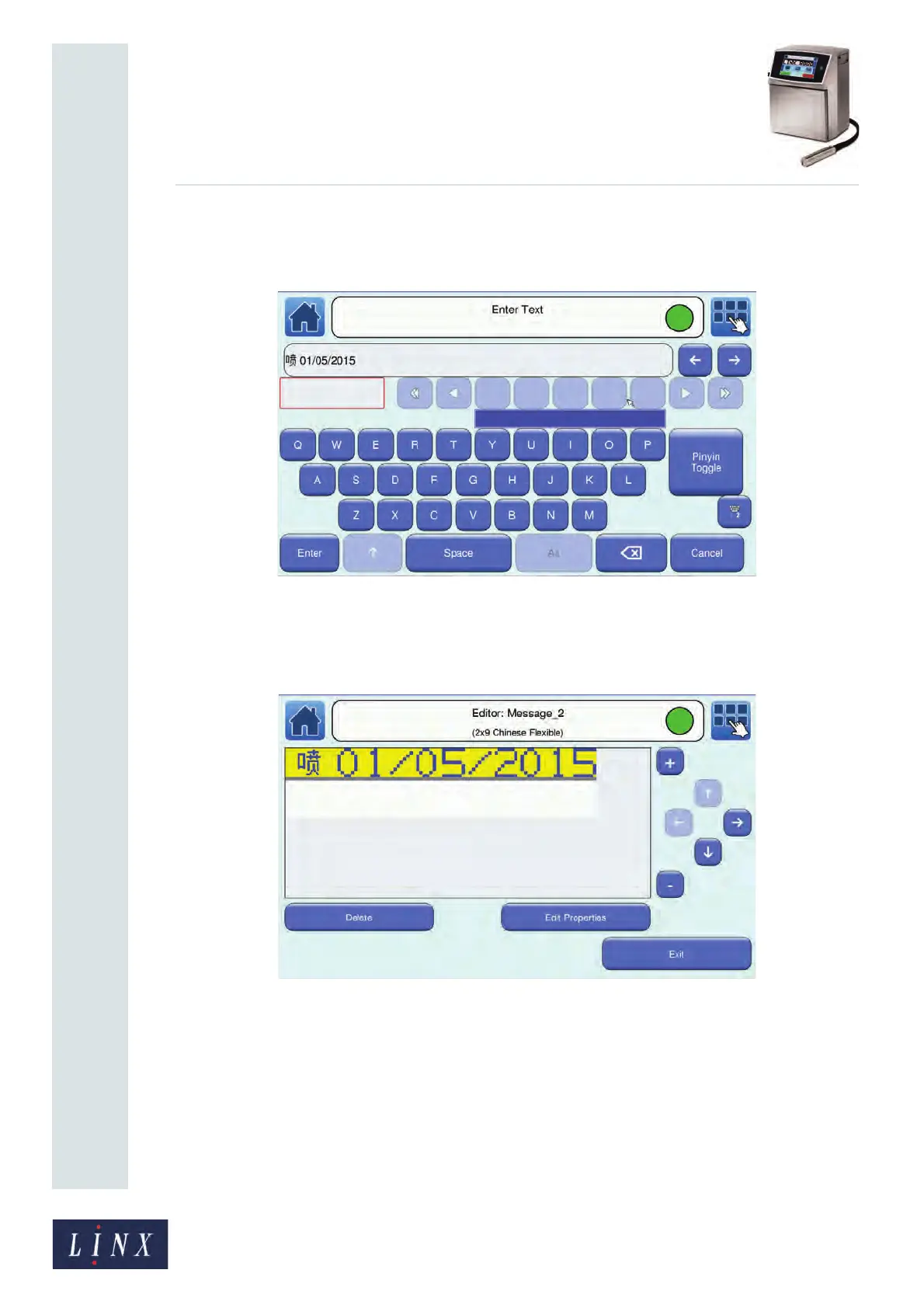
You can continue to use ‘Edit Text’ mode to enter characters from the primary
keyboard, or touch the Toggle Keyboard button to return to ‘Pinyin’ mode to enter
more Chinese characters.
Figure 30. Enter Text screen: after text added in ‘Edit Text’ mode
5 When you have entered your required text, touch the Enter button in either ‘Pinyin’
or ‘Edit Text’ mode. The printer displays the Editor screen with your selected
message text.
Figure 31. Editor screen: message with a Simplified Chinese character
You can make changes to your message and save or discard your changes, as shown
in the Linx 8900 Quick Start Guide.
89263



 To Next Page