Page 24 of 182 TP1A002–1 English
Aug 2015
Linx 8900 Operating Manual —
Printer user interface
Linx 8900
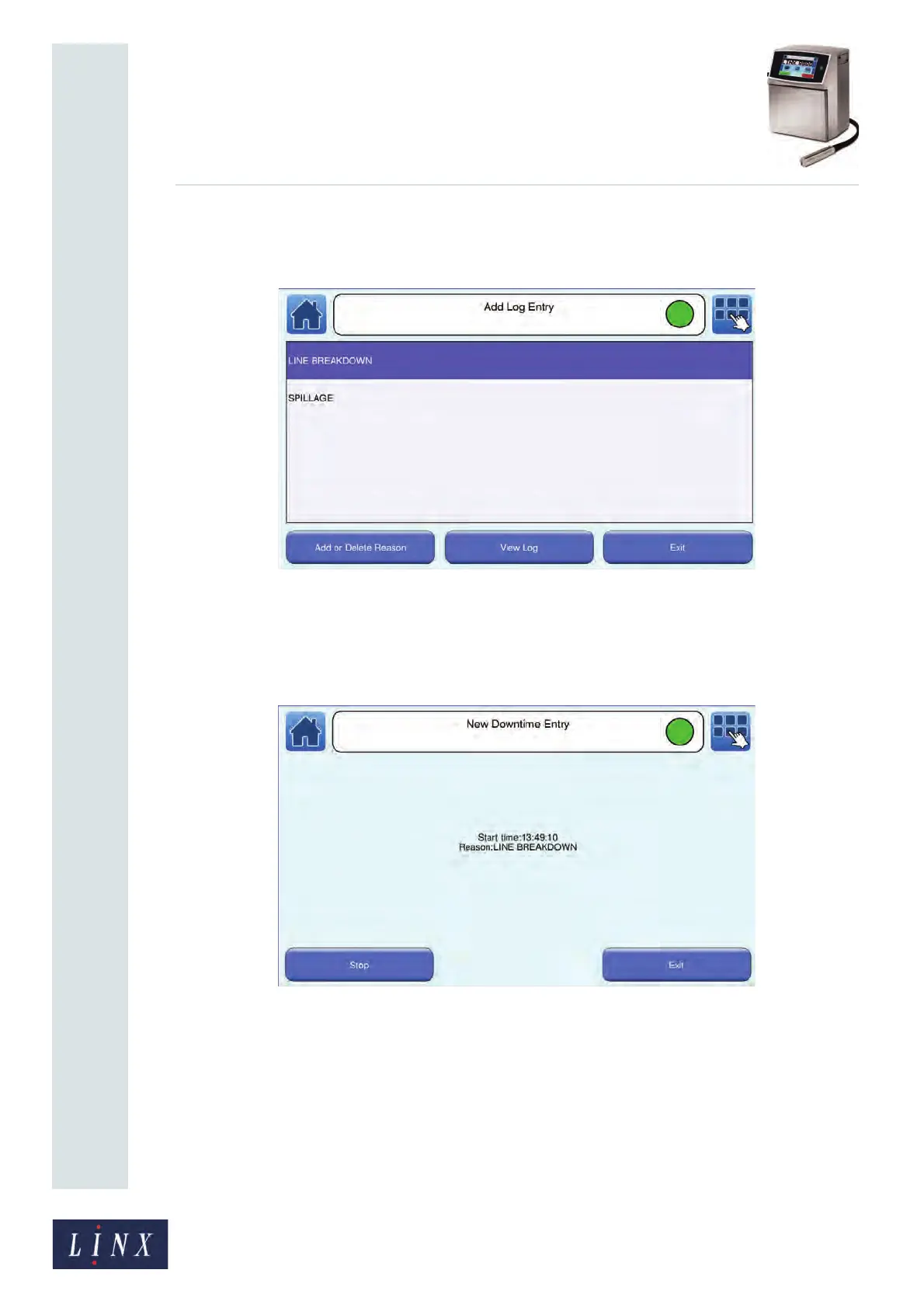
3 Touch the Add button and enter a reason for the production downtime (for
example, “SPILLAGE” or “LINE BREAKDOWN”). The printer displays the Add
Log Entry screen with your entries.
Figure 19. Add Log Entry screen with entries
4 Touch an entry to add a start time for that downtime reason (the value defaults to
the current time, but you can edit the value if required), and then touch the Save
button. The printer displays the New Downtime Entry screen with details of your
entry.
Figure 20. New Downtime Entry screen
If you touch the Exit button, the reason is saved without an associated duration. To
add a stop time to record the duration of the downtime, touch the Stop button.
Enter the stop time (the value defaults to the current time, but you can edit the
value if required), and then touch the Save button. The printer displays the Home
screen.



 To Next Page