P/N 9-500-0255 6-7
Service Manual
Chapter 6: Maintenance—Remove and Replace Procedures
Gantry Components—Remove and Replace
2.2.2 Emergency Off Switches
Affinity Systems have three EMO Switches (two of which are mounted on the front of
left and right side Gantry covers with the third mounted on the rear of the right side
gantry). For those units with the Remote Control Panel, a fourth EMO switch is
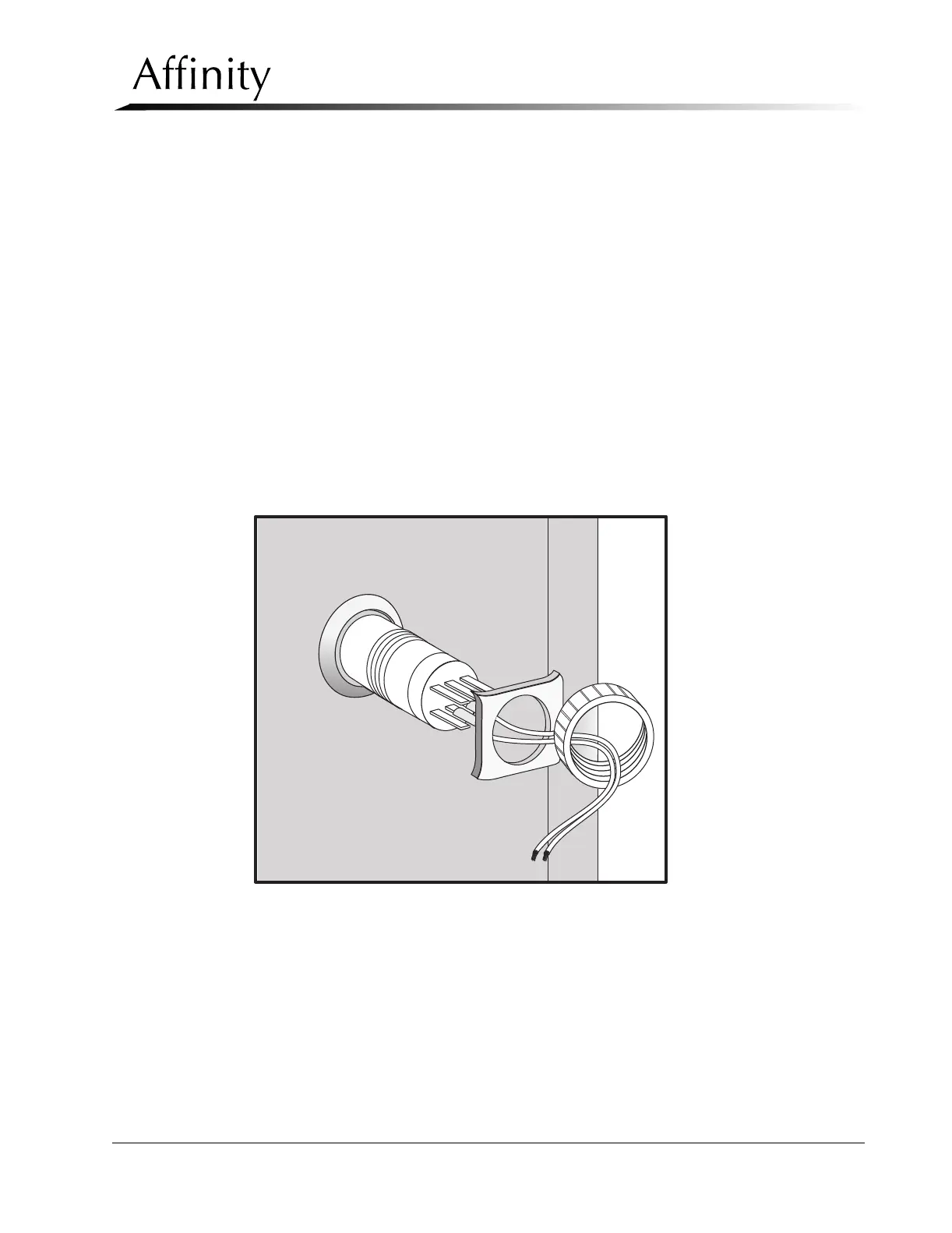
located on the remote control panel mounting block. The removal procedures for all
EMO switches are identical (see Figure 6-5).
1. Remove power to the unit. Remove the left or right side Gantry cover (which-
ever is appropriate).
2. Cut the Tie Wrap-wrap that secures the switch harness to the rear of the switch.
Pull the wires off of the terminals (note each terminal position).
3. Remove the connector housing. Unscrew the plastic lock nut from the switch
and remove it.
4. Hold the square metal spacer on the rear cover, and slip the switch off of the
cover from the front.
5. Reverse this procedure to install the replacement EMO Switch. When complete,
replace all previously-removed covers.
Figure 6-5: Emergency Off Switch—Removal



 To Next Page