P/N 9-500-0255 3-5
Service Manual
Chapter 3: Functional Checks/Setting Defaults
System Power Up
C-Arm Controls—
(continued)
7. C-arm Rotation Release (Figure 3-2, Item
4)
A. Verify C-arm can be rotated when
button is held and that the C-arm
brake prevents rotation when button is
released.
B. Verify that when the C-arm rotates, the
rotation readouts on the Gantry
change accordingly. Verify the angle
display shows zero degrees of rotation
when the C-arm is in the “CC”
position.
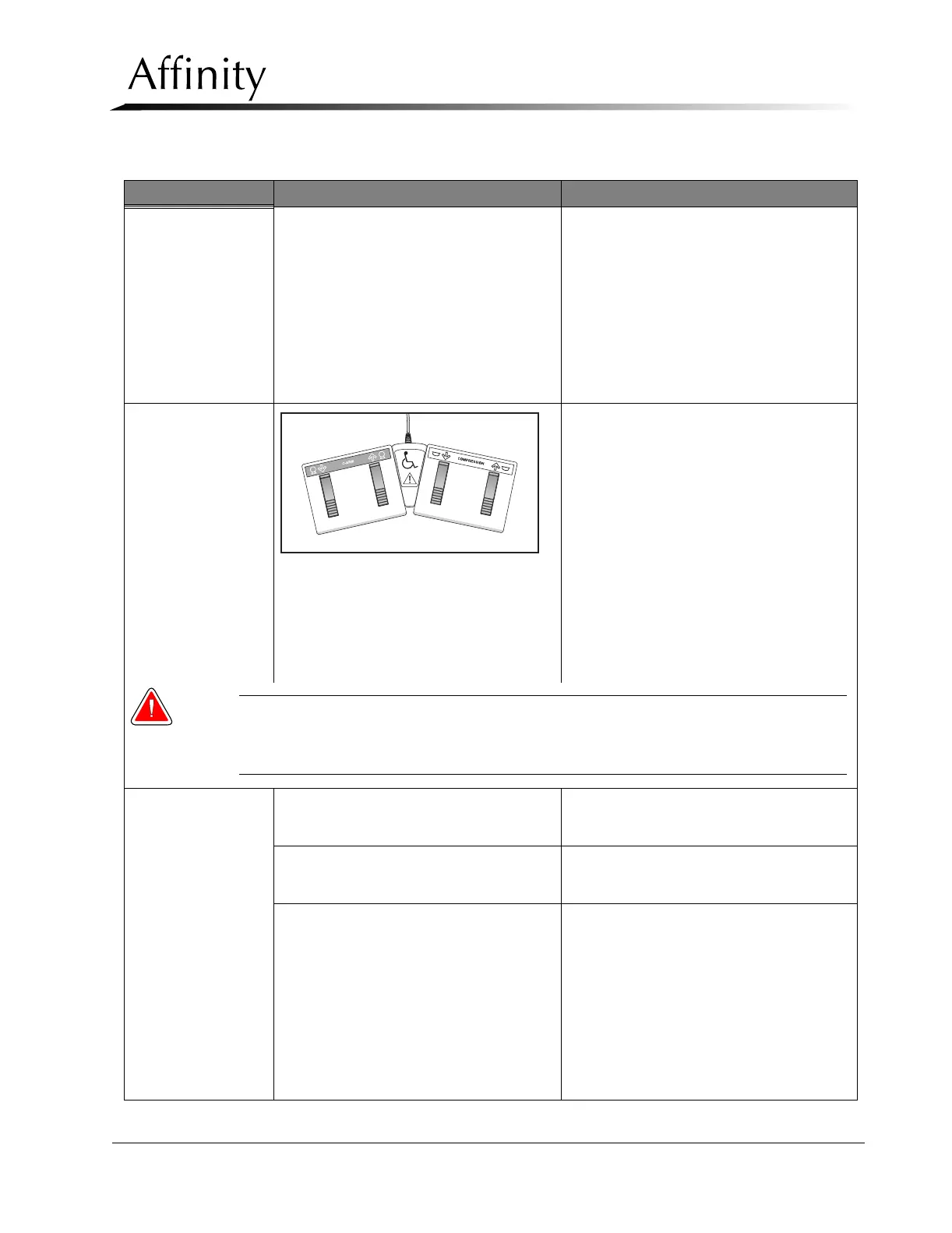
Footswitch Controls
Figure 3-3: Dual Function Footswitch
A. The footswitch controls provide a pair
of pedals that control C-arm and
compression movement while freeing
the operator’s hands during
positioning.
B. The movements provided by these
pedals (C-arm Up, C-arm Down,
Compression Up, and Compression
Down) are identical to that of the
corresponding controls on the C-arm
keypads.
C. Verify footswitch functionality as per
the C-arm Controls Procedures, Steps
2, 4, 5, and 6.
Warning:Upon completion of footswitch functional check, ensure the footswitch is
positioned in such a way as to prevent accidental activation by patients or
operators.
Tubehead Controls
1. C-arm Up (Figure 3-5, Item 2)
A. Verify C-arm moves up while button is
held and stops when button is
released.
2. C-arm Down (Figure 3-5, Item 3)
A. Verify C-arm moves down while
button is held and stops when button
is released.
3. C-arm Rotation Release (Figure 3-5,
Item 4)
A. Verify C-arm can be rotated when
button is held and that the C-arm
brake prevents rotation when button is
released.
B. Verify that when the C-arm rotates, the
rotation readouts on the Gantry
change accordingly. Verify the angle
display shows zero degrees of rotation
when the C-arm is in the “CC”
position.
Table 3-1: Post Power-Up Checks
Functional Check Button Procedure



 To Next Page