6-50 P/N 9-500-0255
Service Manual
Chapter 6: Maintenance—Remove and Replace Procedures
C-Arm Components—Remove and Replace
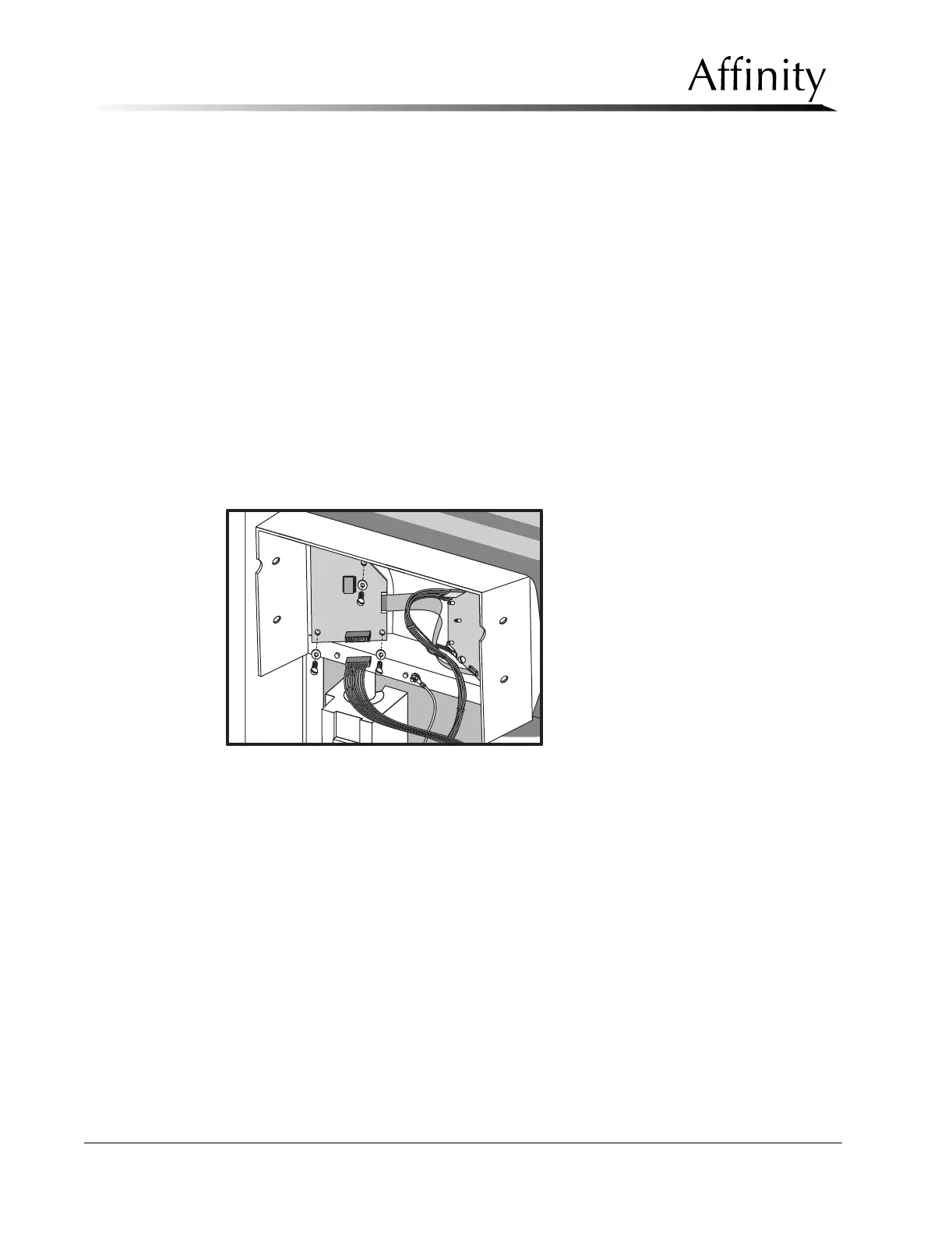
3.3.4 Compression / AEC Position Display Boards
The Compression/AEC Position Display Boards (left and right, see Figure 6-34)
provide readouts for compression thickness, compression force, and the position of
the AEC Detector. These display boards mount to the inside of the top Compression
Device cover.
1. Turn power OFF, then remove the Compression Device covers as per Section
3.3.1. Use care not to damage the Compression Device bellows.
2. Disconnect the cable connectors from the Compression / AEC Position Display
Board to be removed (left or right).
3. Remove the hardware that secures the Compression / AEC Position Display
Board (to be removed) to the standoffs on the top cover.
4. Reverse these steps to install the replacement display board.
5. Perform the following before releasing the unit to the user:
• Chapter 4, Section 3.1, Compression Force Calibration
• Chapter 4, Section 3.2, Compression Thickness Calibration
Figure 6-34: Compression / AEC Position Display Boards—Removal
3.3.5 Compression Tray Sensor Board
The Compression Tray Sensor board (Figure 6-17, Item 4) is mounted to the
compression device deck. Access to this board requires removal of both
compression device covers.
Turn power OFF. Remove the compression device covers as per Section 3.3.1. Use
care not to damage the compression device bellows.
1. Remove the wiring harness connector from the rear of the board.
2. Loosen and remove the mounting screws that secure the board to the
compression device deck.
3. Lift the board out from the compression device.
4. To install the replacement Compression Tray Sensor board, reverse these steps.
5. Before releasing the unit to the user, verify that the board is working. Apply
power, then enter the Run Mode.



 To Next Page