6-32 P/N 9-500-0255
Service Manual
Chapter 6: Maintenance—Remove and Replace Procedures
C-Arm Components—Remove and Replace
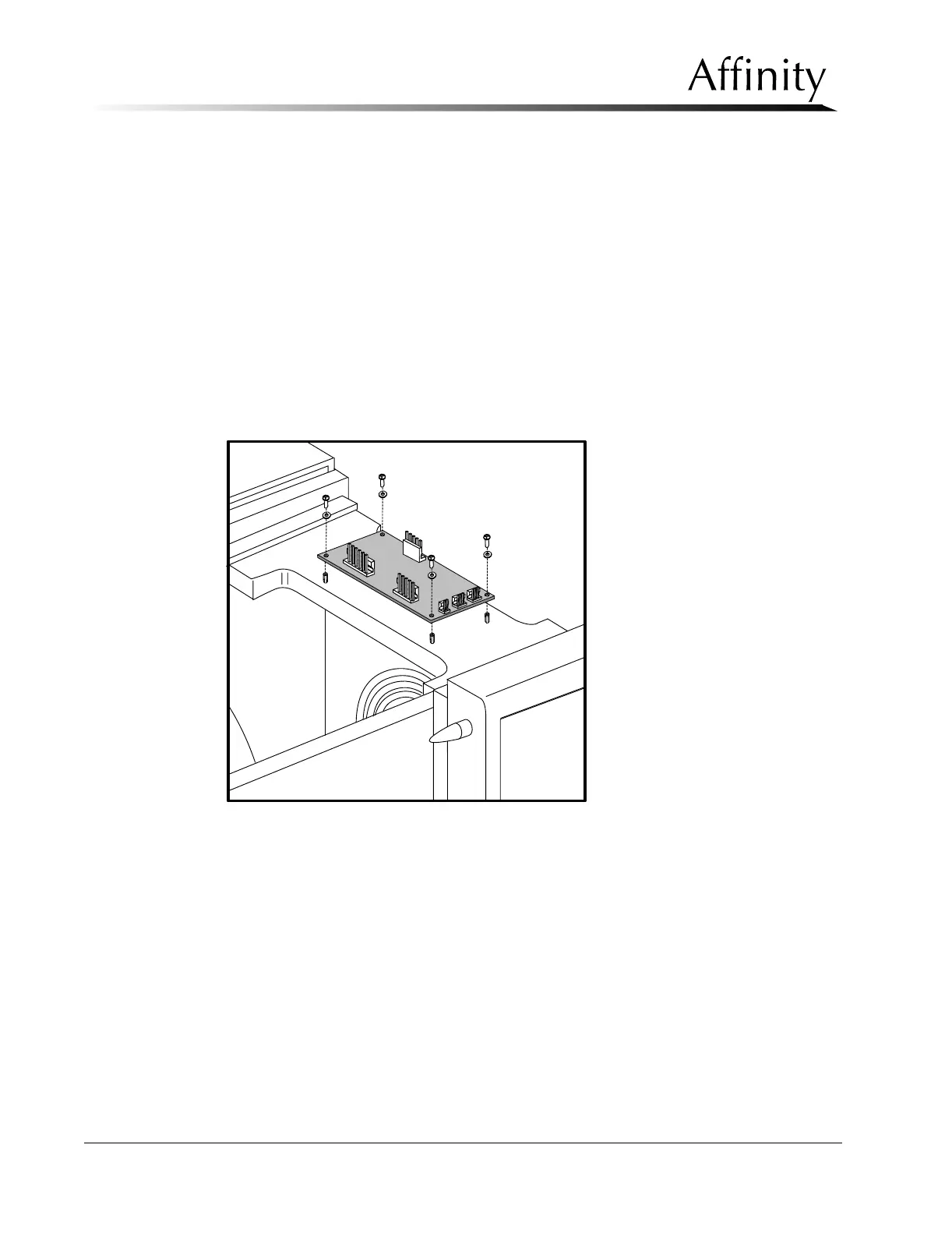
3.1.3 Filament Protection Board
The Filament Protection Board is mounted on the top of the C-arm frame. Access to
this component requires removal of the C-arm Top Cover.
1. Remove power from the unit. Remove the C-arm Top Cover as per Section
3.1.2.
2. Disconnect the wire harness from the 3-position C-arm Switch Pad on the Top
Cover.
3. Locate the Filament Protection Board on the C-arm Frame. Disconnect the wire
harness connectors from their jacks.
4. Remove the 4 screws that secure the board to the standoffs on the C-arm frame,
then lift the board out of the unit. See Figure 6-21.
5. Install the replacement Filament Protection Board by reversing this procedure.
Figure 6-21: Filament Protection Board—Removal



 To Next Page