6-8 P/N 9-500-0255
Service Manual
Chapter 6: Maintenance—Remove and Replace Procedures
Gantry Components—Remove and Replace
2.3 Control Panel Components
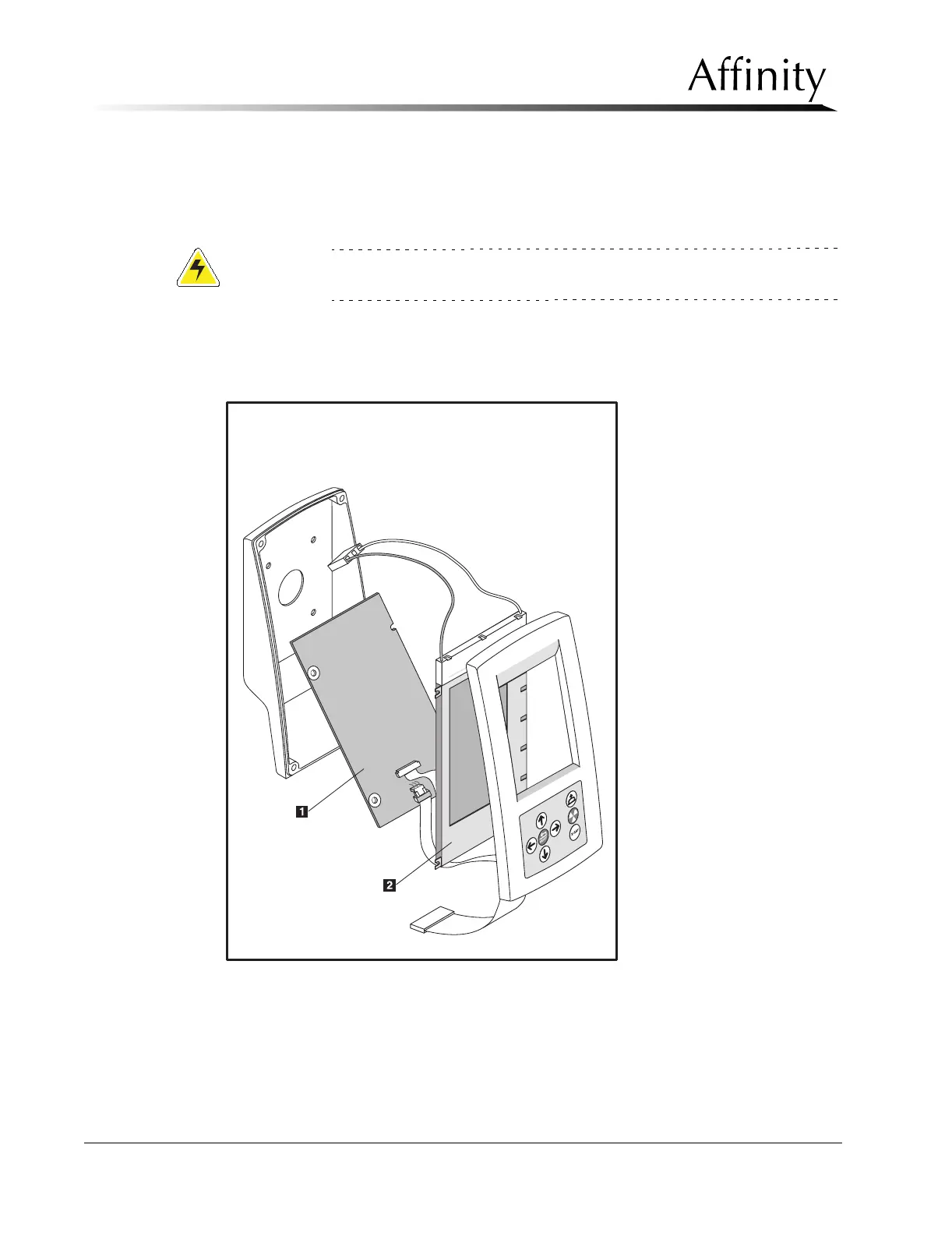
The Control Panel houses the Display Microprocessor Board and the Control Panel LCD
Display (see Figure 6-6). This section contains the procedures to remove and replace the
internal components of the Affinity Series Control Panel.
Caution:
Always observe Electrostatic Discharge (ESD) precautions when working
with electronics and electronic components.
Legend for Figure 6-6
1. Display Microprocessor Board
2. LCD Display
Figure 6-6: Control Panel Components



 To Next Page