6-56 P/N 9-500-0255
Service Manual
Chapter 6: Maintenance—Remove and Replace Procedures
C-Arm Components—Remove and Replace
3.4.3 AEC Position Detect Board
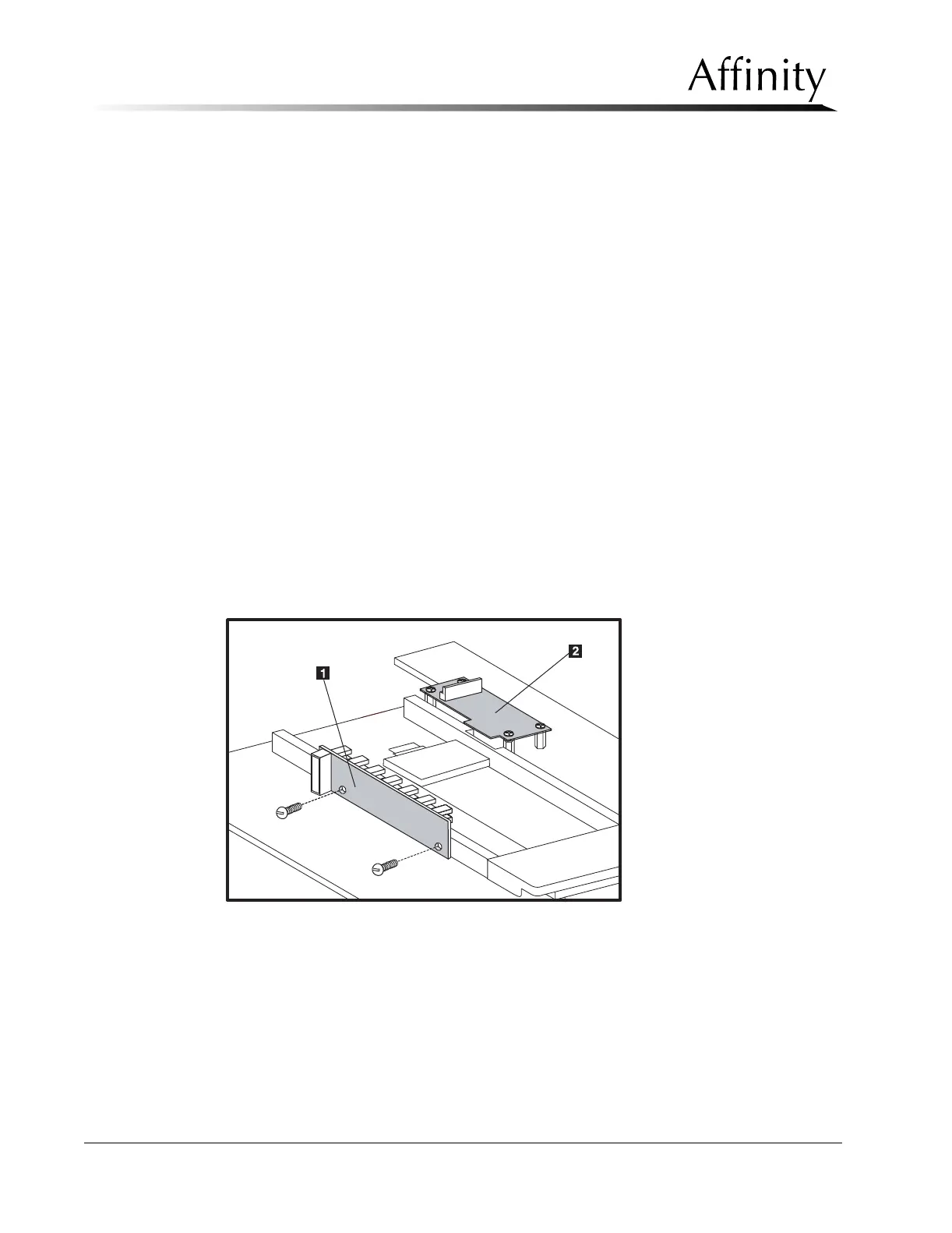
The AEC Position Detect board (Figure 6-40, Item 1) is mounted to the AEC Sensor
slide rail on the bottom side of the IRSD top plate. Access to this component
requires removal of the IRSD covers.
1. Turn power OFF. Remove the IRSD covers as per Section 3.4.1, then flip the alu-
minum top plate over to access the detector board.
2. Remove the wiring harness from the AEC Position Detect board.
3. Loosen and remove the two screws that secure the board to the AEC sensor slide
rail. Lift the board off the slide rail.
4. To install the replacement AEC Position Detect board, reverse these steps.
5. Apply power to the unit. Slide the AEC sensor to all seven detent positions.
Verify that for each detent, the corresponding LED on the compression device
display lights.
6. To install the replacement AEC Sensor board, reverse these steps. When
complete, perform the procedures listed below before releasing the unit to the
user:
• Chapter 4, Section 5.0, Automatic Exposure Control System Calibration
• Chapter 4, Section 6.10, IRSD Leakage Check
7. When complete, turn power off, then reassemble the IRSD and replace the
covers.
Figure 6-40: Position Detect and Accessory Detect Boards—Removal



 To Next Page