P/N 9-500-0255 4-5
Service Manual
Chapter 4: Calibrations and Performance Checks
Calibration Procedures
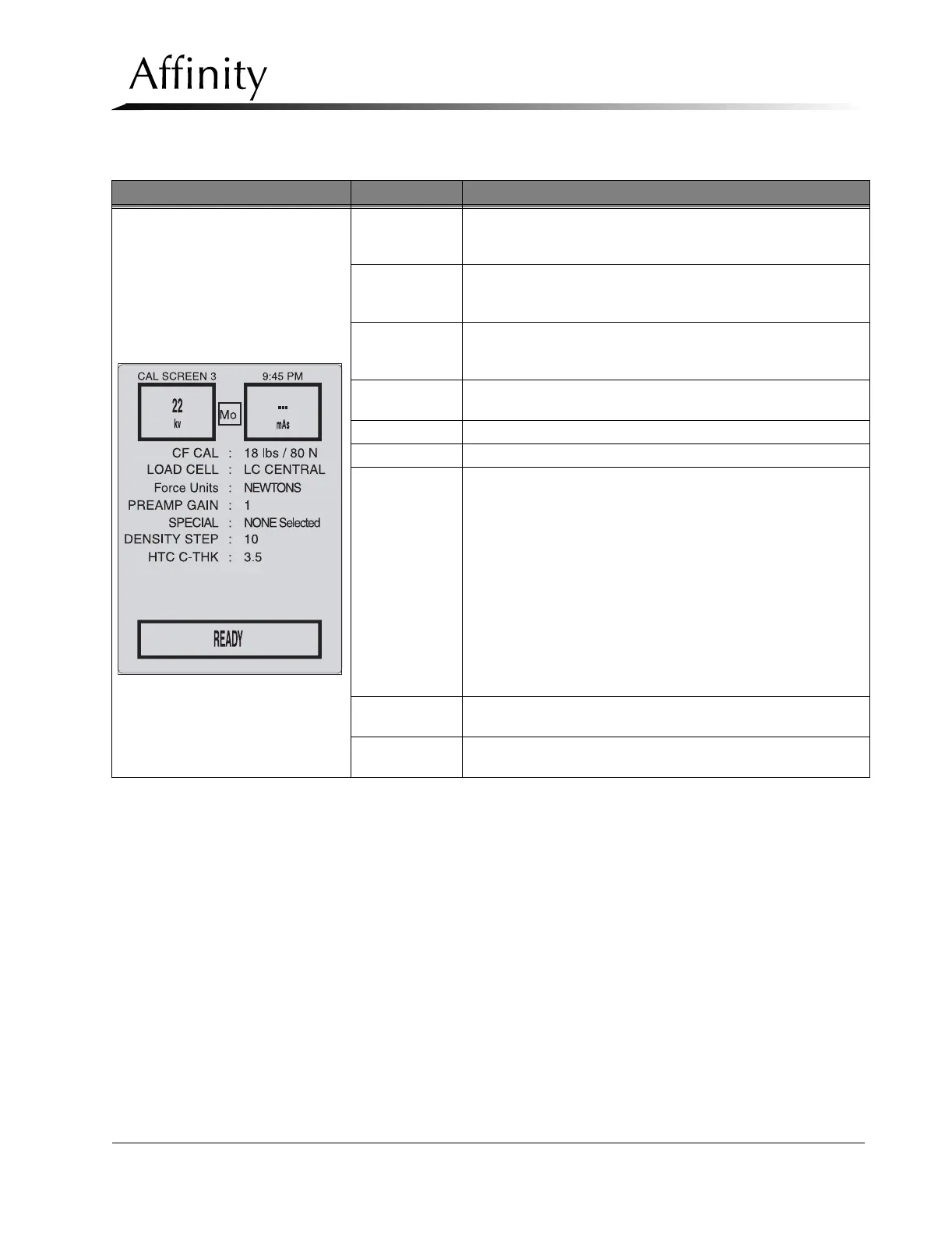
Calibration Screen #3
(C-arm Screen)
kV
Shows selected kV or displays post-exposure kV in Auto-kV or
Auto-Filter modes. Also used for kV Control Offset Calibration
(refer to Section 9.1)
mAs
Shows selected mAs or displays post-exposure mAs in Auto
Modes. Maximum selectable mAs is dependent upon kV and
Focal Spot.
CF CAL
Used when calibrating the compression force sensing circuits for
accurate force display (refer to Section 3.1). Available selections
are 18 lb/80 N, 34 lb/151 N, Thickness,andVerify.
LOAD CELL
Allows user to select type of Load Cell, REVERE or LC
CENTRAL
Force Units Allows user to select NEWTONS or POUNDS
PREAMP GAIN Factory set to 1, not adjustable.
SPECIAL
Allows user to select additional service functions:
NONE SELECTED: No special functions selected.
INIT CAL DATA: Used to initialize Calibration data on the Host
Microprocessor board (refer to Chapter 6, Section 2.3.1,Display
Microprocessor Board, p. 6-9)
CLEAR EXP CNT: Resets the Exposure Counter (refer to
Chapter 6, Section 3.2.2.1,Exposure Counter Reset, p. 6-37)
DOWNLOAD CAL: Used to download calibration data to a
laptop computer (refer to Chapter 5, Section 3.3,System Data
Retrieval, p. 5-10).
VIEW ERROR LOG: Used to view and/or download the Alert
Codes Log to a laptop computer (refer to Chapter 5, Section
3.3,System Data Retrieval, p. 5-10).
DENSITY STEP
Sets Density Step value of 6, 8, 10, or 12.5%. Factory default to
10%.
HTC THK
Used for calibration HTC Factor (Offset) (refer to Section 5.16).
Factory default to 3.5.
Table 4-2: The Calibration Screens
Calibration Screen Field Comments



 To Next Page