0850/0850-T1 User Manual
Matrix Machine Tool (Coventry) Limited 104 / 231
19 Dialog Programming
The Matrix Interface is dialogue box, interactive menu driven, parametric programming system. The
application enables quick set-up times due to the user friendly menu system. All of the parameters
required for controlling the grinding and dressing processes only require simple parameter input, no
prior CNC programming knowledge is required.
Under normal operating conditions the operator will have the Siemens Key in position 1. This
ensures that if the operator opens the front door while the spindle is running then the wheel speed
will drop to the de-fault speed, also the front door will be locked during an automatic cycle.
19.1 Displaying the Main Menu
[Custom > Matrix > Main Menu]
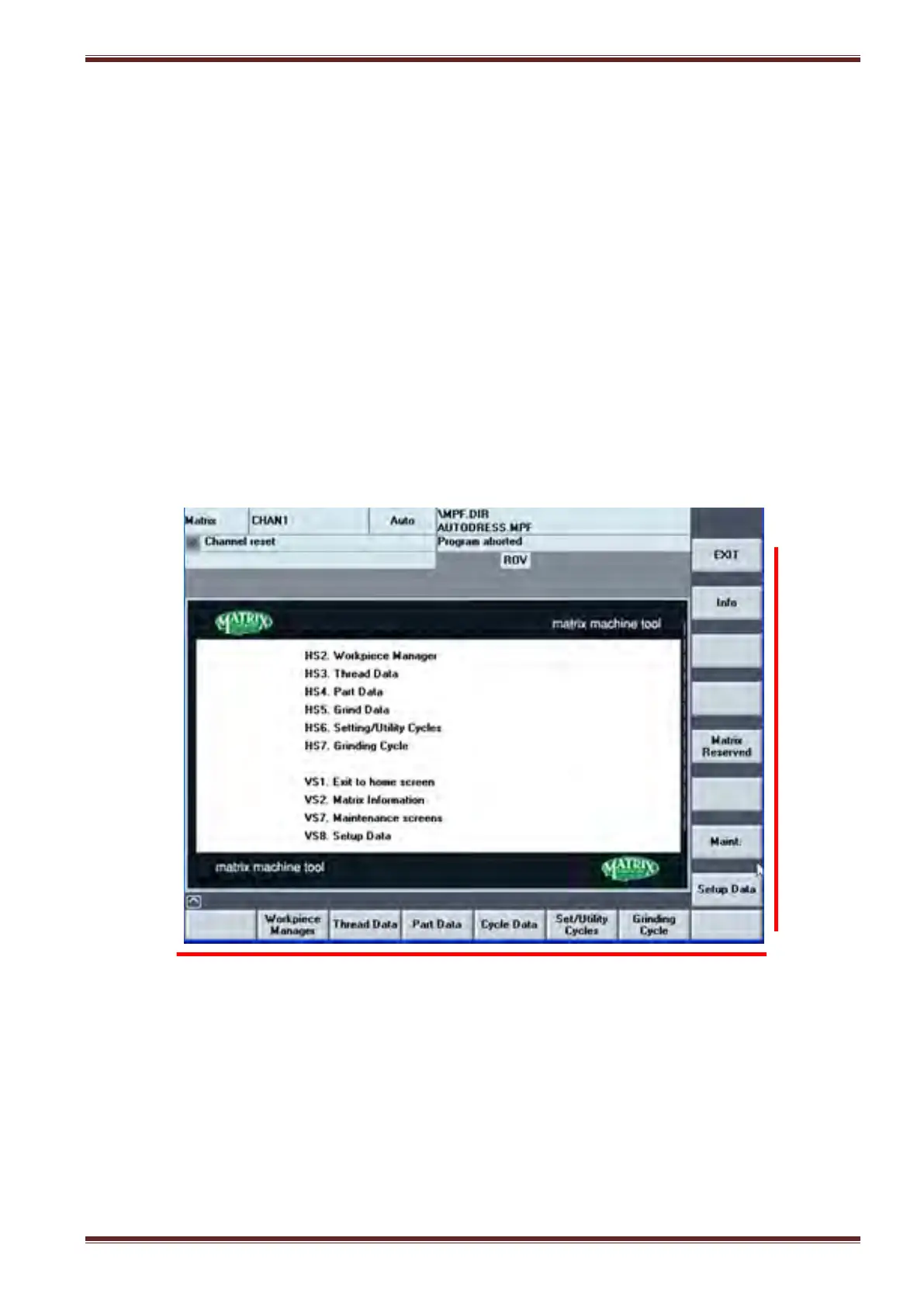
Press the [CUSTOM] key on the HMI panel to display the Matrix HMI menu screen then select the
[Main Menu] softkey to display the main menu screen as shown below:
You can exit from any active Matrix HMI interface screen and return to the Siemens machine
interface at any time by pressing the [MACHINE] key on the HMI panel.
Note: If you later press the [CUSTOM] key to get back to the Matrix interface screen then the
previously selected Matrix screen is displayed and not the Main Menu screen. However, you can
always get to the Main Menu screen from any other screen by selecting the [Main Menu] softkey.



 To Next Page