0850/0850-T1 User Manual
Matrix Machine Tool (Coventry) Limited 46 / 231
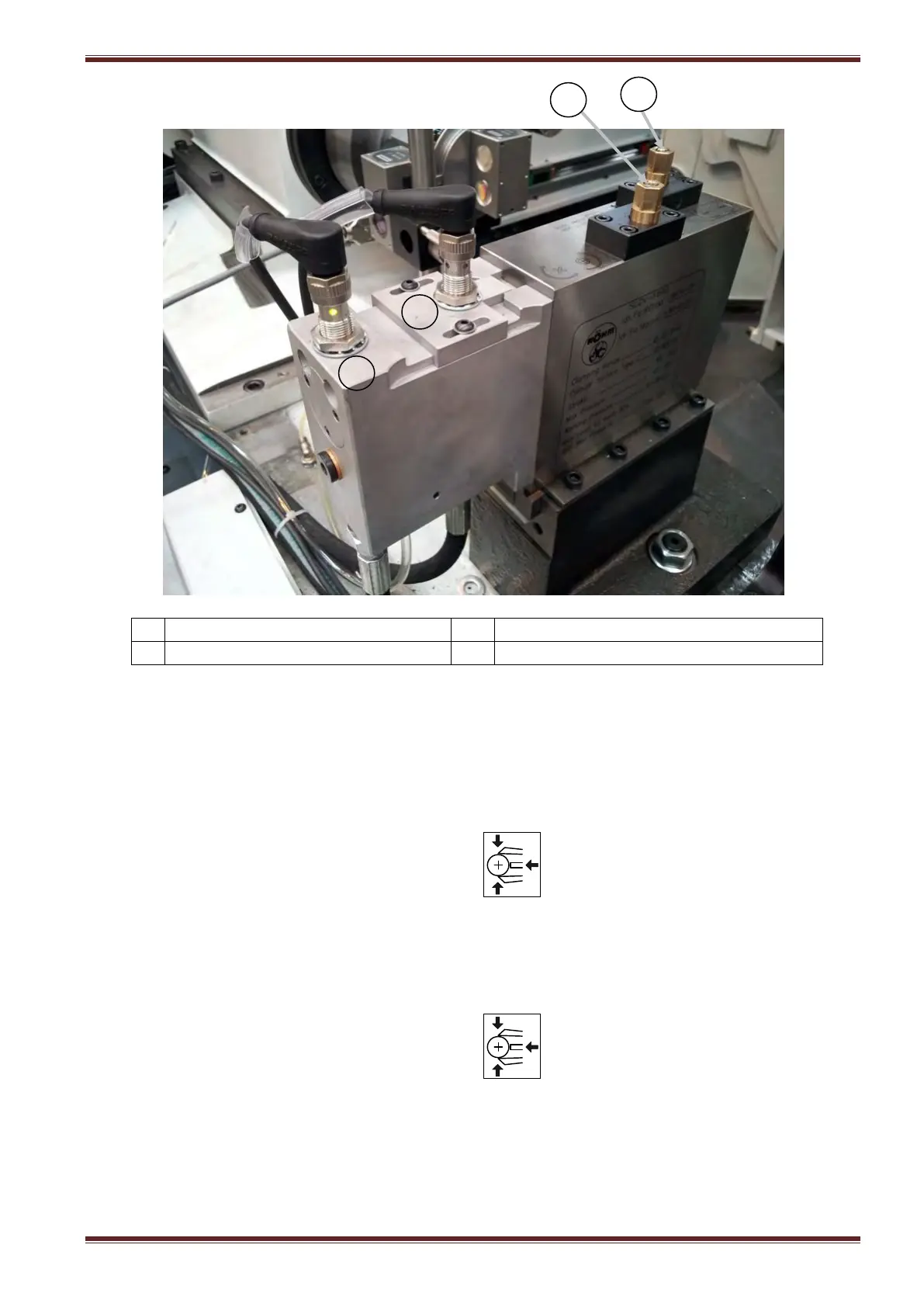
X axis fine adjustment screw
Steady in advanced position sensor
Y axis fine adjustment screw
Steady in retracted position sensor
8.1 Operating the steady
You can manually open and close the steady arms at the control console while the machine set in JOG
mode.
Open Steady
1. Select JOG mode
2. Momentarily press the steady open/close key at the machine control panel.
3. The LED indicator above the button will flash as the steady arms advance.
4. The LED indicator will change to the steady ON state when the steady arms are in the
advanced position and stopped moving.
Close Steady
1. Select JOG mode
2. Momentarily press the steady open/close key at the machine control panel.
3. The LED indicator above the button will flash as the steady arms retract.
4. The LED indicator will change to the steady OFF state when the steady arms have retracted
inside the steady body.



 To Next Page