0850/0850-T1 User Manual
Matrix Machine Tool (Coventry) Limited 180 / 231
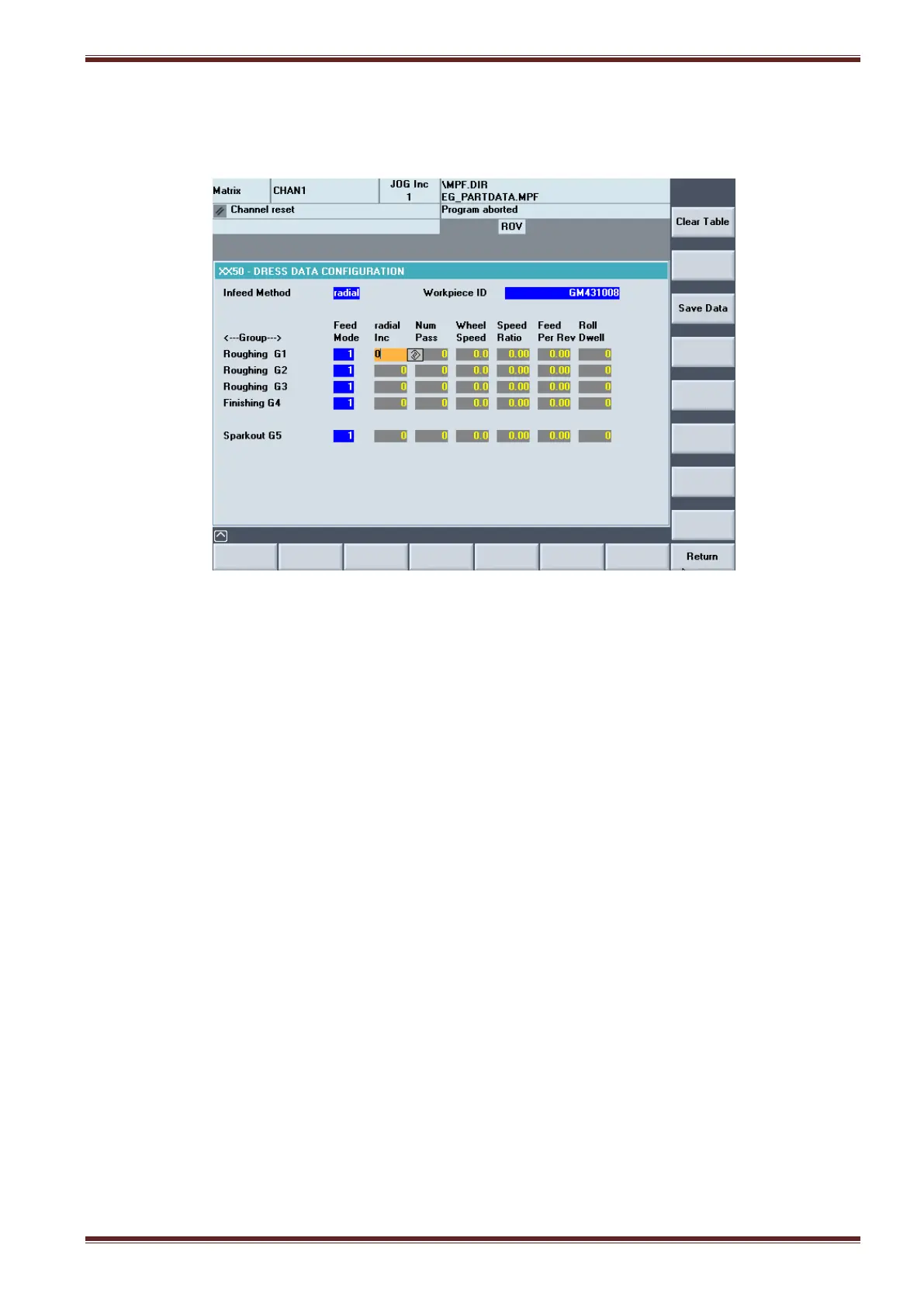
19.23 Cycle Data – Dress Table
[Menu Select > Matrix > Main Menu > Cycle Data > Dress Data]
Note: fields with a blue background are READ ONLY
For each zone (G1 to G4) where expect a dress cycle to execute you must equally enter zone specific
dressing data.
[CLEAR TABLE] Select this softkey to reset all the data table fields to zero
[SAVE Data] Select this softkey to store the data table entries to the active workpiece data
file
19.23.1 Procedure to edit Dress cycle variables
1. Select [AUTO] and [SETUP] mode
2. Select the Dress R variables screen [Custom > Matrix > Main Menu > Dress R Variables]
3. Enter data in each zone field as required.
4. Finally, press the [SAVE Data] vertical softkey to save the dressing cycle data to the workpiece
data file.
5. Press [Return] key to return to the Grind R Variables screen.



 To Next Page