0850/0850-T1 User Manual
Matrix Machine Tool (Coventry) Limited 182 / 231
19.24 Load and Run the Grind Cycle
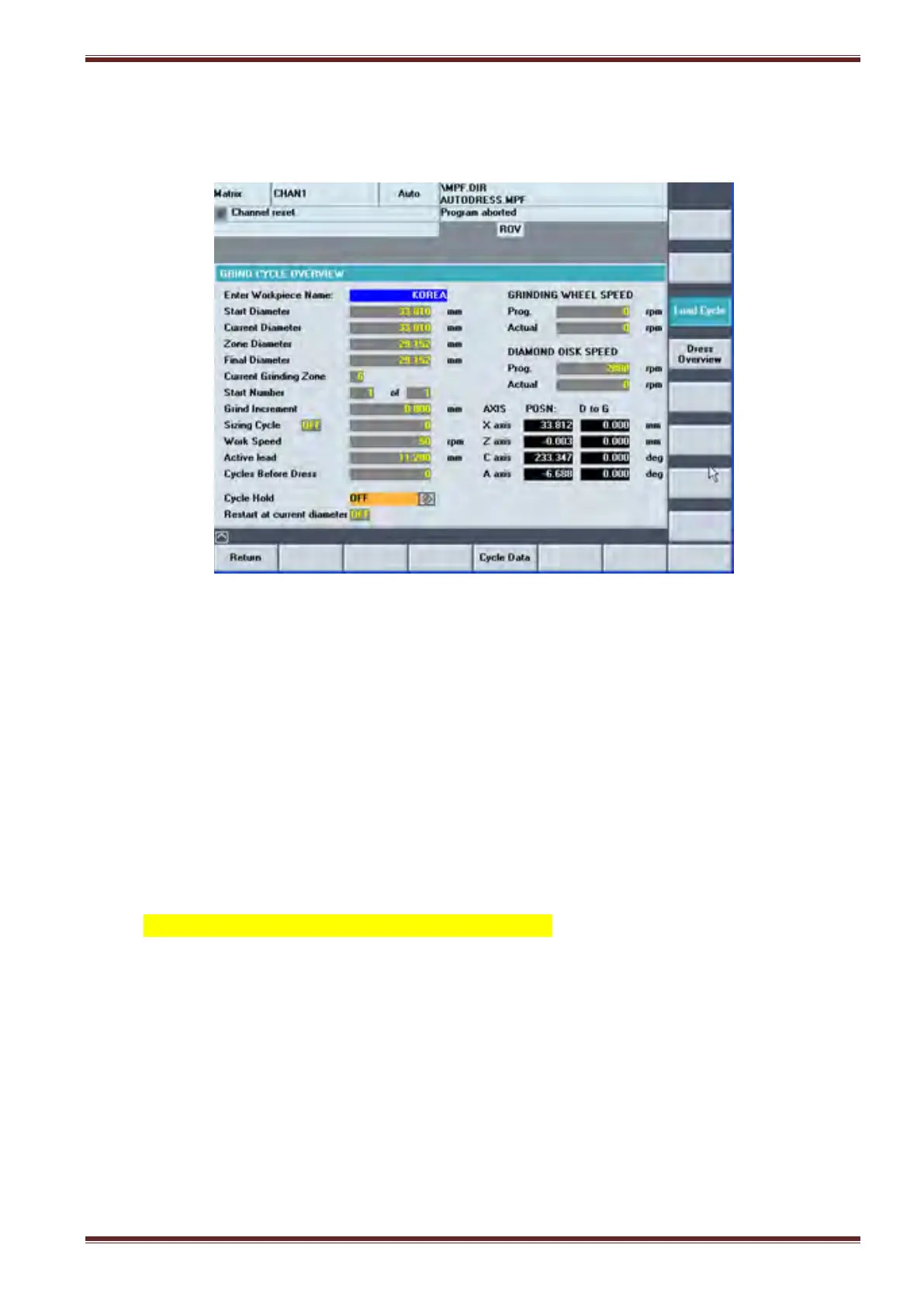
Select the Grind Overview screen [Menu Select > Matrix > Main Menu > Grinding Overview]
1. Set the ORANGE Siemens Key in position 3.
2. Select [LOAD CYCLE] softkey. This will load the grind program into the NC ready for execution.
3. Start the spindle [SPINDLE START]
4. De-select the [COOLANT OFF] button
5. De-select the [SETUP] mode button
6. Close the guard door
7. Press [CYCLE START] button.
THE MACHINE WILL NOW RUN THE GRINDING CYCLE and grind the workpiece in accordance
with the settings you defined in both the GRIND R VARIABLES screen (Zones G1 to G5) and
DRESS R VARIABLES screen(Zones G1 to G5)



 To Next Page