0850/0850-T1 User Manual
Matrix Machine Tool (Coventry) Limited 67 / 231
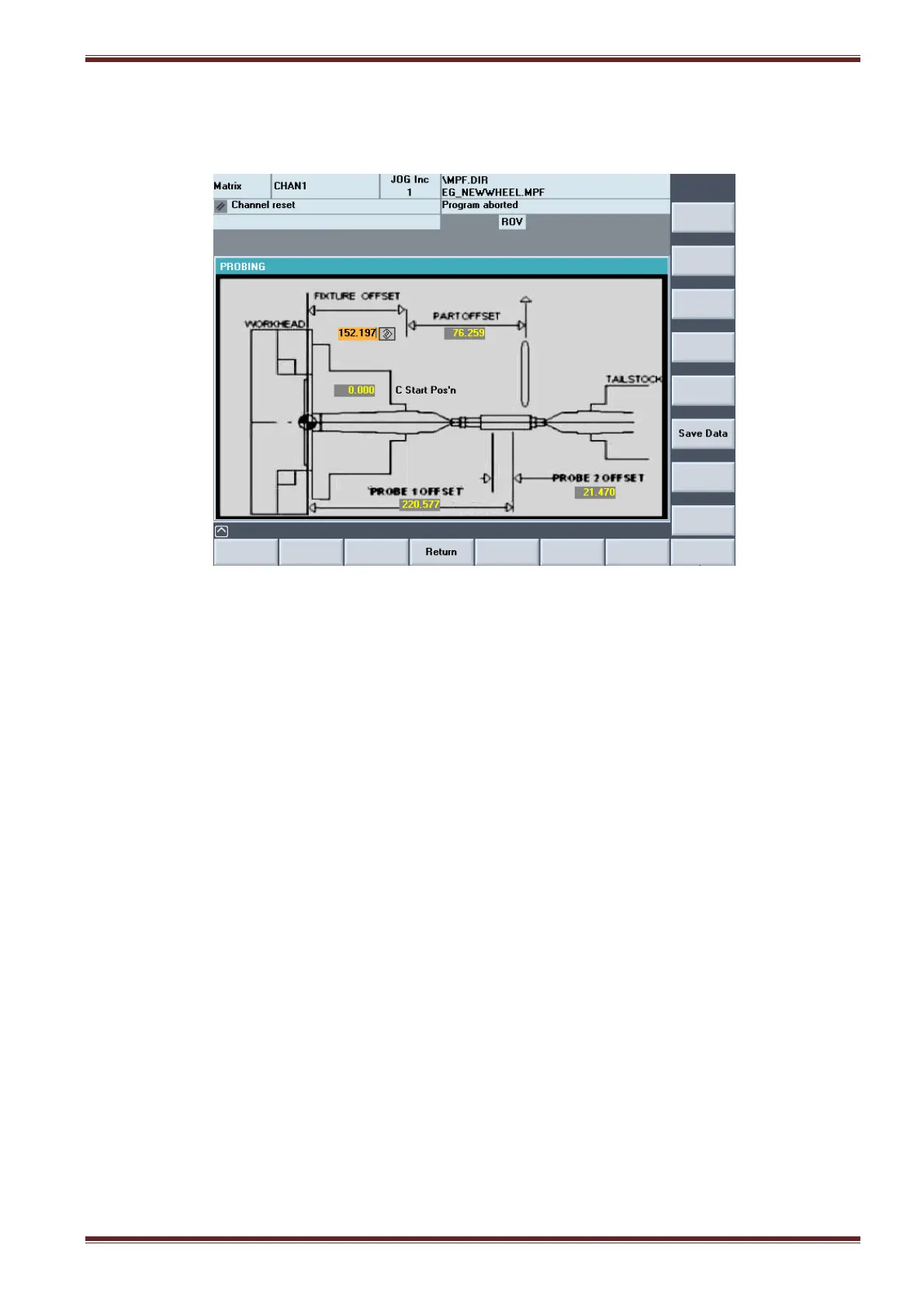
10. Measure the distance between the probe stylus and the proximity switch using a steel
measuring rule and then enter the distance into the Probe 2 Offset input field.
10.3.3 Part Offset
1. Set the wheel helix to the angle to be used for grinding the workpiece.
2. Select JOG mode and align the grinding wheel in X/Z to the start of the parallel grind position.
Note: this is where you actually want the grinding to start on the workpiece.
3. Using the handwheel, manually pitch into the thread groove in X/Z in JOG mode.
Note: you are not using the pitch-in cycle
4. Select the WORK DATUM screen and press the [Set Z start posn] key.



 To Next Page