0850/0850-T1 User Manual
Matrix Machine Tool (Coventry) Limited 107 / 231
19.3 Part Data
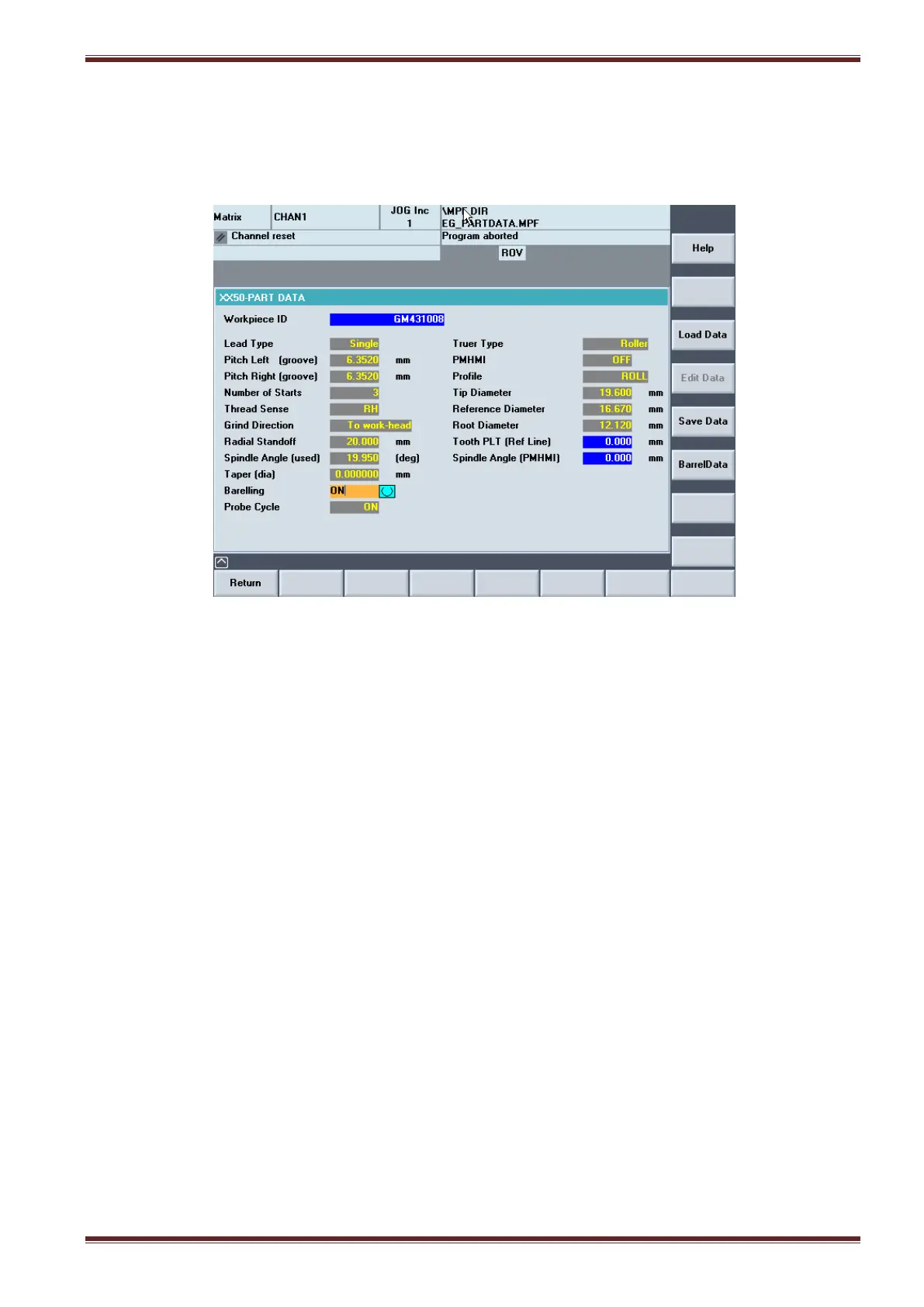
[Custom > Matrix > Main Menu > Part Data]
The Part Data screen defines the workpiece thread profile requirement to the machine.
Before proceeding to grind a workpiece thread you must enter part data about the workpiece that is
to be ground by the machine. However, if you are planning to do profile dressing using the PMHMI
function then you must select the profile and dressing tool in the Thread Data screen.
19.3.1 Edit and Verify Part Data
1. Select the [PART DATA] softkey from the main menu screen.
2. Set the orange keyswitch to position 3 on the MCP
3. Select [AUTO] + [SETUP] mode on the MCP
4. Select the [EDIT DATA] softkey in the Part Data screen
5. Enter or edit data in each input field as required followed by pressing the yellow [INPUT] key
on the HMI panel
6. Select the [SAVE DATA] softkey when you have finished entering the part data.
7. Wait until you see the message “DATA VERIFICATION PASSED” appear.
Note: If you do not see this message then that means there is an error with the data you
entered. Therefore, you must check and re-enter the part data from step 4 again.



 To Next Page