0850/0850-T1 User Manual
Matrix Machine Tool (Coventry) Limited 87 / 231
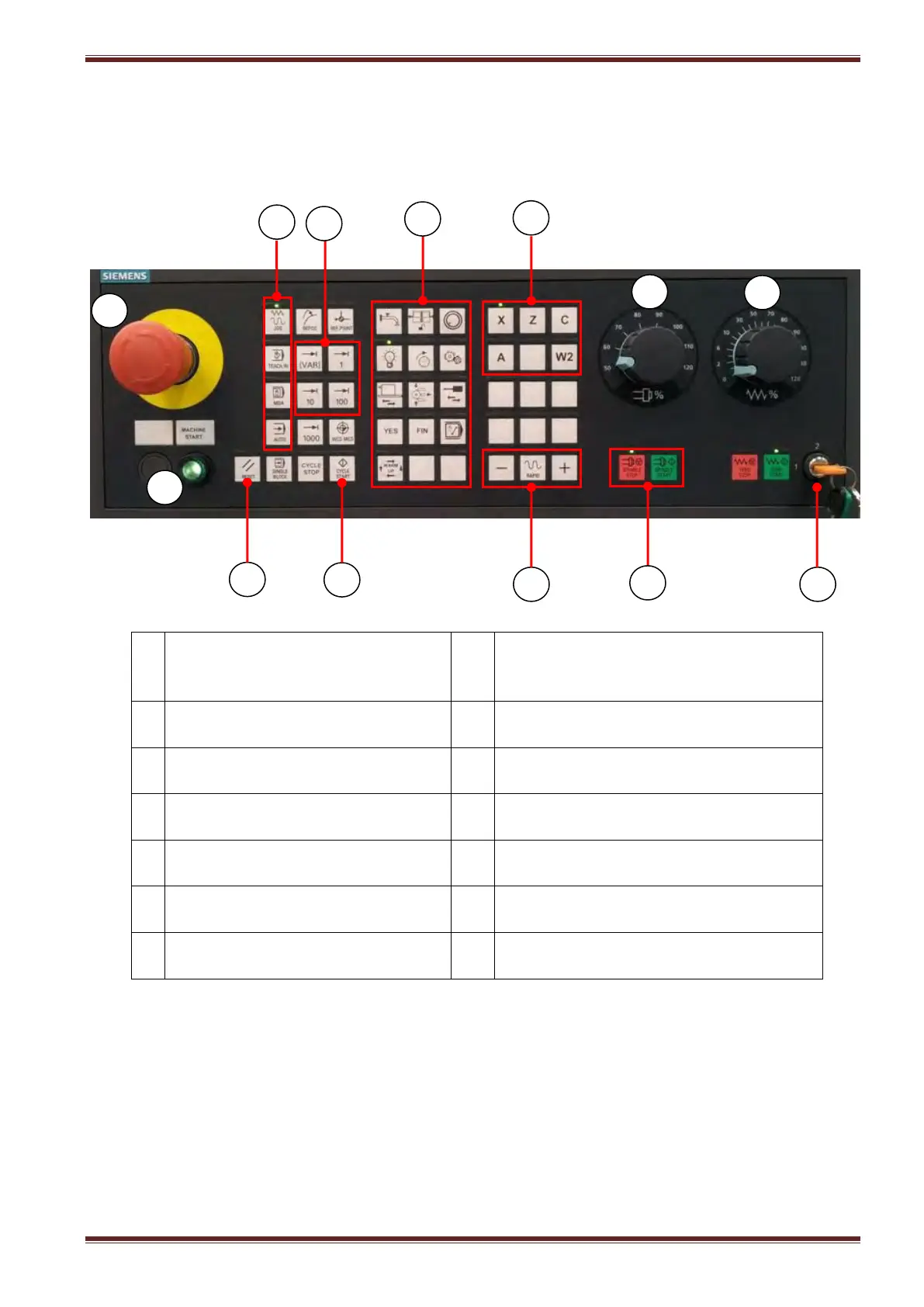
17.2 Machine Control Panel (MCP)
The machine control panel is used to initiate actions on the machine such as traversing the
axes, NC program start, etc. Details of the individual functions are described below.
Machine Start/emergency stop
reset pushbutton (green
illuminated)
Emergency stop actuator
(turn-to-release)
Access rights keyswitch (0= lowest
access, 3= highest access)
Machine command functions
Grinding spindle (S1) override control
rotary switch (50 – 100%)
Grinding spindle (S1) start/stop keys
Control system operating mode
JOG / MDA / AUTO
Machine axes feedrate override control
rotary switch (0 - 100%)
JOG increment selection INC 1, 10,
100
When a key is pressed on the MCP the corresponding status indicator above the key is
illuminated.



 To Next Page