0850/0850-T1 User Manual
Matrix Machine Tool (Coventry) Limited 185 / 231
19.25.2 Resume the cycle
Select this option if you want to just continue with the cycle from the current diameter.
1. De-select [BLOCK SKIP] function
2. Press the [CYCLE START] key
3. Select option [1] softkey
4. The cycle will now execute and continue to grind the workpiece from the currently active
diameter value as displayed in the Grinding Cycle Overview screen.
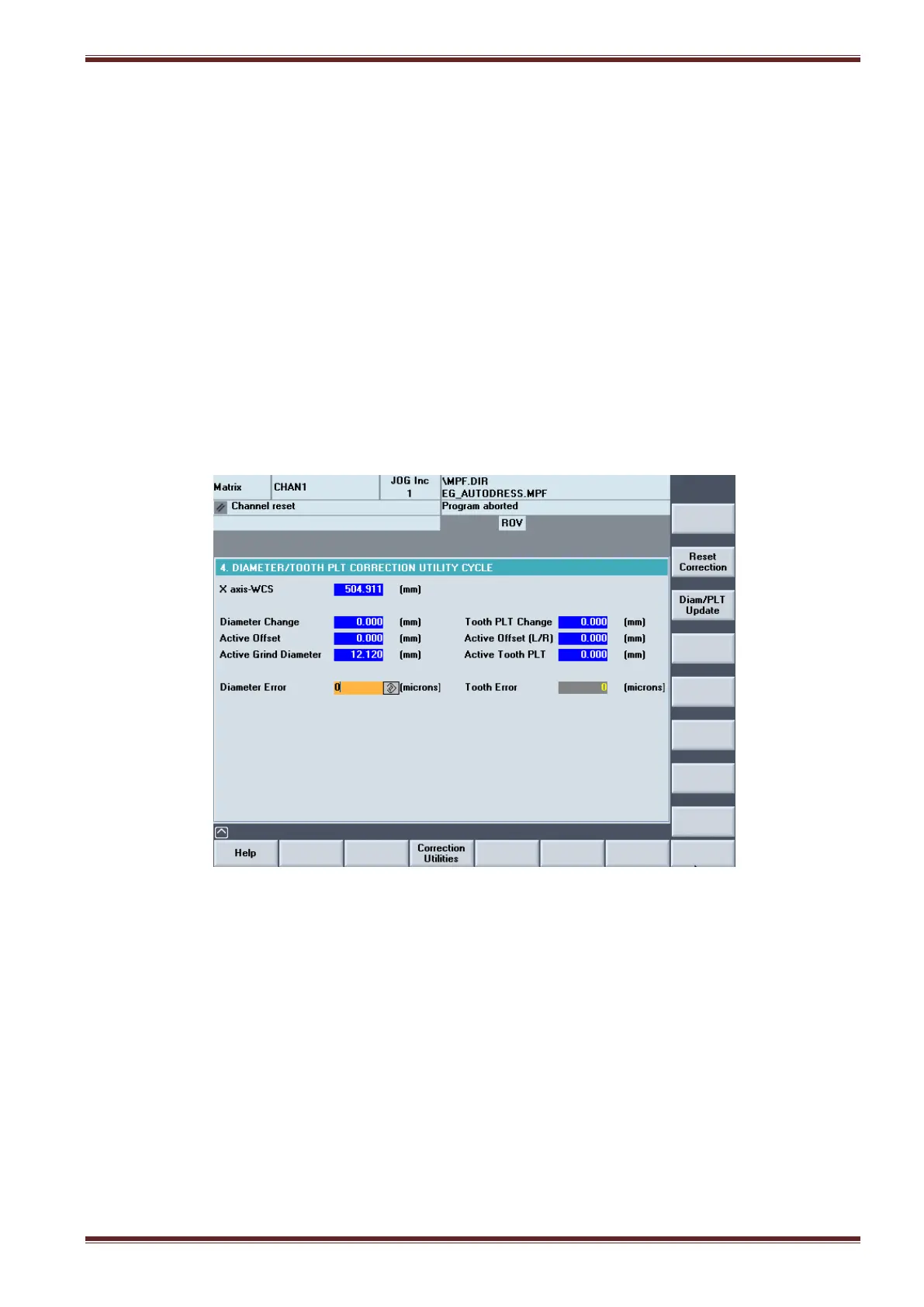
19.25.3 Make a correction to the diameter and then resume the cycle
Select this option if you want to make a correction to the diameter before resuming the cycle.
1. Select the Diameter Correction screen [Custom > Matrix > Main Menu > Setting Cycles >
Correction Utilities]
2. Make the necessary change in the Diameter Error input field and then press the [Diam/PLT
Update] softkey to update the entry.
3. Return back to the Cycle Options screen.
4. De-select [BLOCK SKIP] function
5. Press the [CYCLE START] key
6. Select option [2] softkey
The cycle will now execute and continue to grind the workpiece from the updated current diameter
value as displayed in the Grinding Cycle Overview screen.



 To Next Page