0850/0850-T1 User Manual
Matrix Machine Tool (Coventry) Limited 99 / 231
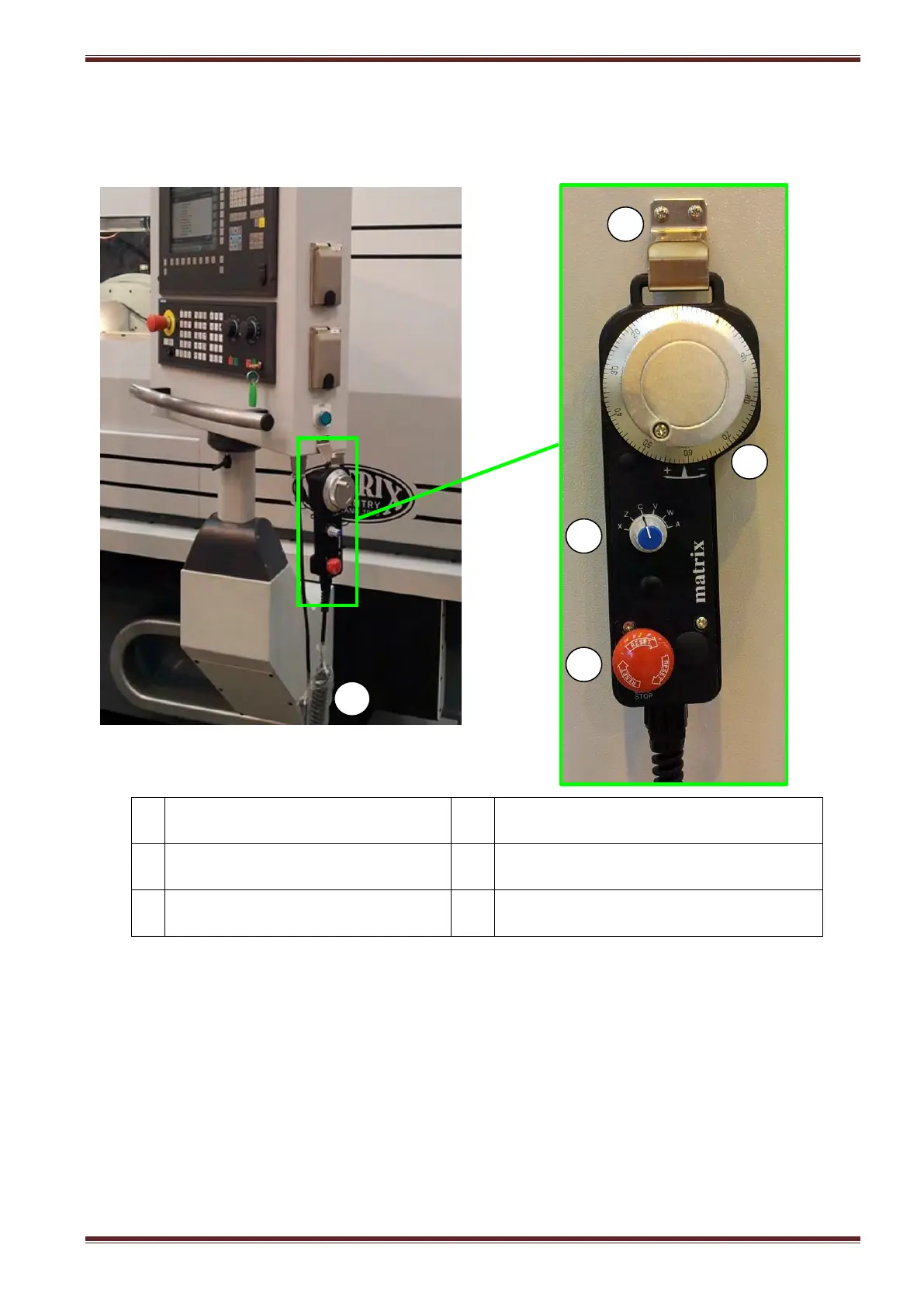
17.9 Handheld Unit
The handheld unit is intended for use by the operator during machine setup. The hand unit connects
to the electrical control cabinet (ECC) via a flexible coiled cable which can be extended upto 2 meters.
Emergency stop actuator
(turn-to-release)
Electronic handwheel / MPG
Axis (X,Z,C,A) rotary selector switch
Handheld unit docking hook
Coiled cable
(extendable upto 2metres)
To use the handheld unit:
1. Select [HANDWHEEL ENABLE] function at the MCP
2. Select a jog increment [1], [10] or [100] at the MCP
3. On the handheld unit turn the rotary switch to select the axis position that you want to
control with the MPG.
Note:
1. Whilst the handheld unit is in use axis selection at the machine control panel (MCP) is
inhibited.
2. The handwheel cannot be used on the travelling tailstock axis (W2) if this option is fitted to
the machine.



 To Next Page