0850/0850-T1 User Manual
Matrix Machine Tool (Coventry) Limited 117 / 231
6. If all has gone well so far you should now have reached the point where you are presented
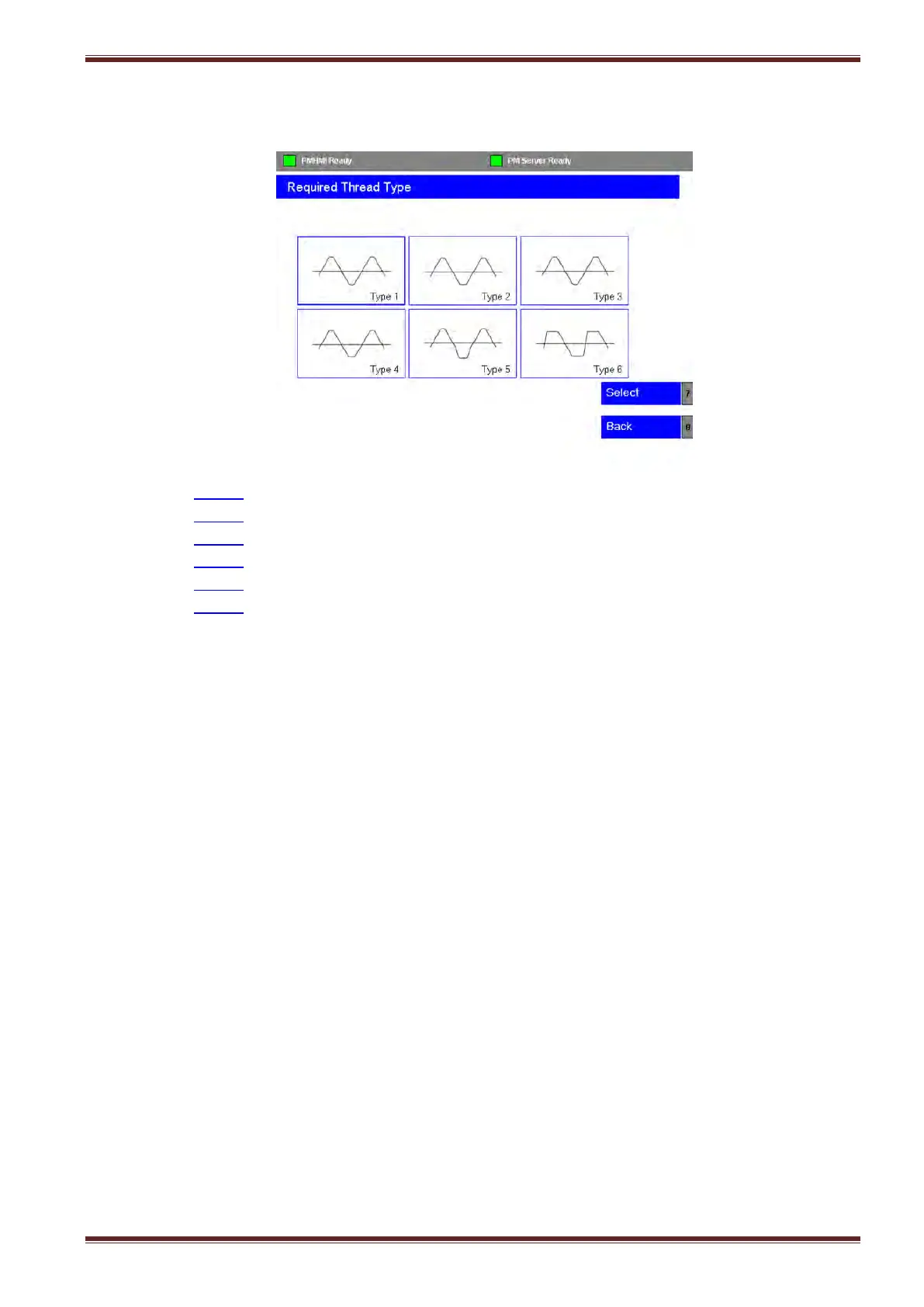
with the Thread Type options screen as shown below:
7. Select Type 1 if to want to create a thread with radii at the crest and root.
Select Type 2 if to want to create a thread with radius at the crest and flat at the root.
Select Type 3 if to want to create a thread with flat at the crest and a radius at the root.
Select Type 4 if to want to create a thread with flats at the crest and root.
Select Type 5 if to want to create a thread with parted-out root.
Select Type 6 if to want to create a thread with buttress form.
Highlight the thread type that you want to create using the blue cursor buttons on the HMI
panel and then press the [Select] softkey to continue.



 To Next Page