0850/0850-T1 User Manual
Matrix Machine Tool (Coventry) Limited 150 / 231
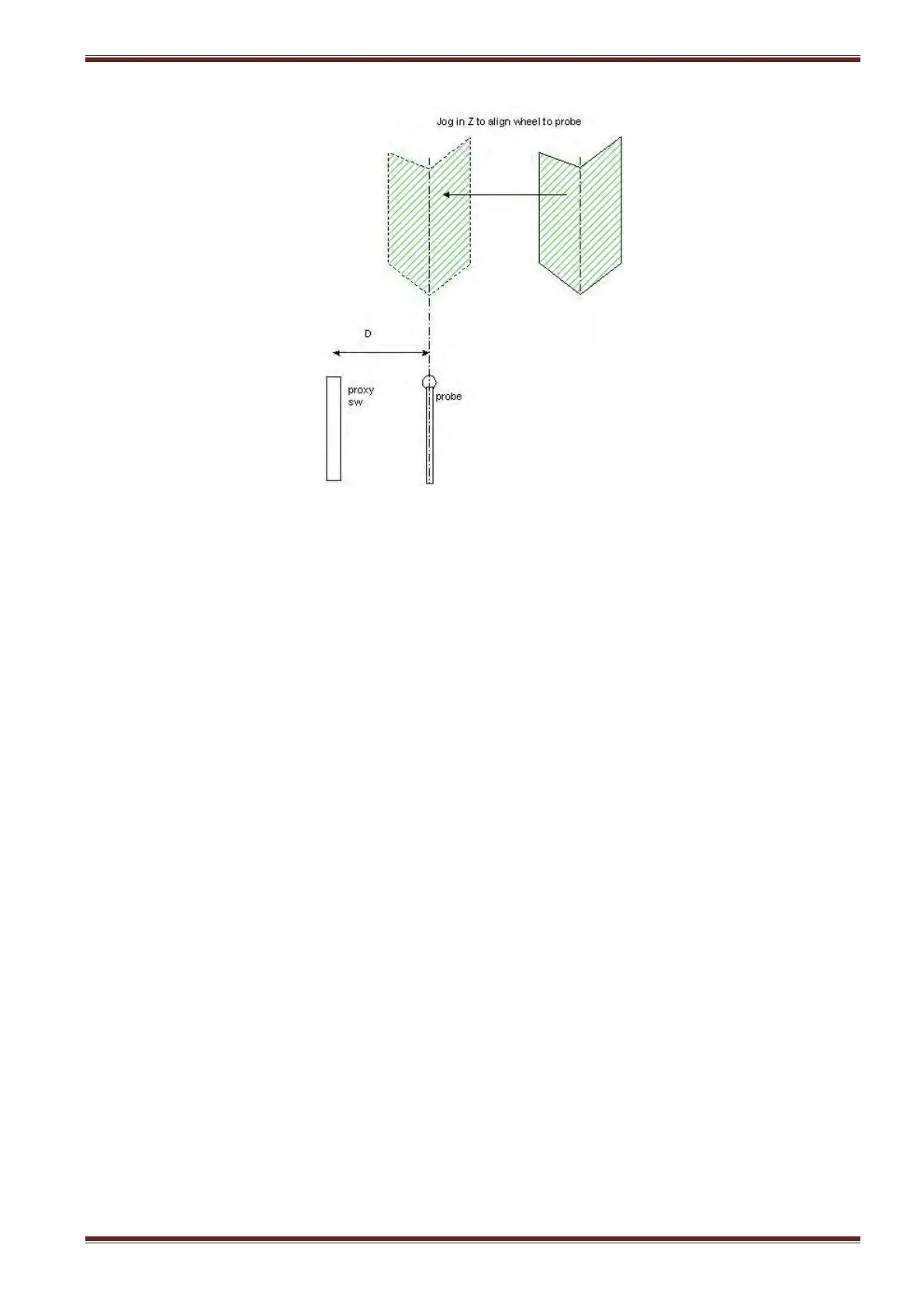
13. Using the handwheel align the grinding wheel centreline to the probe stylus centreline.
Note: Establish this position as accurately as you possibly can because this is a very important
offset.
14. Enter the Z position as displayed on the screen in the MCS into the Probe 1 Offset input field.
15. Physically measure the distance between the probe stylus and proximity switch using a steel
measuring rule and enter the measurement into the Probe 2 offset input field.
16. Select [Probe Advance/Retract] at the machine control panel to retract the measuring stylus.
17. Load the workpiece back in again between centres.
18. Set the grinding wheel to the helix angle required for grinding.
19. Align the grinding wheel in X and Z to the start of the parallel grind position i.e this is where
you actually want the grinding to start at when the automatic cycle runs.
20. Select the WORK DATUM screen and press the [Set Z start posn] soft key.
21. Select the [Probe Cycle] soft key to return to the probe offsets screen.
Notice that the Part Offset input field value has been automatically updated.
22. Press the [Save Data] soft key to save all probe system related offset and datums to memory.
23. Go back to the WORK DATUM setup screen and complete the procedure to set the end grind
Z position.
24. Test the probe cycle in [SETUP] mode to confirm that the workpiece can be probed correctly.
25. Probe system setup is complete!



 To Next Page