0850/0850-T1 User Manual
Matrix Machine Tool (Coventry) Limited 65 / 231
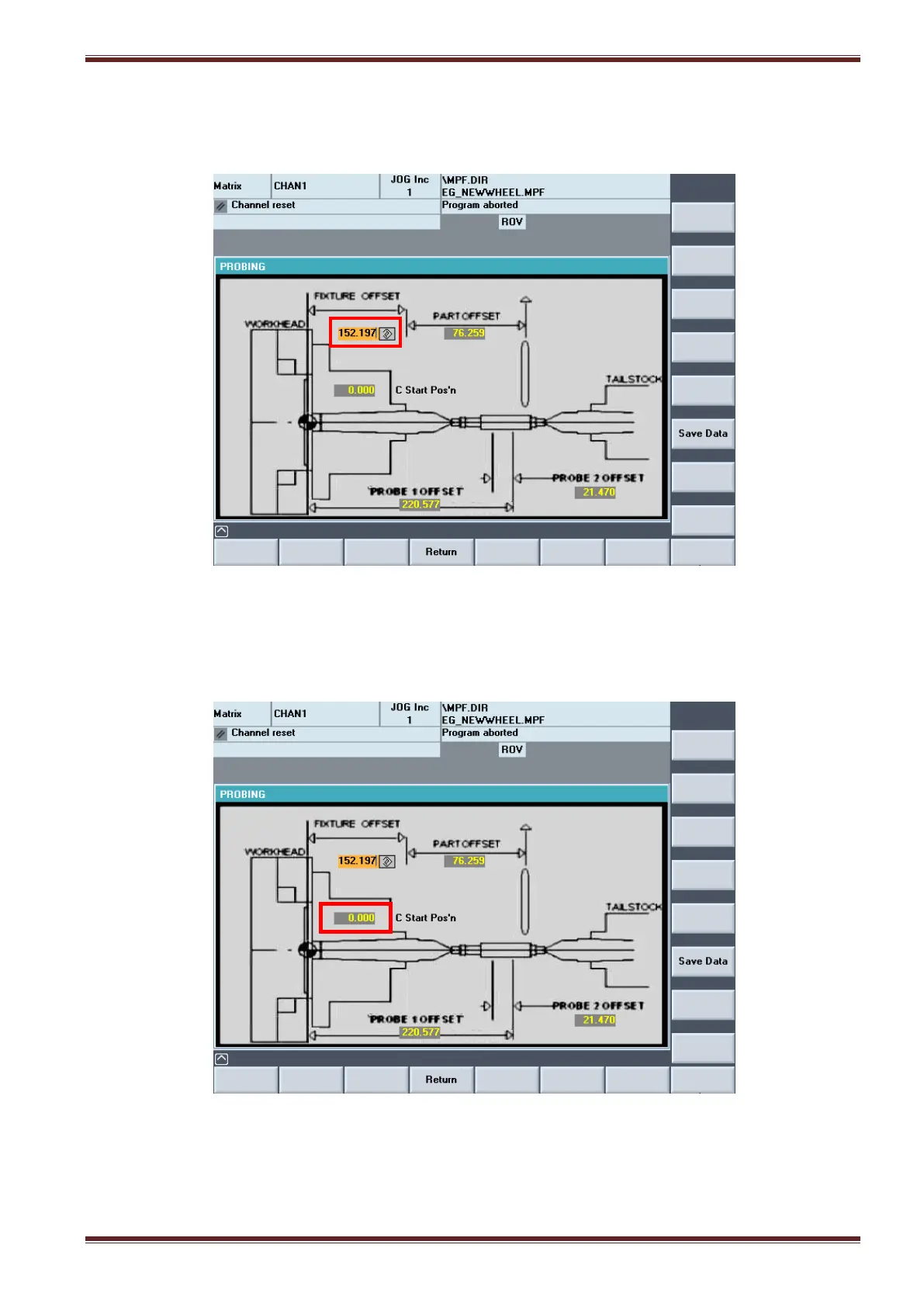
4. Enter the Z axis position as displayed in the machine coordinate system (MCS) into the Fixture
Offset input field in the PROBE CYCLE screen (Setting Cycles > Set Work Datum > Probe Cycle)
5. Load the pre-cut workpiece to be machine.
6. The C Start Posn input field is used to rotate the C axis to a specific position before the
probing cycle starts. You can enter a value in here if you wish or just leave it set as 0.000.
7. Select the [Advance Probe] button on the MCP to advance the probe slide. (Note: ensure the
probe stylus is fitted!)



 To Next Page