6 System Commissioning and Functions NICE3000
new
User Manual
- 156 -
3. Use description of parallel control
● Denition of oors:
User oor: actual oor of the building
Physical oor: oor which either elevator stops at and provides service for or oor installed with
the leveling plate.
● For the same physical oor, the leveling plate must be installed for both the elevators. Even if
one elevator need not stop at a certain oor, the leveling plate must be installed at this oor for
this elevator. You can set the service oors of this elevator so that it does not stop at this oor.
● The HCB addresses should be set according to physical oors. Parallel running can be
implemented only when the HCB address set for one elevator is the same as that for the other
elevator in terms of the same oor.
● The top oor (F6-00) and bottom oor (F6-01) of each elevator should be set based on the
corresponding physical oors of this elevator.
Example:
Assume that there are two elevators in parallel mode:
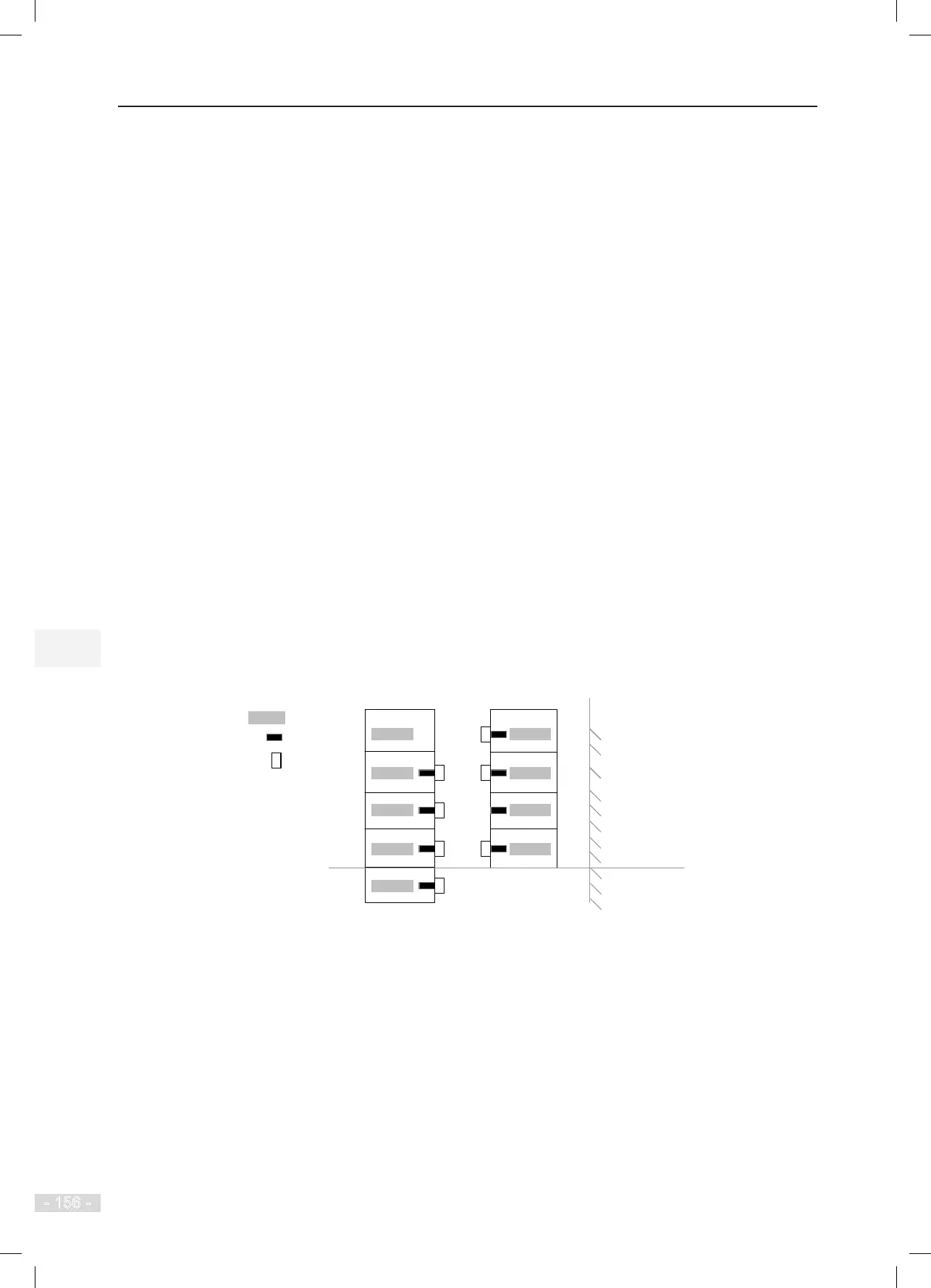
Elevator 1# has one underground user oor and four overground user oors, but stops only at oor
B1, oor 1, oor 2, and oor 3.
Elevator 2# has four overground user oors ,but stops only at oor 1, oor 3, and oor 4.
Figure 6-23 Floor diagram of two elevators in parallel control
4
3
2
1
5
4
2
Elevator 1#
Elevator 2#
Physical floor 5
Floor B1
Floor 1
Floor 2
Floor 3
5
Leveling plate
HCB address
User floor
Floor 4
(Not stop)
Floor 4 Floor 4
Floor 3
Floor 2
Floor 1
Physical floor 4
Physical floor 3
Physical floor 2
Physical floor 1



 To Next Page