4.7 Memory Function
BP4610
4-54
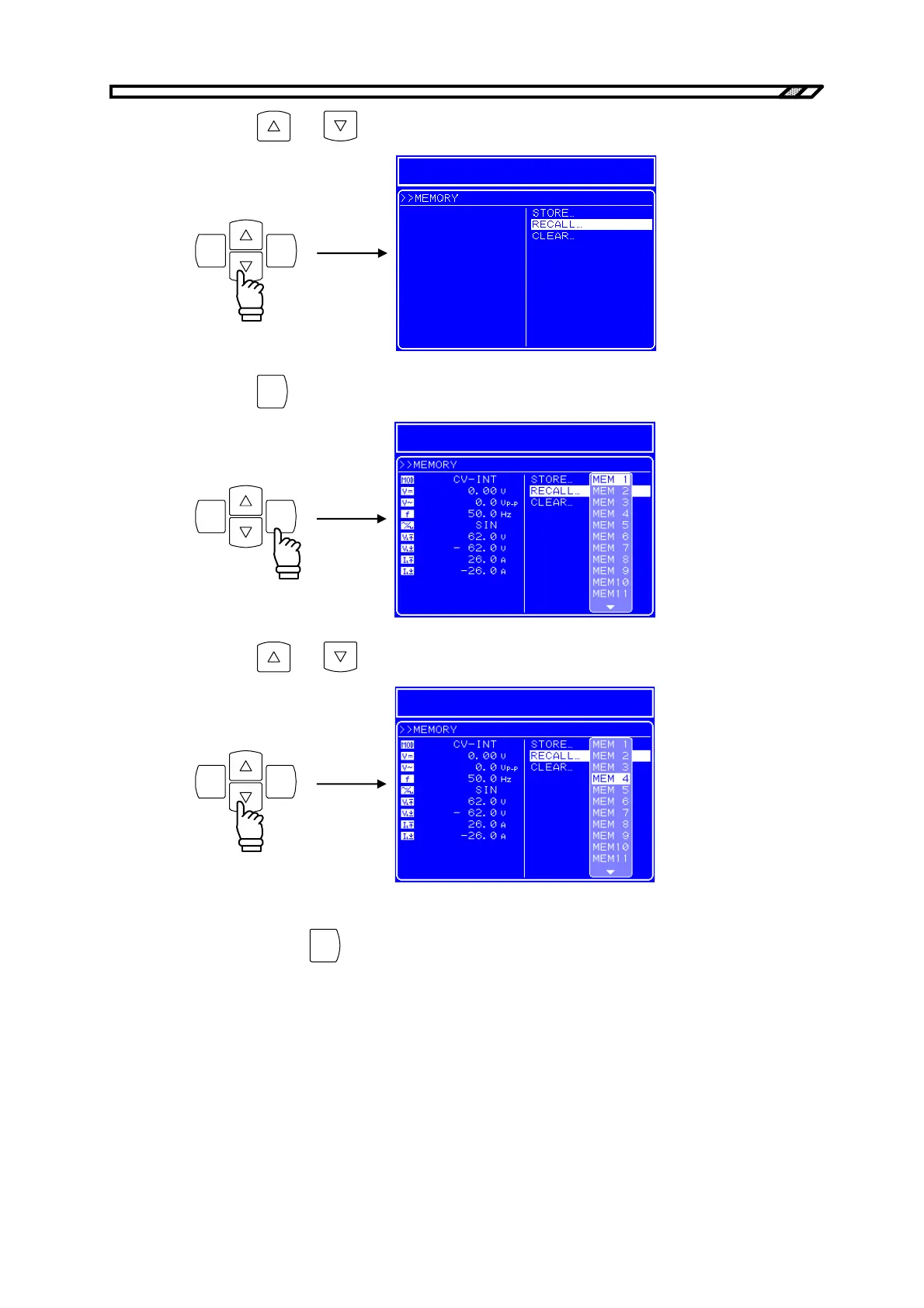
<4> Press the and keys to select the operation to be performed.
ENTERCANCEL
<5> Press the
ENTER
key to display the Select box.
ENTERCANCEL
<6> Press the and key to move the cursor to the target memory number.
ENTERCANCEL
<7> Check the setting contents displayed in the left part of the Menu window, and if they are
correct, press the
ENTER
key to perform the specified operation to that memory number.



 To Next Page