4.9 System Menu
BP4610
4-68
4.9.6 Setting of operation of output and response calibrator at
power-on
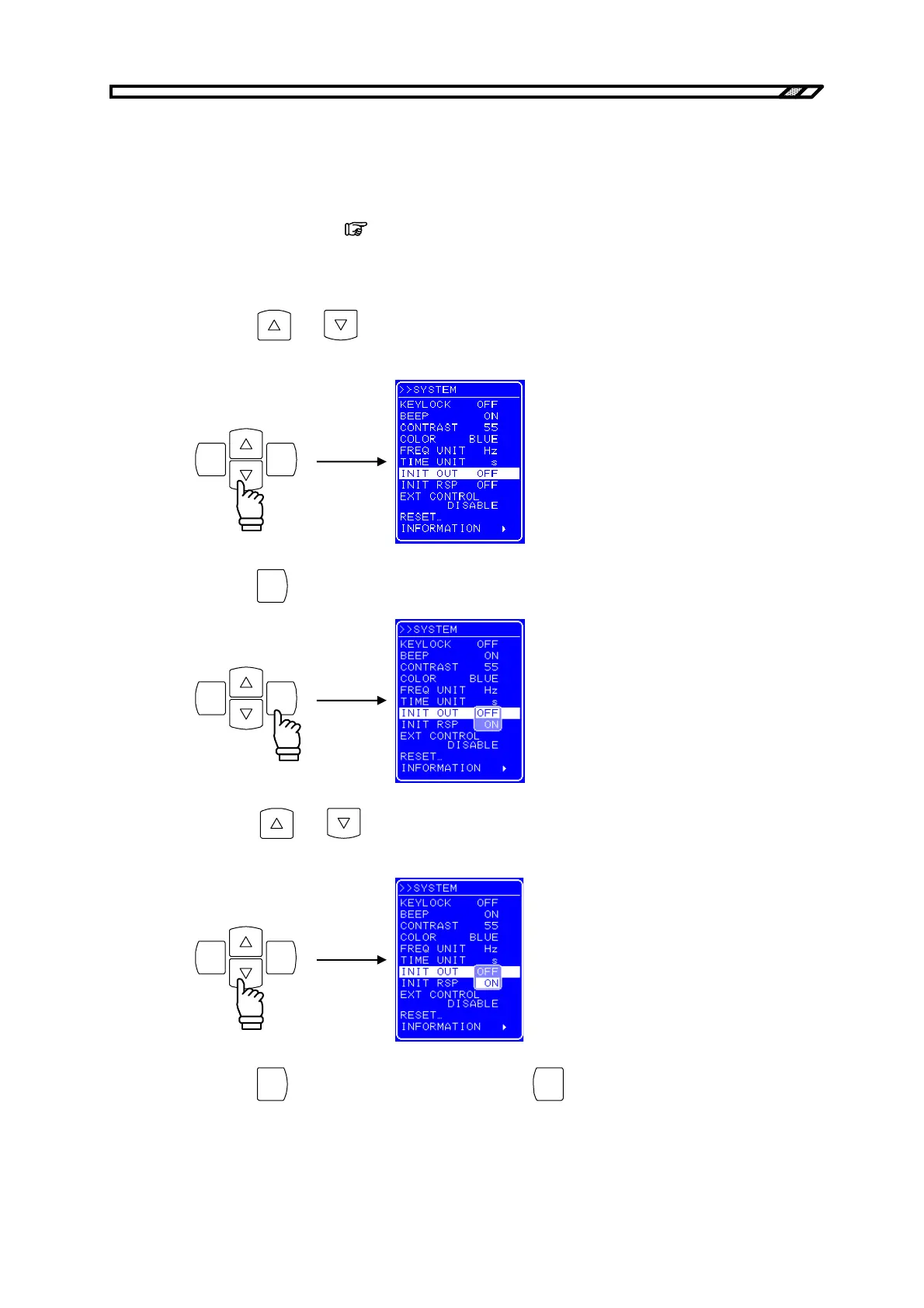
The BP4610 allows the output to automatically go on at power-on.
Moreover, the response characteristics can also be set to the adjustment characteristics
simultaneously with power-on. (
Refer to “4.10.3 Adjustment characteristics”.)
Operation procedure
<1> Press the
and keys to move the cursor to [INIT OUT] to set the output operation at
power-on, or to [INIT RSP] to set the response calibration at power-on.
ENTERCANCEL
<2> Press the
ENTER
key to display the Select box.
ENTERCANCEL
<3> Press the
and keys to move the cursor to “ON” or ”OFF” to set “on” or “off”,
respectively.
ENTERCANCEL
<4> Press the
ENTER
key to apply the setting, or press the
CANCEL
key to cancel the setting.



 To Next Page