4.3 Basic Functions
BP4610
4-20
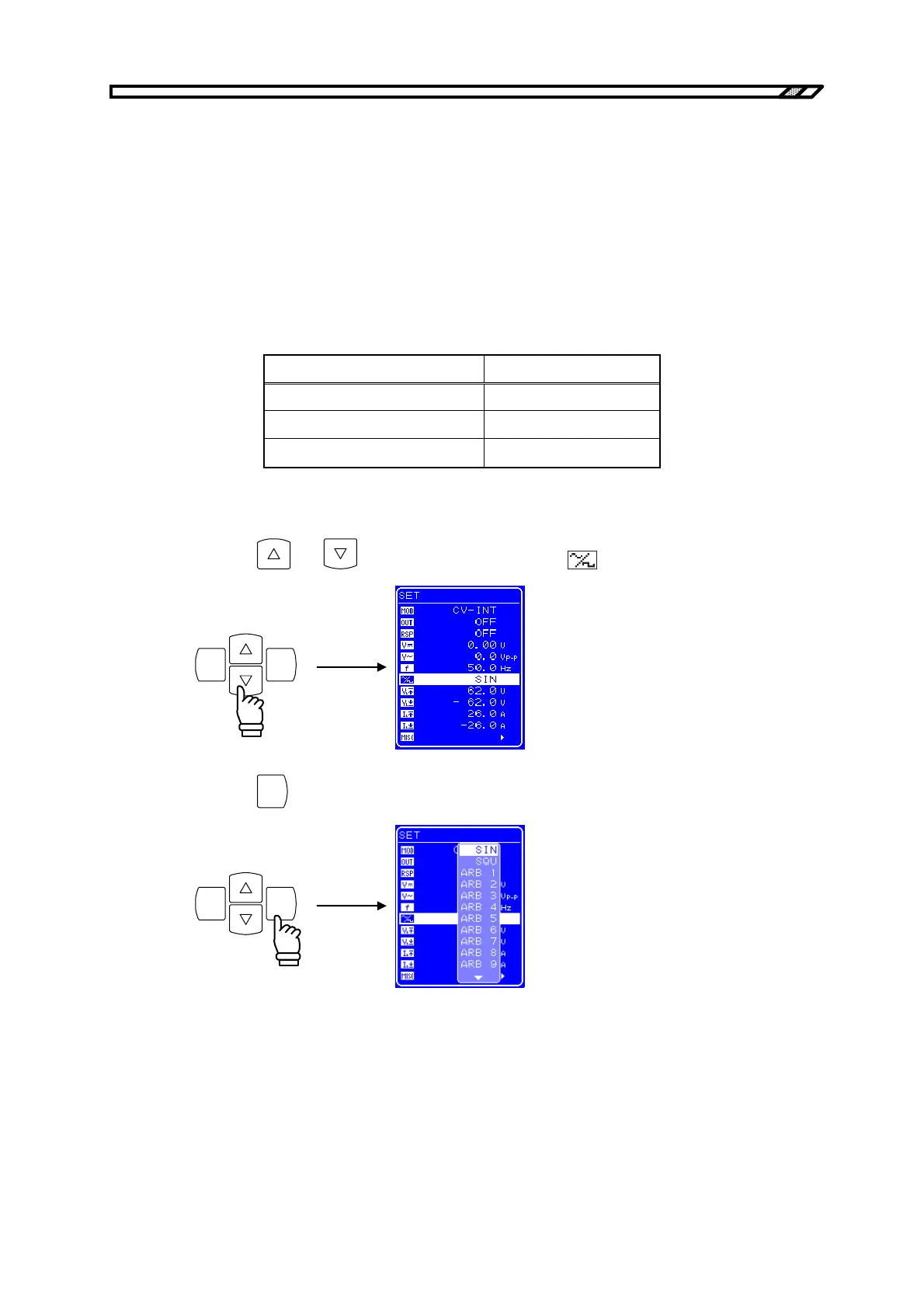
4.3.6 Setting of waveform
The BP4610 allows selection of a sine wave, square wave, or one of 16 arbitrary waves as the waveform
to be output, via the operation panel. Arbitrary waves are created through data transfer via the USB
interface. When output is on, the superimposed AC voltage waveform and superimposed AC current
waveform cannot be changed. To change the waveform, set switch off the output.
The waveforms listed in Table 4-11 can be selected.
Table 4-11. Superimposed AC Voltage Waveform and Superimposed AC
Current Waveform List
Display on Operation Panel Type
SIN Sine wave
SQU Square wave
ARB1 to ARB16 Arbitrary wave (16 types)
Operation procedure
<1> Press the
and keys to move the cursor to the icon.
ENTERCANCEL
<2> Press the
ENTER
key to display the Select box.
ENTERCANCEL



 To Next Page