3.2 Access to the Volume Area
BP4610
3-6
3.2 Access to the Volume Area
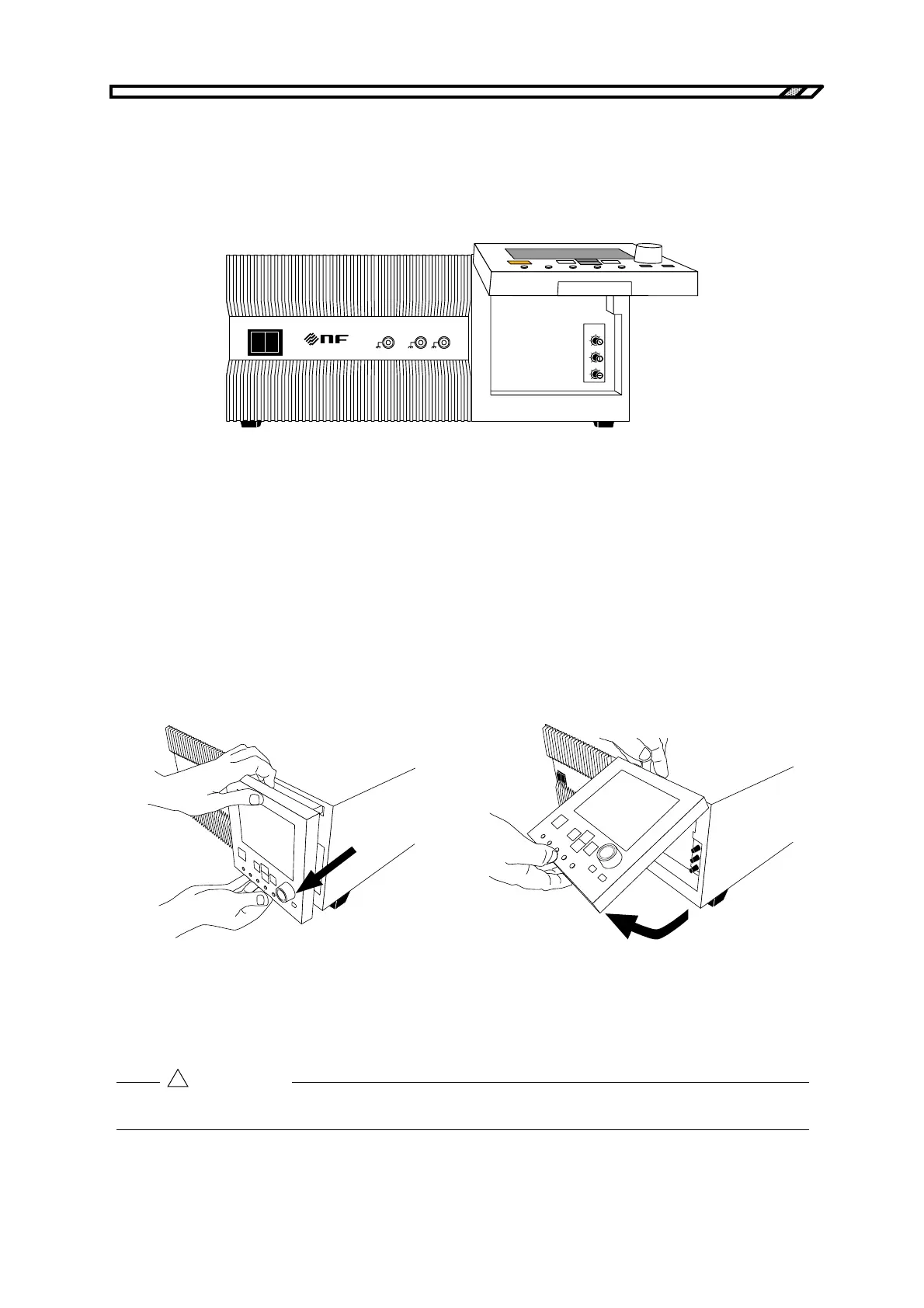
To access the volumes (T, V, I) beneath the operation panel, lift the operation panel.
POWER
EXT SIGNAL IN
VO
MONITOR OUT
IO
O I
1/100 1V/10A
RESPONSE
CAL
T
V
I
Figure 3-1. Lift Operation Panel
When lifting the operation panel, first gently pull the panel toward you holding its top and
bottom.
After pulling out the panel until it stops, gently lift up only the bottom of the panel. The
operation panel will remain lifted at the angle you have chosen.
Note that the keys on the panel must not be operated while the panel is fixed in a lifted position.
How to lift the operation panel
(1) Holding the top and bottom of the operation
panel, gently pull it toward you.
(2) Pull out the operation panel until it stops.
(3) Then lift up only the bottom of the panel.
(4) Once the panel is at the desired angle,
release it.
Figure 3-2. Operation Panel Lifting Method
Do not try to lift the operation panel without first pulling it out, as this will damage the panel.
!
CAUTION



 To Next Page