7.4 Version Number Verification Method
BP4610
7-3
7.4 Version Number Verification Method
The firmware version of the BP4610 is for a few seconds at power-on.
At times other than power-on, the system information can be displayed and checked via the
operation panel.
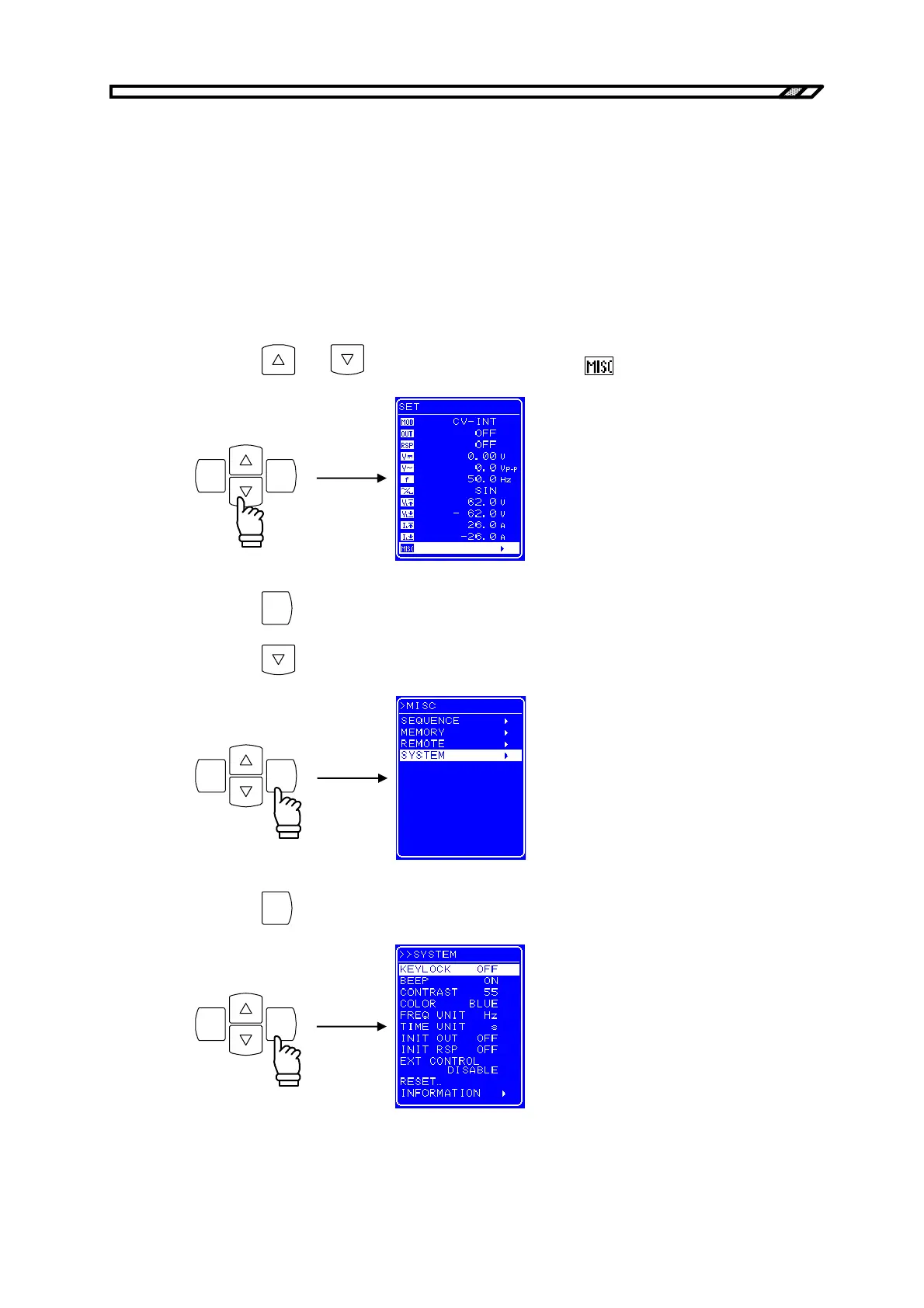
Operation procedure via operation panel
<1> Press the
and keys to move the cursor to the icon.
ENTERCANCEL
<2> Press the
ENTER
key to display the MISC screen.
Press the
key to move the cursor to “SYSTEM”.
ENTERCANCEL
<3> Press the
ENTER
key to display the SYSTEM screen.
ENTERCANCEL



 To Next Page