4.9 System Menu
BP4610
4-64
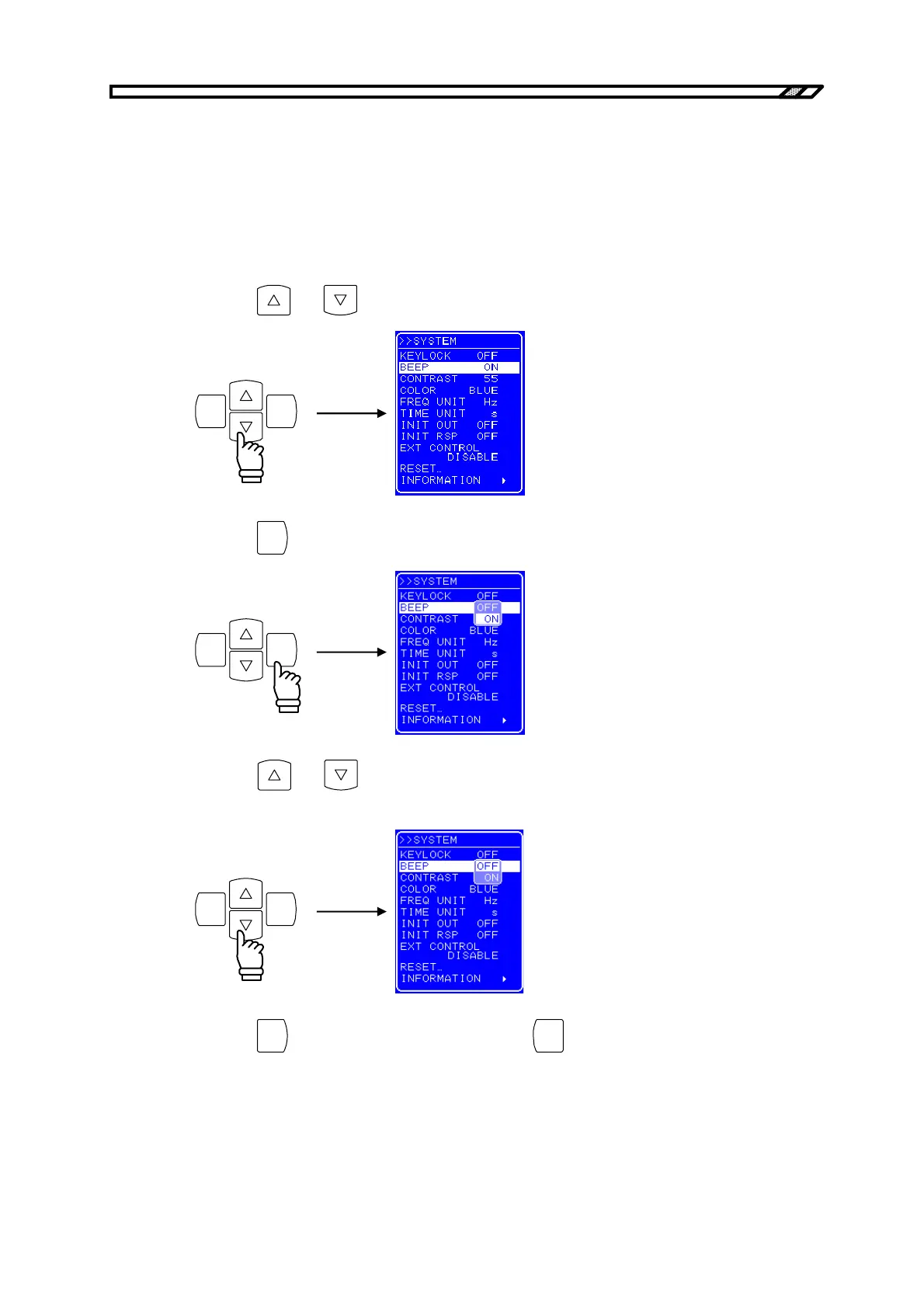
4.9.2 Beep sound
If the beep is switched on, a beep is emitted when a misoperation occurs, when a key is pressed, or
when a modify operation is performed. Upon occurrence of overload, a warning sound is emitted
regardless of the beep sound setting.
Operation procedure
<1> Press the
and keys to move the cursor to [BEEP].
ENTERCANCEL
<2> Press the
ENTER
key to display the Select box.
ENTERCANCEL
<3> Press the
and keys to move the cursor to “ON” to switch the beep on, or to “OFF”
to switch the beep off.
ENTERCANCEL
<4> Press the
ENTER
key to apply the setting, or press the
CANCEL
key to cancel the setting.



 To Next Page