2.4 Connection to I/O terminals
BP4610
2-5
!
2.4 Connection to I/O terminals
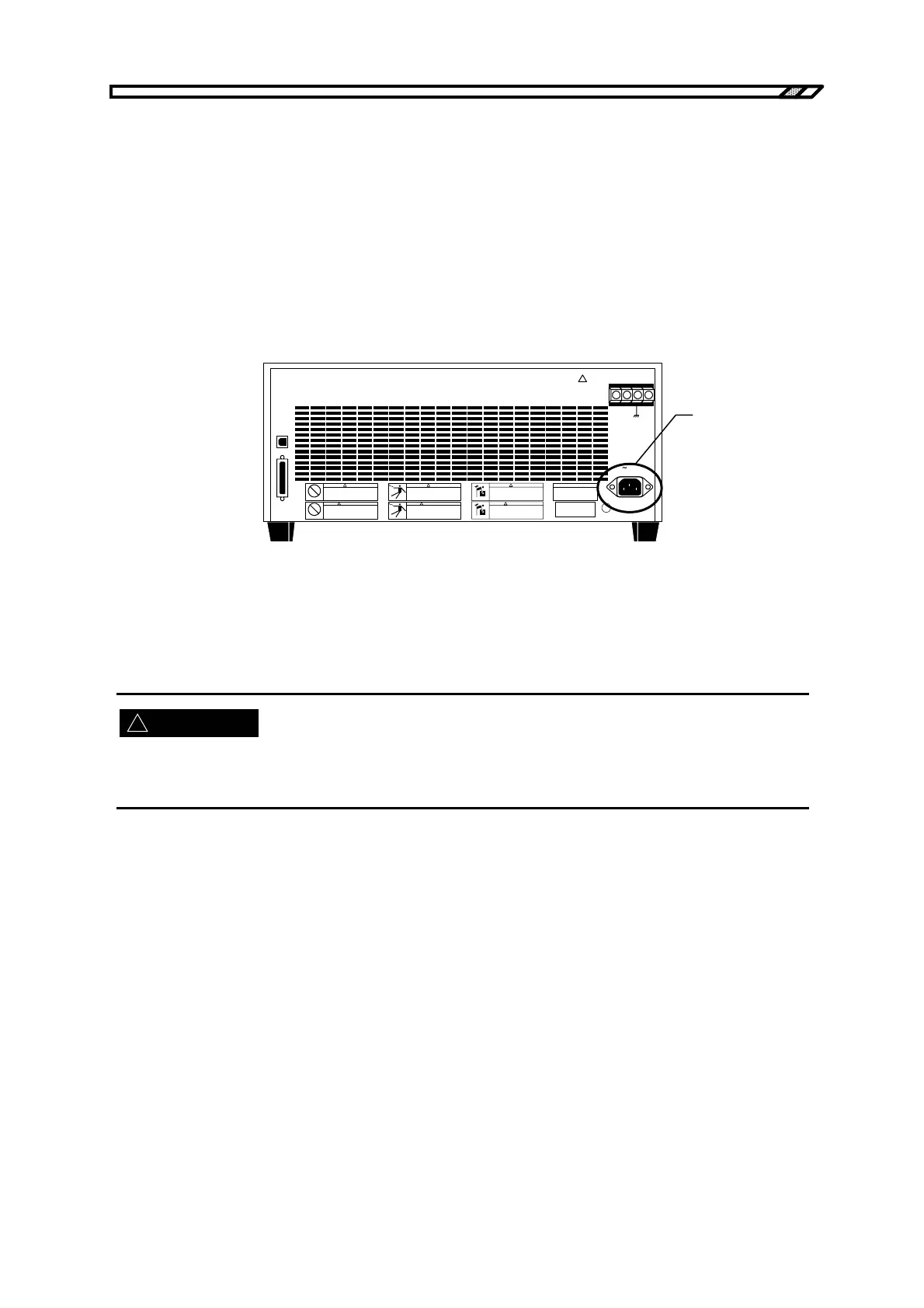
2.4.1 Connection to power supply input terminals
Insert the supplied power cord to the inlet on the rear panel.
The BP4610 operates on a power supply of 90 V AC to 250 V AC. Insert the plug of the power cord to a
power supply outlet with a protective grounding terminal. The chassis of the BP4610 is grounded by
connecting the supplied power cord to a power supply outlet with a grounding terminal.
The power supply cord set for use in Japan provided with this product is designed for use with this
product only. Do not use it for other products or applications.
!
OUTPUT
Hi Lo
LINE
USB
CONTROL
質量 MASS
26kg
!
警告
!
WARNING
!
警告
!
WARNING
!
警告
!
WARNING
Inlet
Figure 2-3. Power Supply Input Terminals
When using a 3-terminal/2-terminal conversion plug, be sure to connect the ground line (green) of the
conversion adapter to the grounding terminal at the side of the power outlet.
Be sure to ground the chassis of the BP4610 for safety purposes. If the BP4610 is used without being
grounded, serious accidents such as electric shock may occur.
WARNING



 To Next Page