4.8 Remote Control
BP4610
4-56
4.8.1 Setting of USB ID
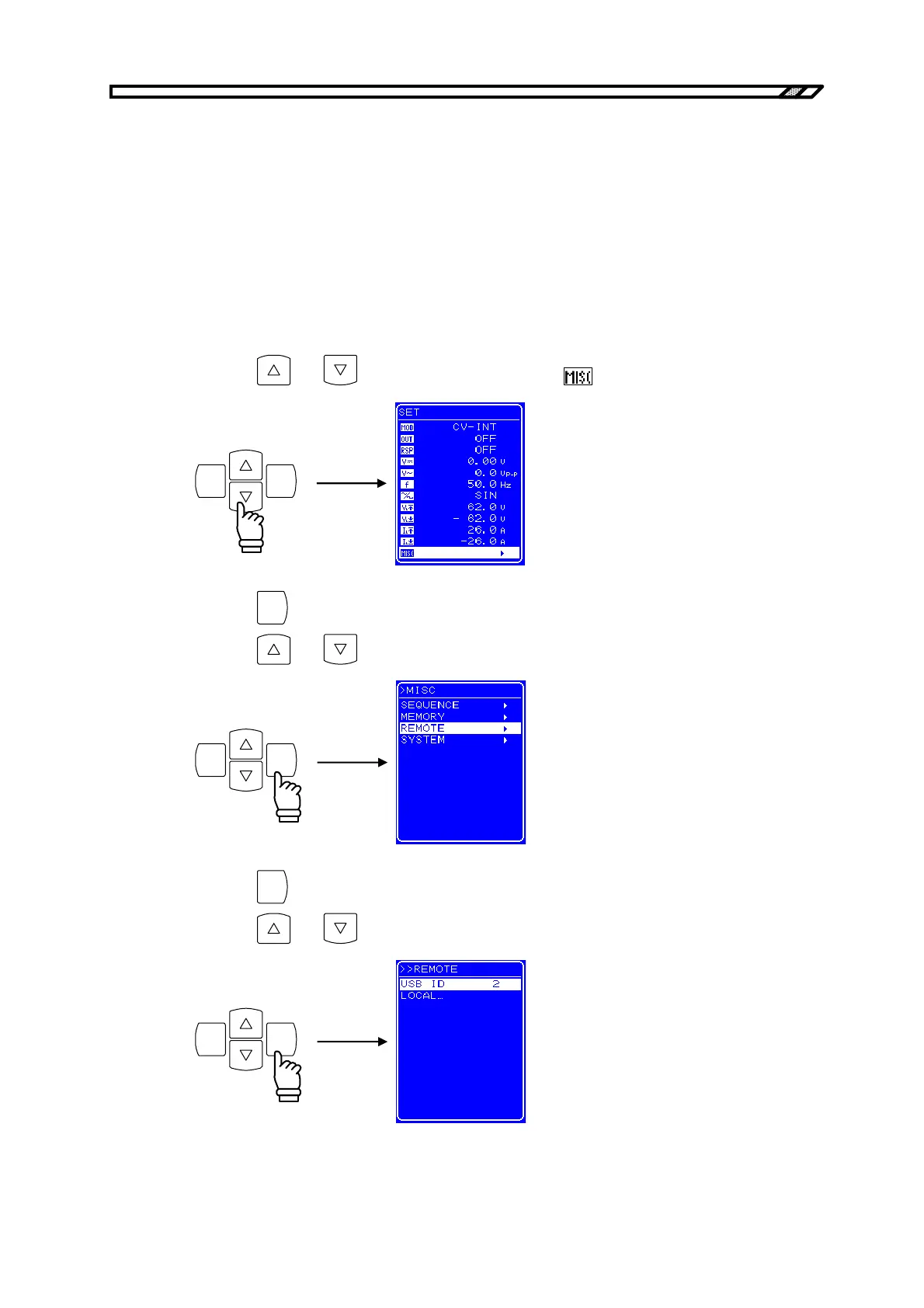
To perform remote control via the USB interface, it is necessary to set the USB ID for device
identification in advance. The USB ID setting is performed in the [REMOTE] screen.
The USB ID setting range is 1 to 65534.
Set the USB ID after making sure it is correct. If the USB ID is incorrect, control from the computer is
not possible. Moreover, if the USB ID is the same as that of another device within the same system,
faults may occur in the computer.
Operation procedure
<1> Press the
and keys to move the cursor to the icon.
ENTERCANCEL
<2> Press the
ENTER
key to display the MISC screen.
Press the and keys to move the cursor to [REMOTE].
ENTERCANCEL
<3> Press the
ENTER
key to display the REMOTE screen.
Press the
and keys to select [USB ID].
ENTERCANCEL



 To Next Page