4.3 Basic Functions
BP4610
4-16
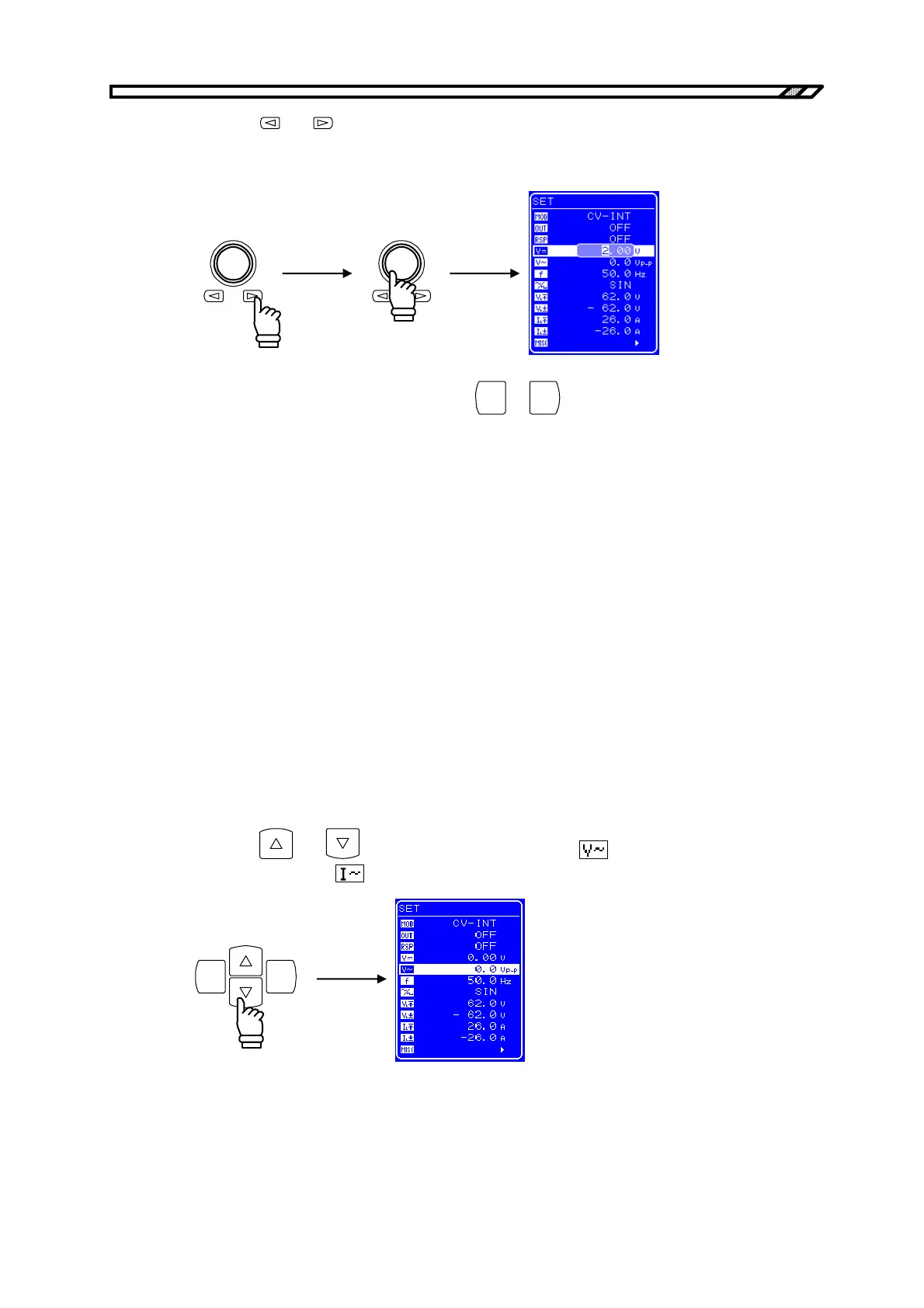
<3> Press the and keys to move the cursor to the digit to be changed and then turn the
[MODIFY] dial to set the desired value. When the output is on, the value that is set is
immediately reflected to the output.
<4> Once all the digits have been set, press the
CANCEL
or
ENTER
key to end the setting procedure.
4.3.4 Setting of superimposed AC voltage and superimposed AC
current
To superimpose an AC voltage on the DC output voltage of the BP4610, or to output only an AC
voltage (CV-INT or CV-ADD mode), set the superimposed AC voltage via the operation panel.
• Setting range: 0 Vp-p to 120 Vp-p
• Resolution: 0.1 Vp-p
To superimpose an AC current on the DC current of the BP4610, or to output only an AC current (CC-
INT or CC-ADD mode), set a superimposed AC current via the operation panel.
• Setting range: 0 Ap-p to 30 Ap-p
• Resolution: 0.01 Ap-p
Operation procedure
<1> Press the
and keys to move the cursor to the icon (when superimposed AC
voltage is set), or the
icon (when superimposed AC current is set).
ENTERCANCEL



 To Next Page