4.5 Sequence Operation
BP4610
4-34
4.5.2 Setting of sequence
The sequence setting method is described below.
• Input at every step via operation panel
• Programming on PC and transmission to BP4610 via USB
• Creation of sequence data with sequence editing software (sold separately) and transmission to
BP4610
For details on the program messages during sequence operation,
refer to “5.3.3 Sequence
Related”.
The operation method via the operation panel is described below.
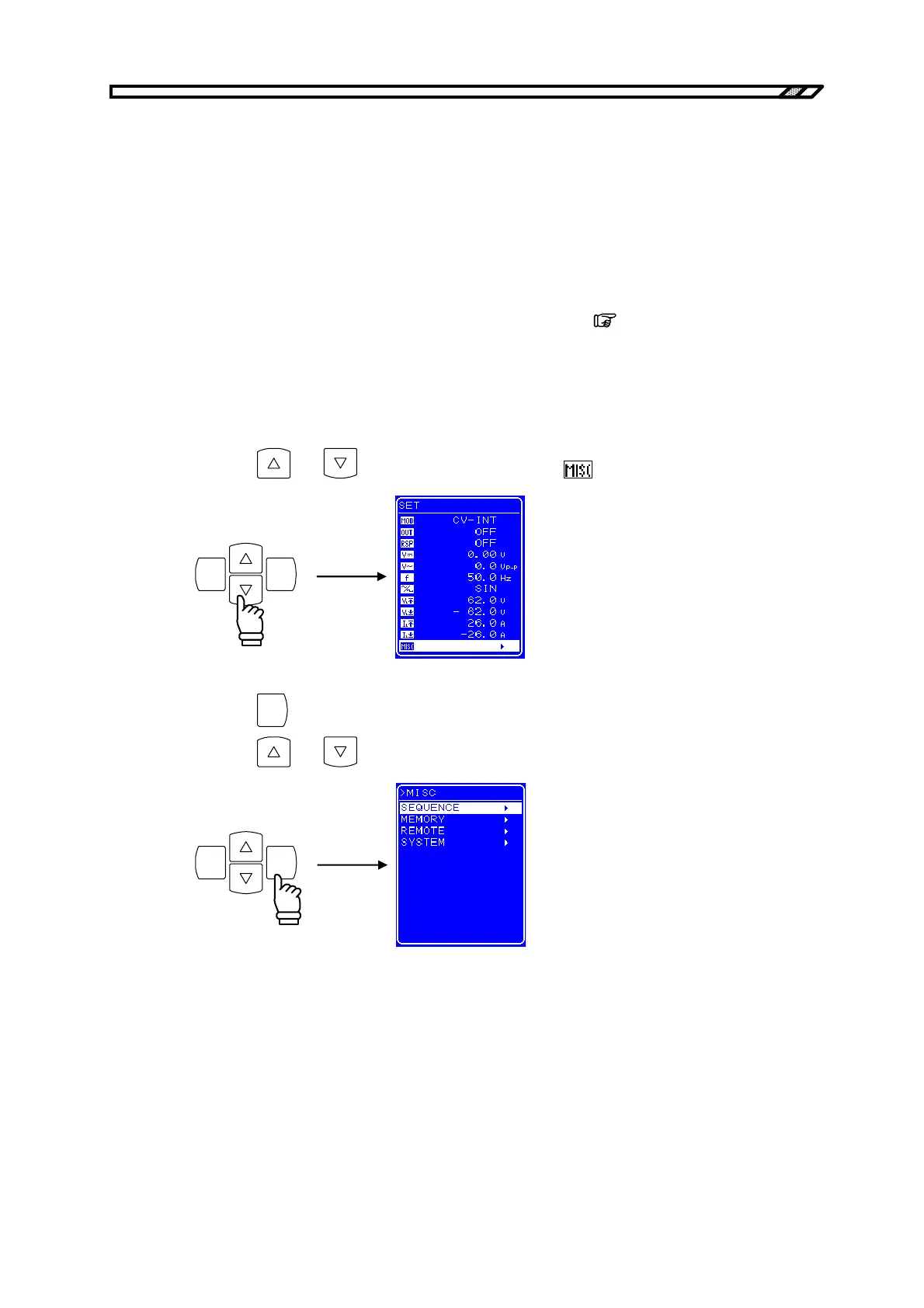
Sequence menu display procedure
<1> Press the
and keys to move the cursor to the icon.
ENTERCANCEL
<2> Press the
ENTER
key to display the MISC screen.
Press the and keys to move the cursor to [SEQUENCE].
ENTERCANCEL



 To Next Page