4.3 Basic Functions
BP4610
4-15
4.3.3 Setting of DC voltage and DC current
To use the BP4610 as a DC voltage source (CV-INT or CV-ADD mode), set the DC voltage via the
operation panel.
• Setting range: −115 V to 115 V
• Resolution: 0.01 V
To use the BP4610 as a DC current source (CC-INT or CC-ADD mode), set the DC current via the
operation panel.
• Setting range: −10 A to 10 A
• Resolution: 0.001 A
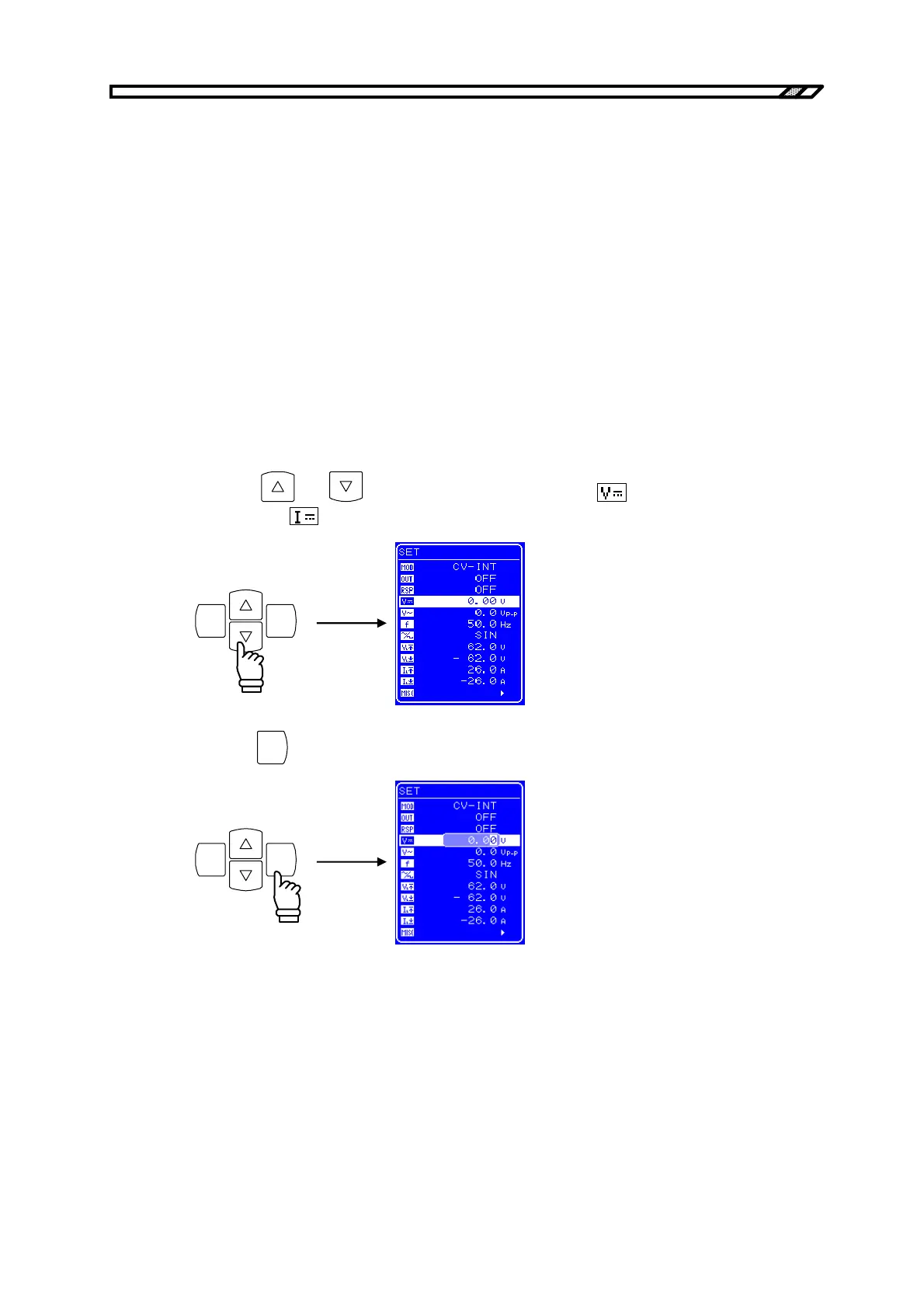
Operation procedure
<1> Press the
and keys to move the cursor to the icon (with the DC voltage
setting) or the
icon (with the DC current setting).
ENTERCANCEL
<2> Press the
ENTER
key to display the Modify box.
ENTERCANCEL



 To Next Page