4.9 System Menu
BP4610
4-69
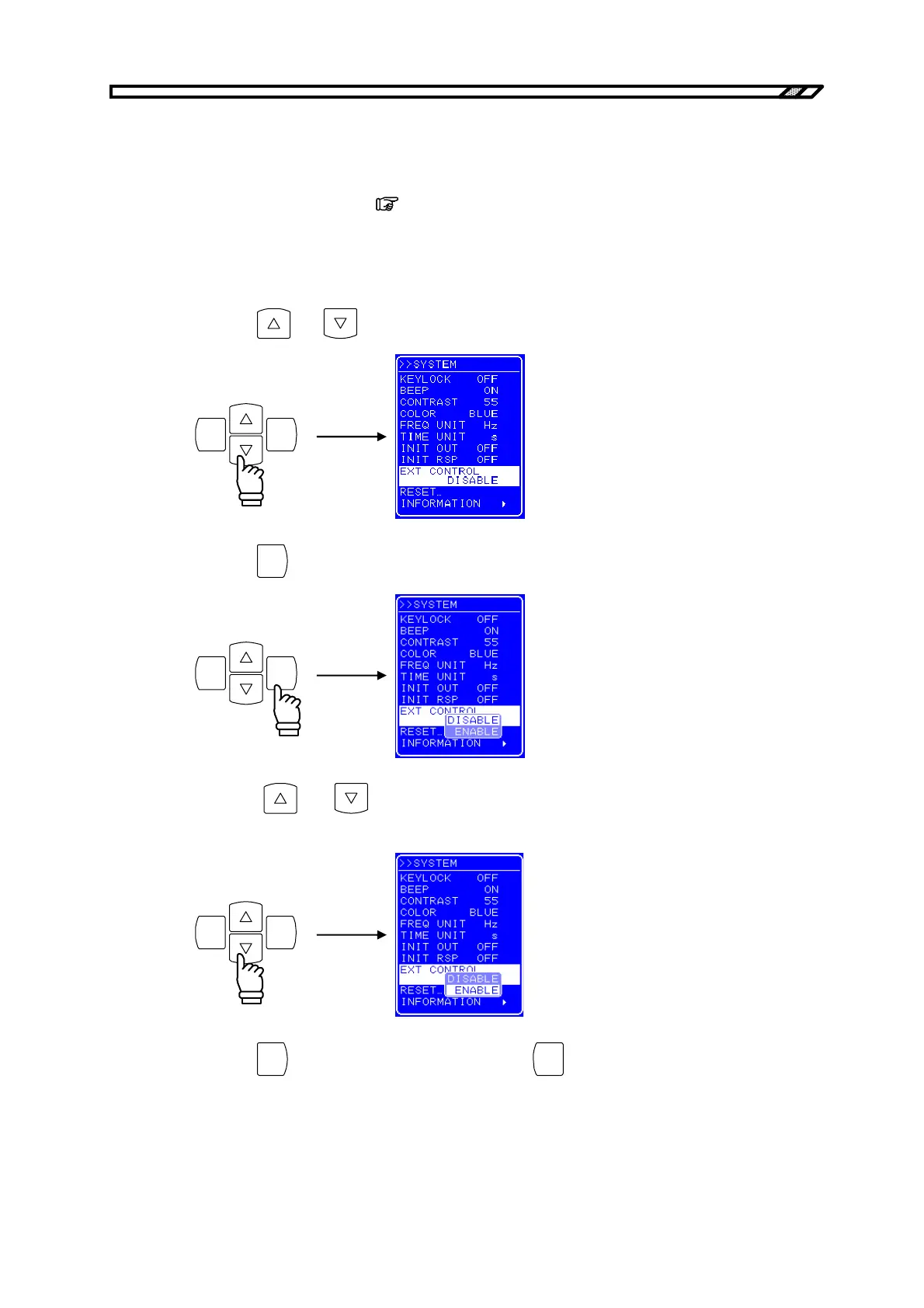
4.9.7 Setting of external control input enable/disable
Set external control input enable/disable. If external control input is disabled, the status of the BP4610 is
output.
For details on external control input,
refer to “2.4.4 Connection to external control input/output
connector”.
Operation procedure
<1> Press the
and keys to move the cursor to [EXT CONTROL].
ENTERCANCEL
<2> Press the
ENTER
key to display the Select box.
ENTERCANCEL
<3> Press the
and keys to move the cursor to “ENABLE” or to” DISABLE” to
respectively enable or disable external control input.
ENTERCANCEL
<4> Press the
ENTER
key to apply the setting, or press the
CANCEL
key to cancel the setting.



 To Next Page