4.9 System Menu
BP4610
4-66
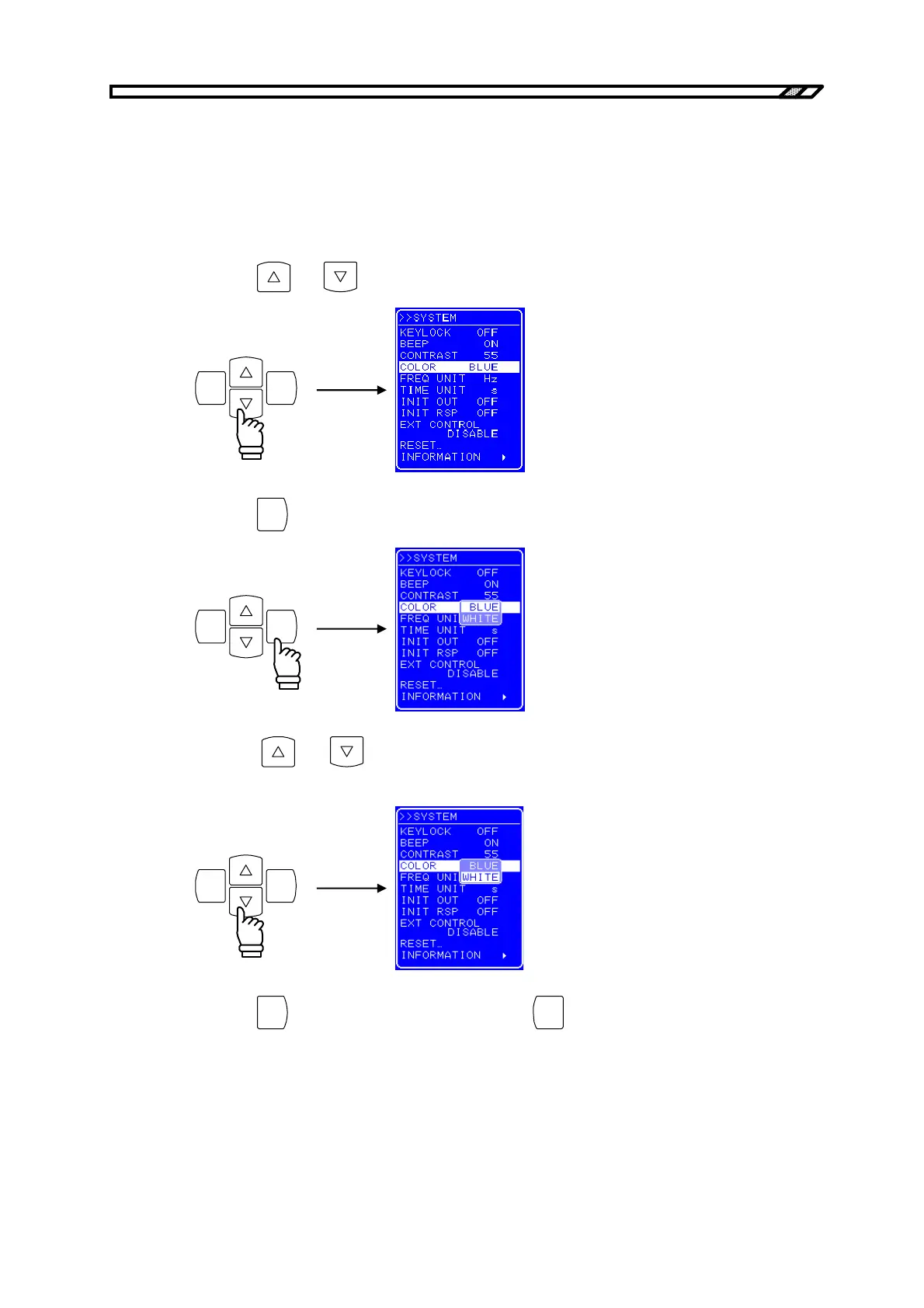
4.9.4 Setting of LCD display color
The display color of the LCD screen on the operation panel can be selected from blue (white characters
against blue background) or white (blue characters against white background).
Operation procedure
<1> Press the
and keys to move the cursor to [COLOR].
ENTERCANCEL
<2> Press the
ENTER
key to display the Select box.
ENTERCANCEL
<3> Press the
and keys to move the cursor to “BLUE” to set a blue screen, or to
“WHITE” to set a white screen.
ENTERCANCEL
<4> Press the
ENTER
key to apply the setting, or press the
CANCEL
key to cancel the setting.



 To Next Page