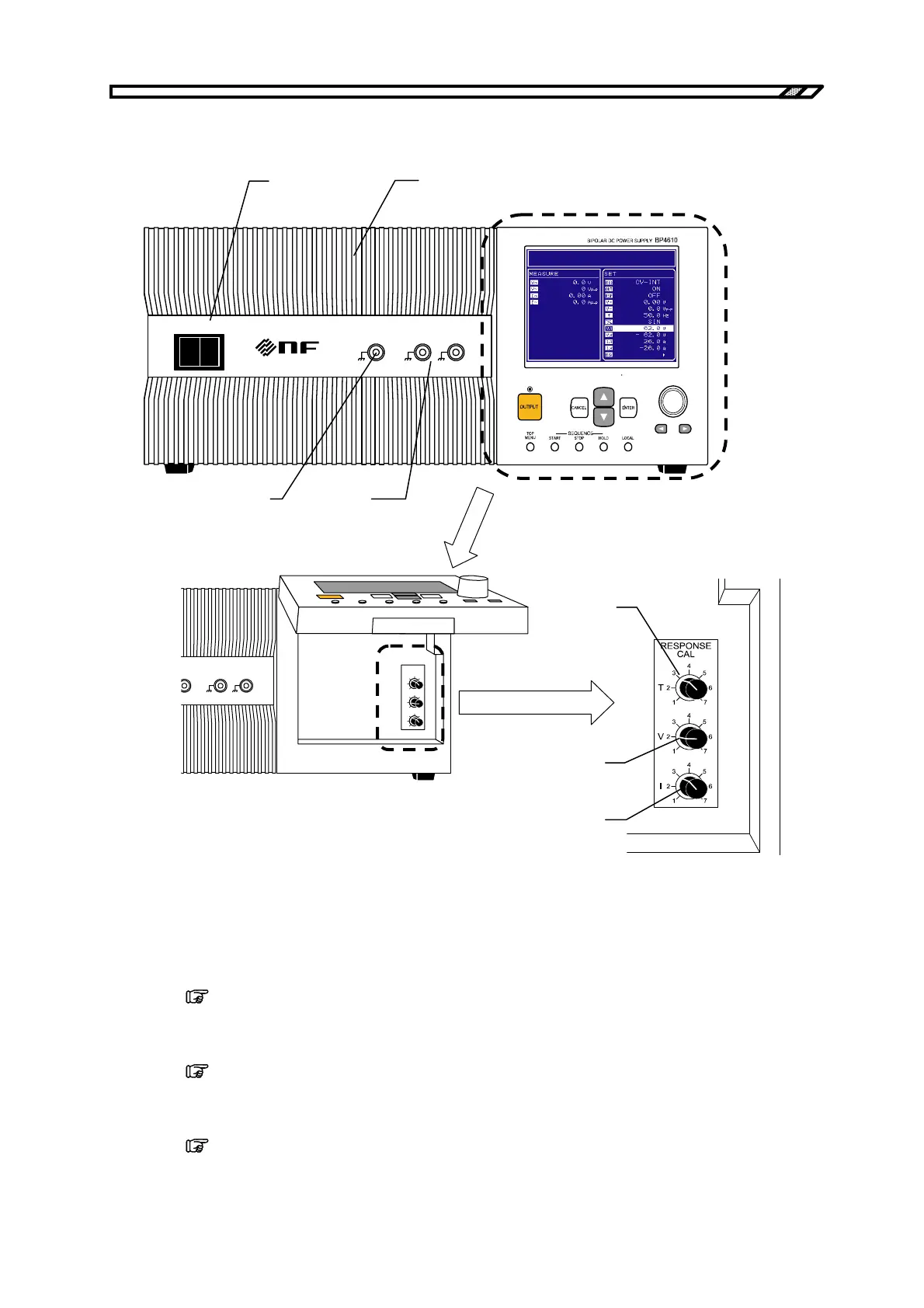
3.1 Nomenclature
BP4610
3-3
3.1.2 Front panel
POWER
EXT SIGNAL IN
VO
MONITOR OUT
IO
O I
1/100 1V/10A
IGNAL IN
VO
MONITOR OUT
IO
1/100 1V/10A
RESPONSE
CAL
T
V
I
<10>
<11>
<12>
<13>,
<14>
<15>
<16>
<17>
<10> POWER sw itch
This switch is used to power on/off the BP4610.
<11> Intake vent
This is the vent for intaking air for cooling the BP4610. Periodically clean the filter.
Refer to “7.5 Cleaning the Air Filter”.
<12> EXT SIGNAL IN
This is the connector used to input an external signal.
Refer to “2.4.5 Connection to external signal input terminal”.
<13> MONITOR OUT−Vo
This is the voltage monitor output terminal.
Refer to “2.4.6 Connection to monitor ouput terminal”.



 To Next Page