4.10 Response Calibration
BP4610
4-73
4.10.3 Adjustment characteristics
The user can adjust the response characteristics for the load to be actually used.
Through adjustment, it is possible to minimize distortion of the output waveform for a broad range of
load conditions including the resistance load as well as inductive load and capacitive load. Adjustment
to lower speed and higher speed compared to fixed characteristics is possible.
Adjustment is performed by moving three adjustment knobs located towards the rear of the operation
panel, corresponding to the time constant, voltage feedback amount, and current feedback amount,
while observing the output voltage and output current waveform with an external oscilloscope. The loop
characteristics of the amplifier can be changed with these three adjustment knobs, and the output
impedance characteristics changed by an equivalent amount. As a result, distortion of output waveform
can be minimized for a broad range of load conditions.
Operation procedure
<1> Switch off the output.
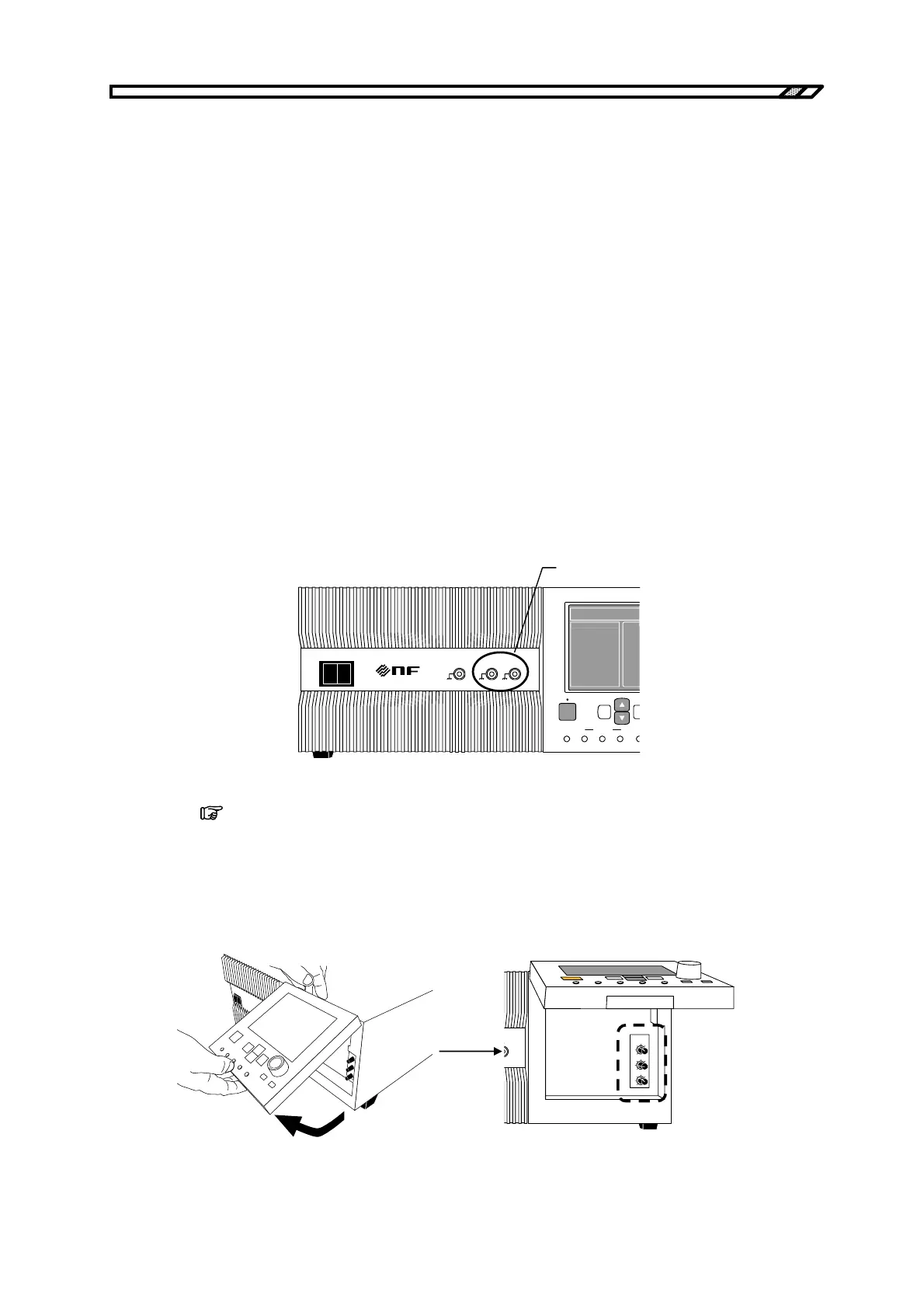
<2> To be able to observe the output voltage waveform and output current waveform, connect an
external oscilloscope and the voltage/current monitor terminals (MONITOR OUT) with a
BNC cable.
POWER
EXT SIGNAL IN
VO IO
MONITOR OUT
O I
1/100 1V/10A
SEQUENCE
TOP
MENU
START STOP HOLD LO
OUTPUT CANCEL EN
BIPOLAR DC PO
MEASURE
MONITOR OUT
terminals
<3> Pull the operation panel toward you and then lift it.
(
Refer to “3.2 Access to Volume Section”.)
Now, you can access the three adjustment knobs beneath the operation panel.
T volume: Adjusts the time constant.
V volume: Adjusts the voltage feedback amount.
I volume: Adjusts the current feedback amount.
RESPONSE
CAL
T
V
I



 To Next Page