4.5 Sequence Operation
BP4610
4-47
4.5.7 Sequence operation execution
When the sequence programming has been completed, start the sequence.
The sequence operation execution procedure is described below.
Operation procedure (in case of operation via the menu)
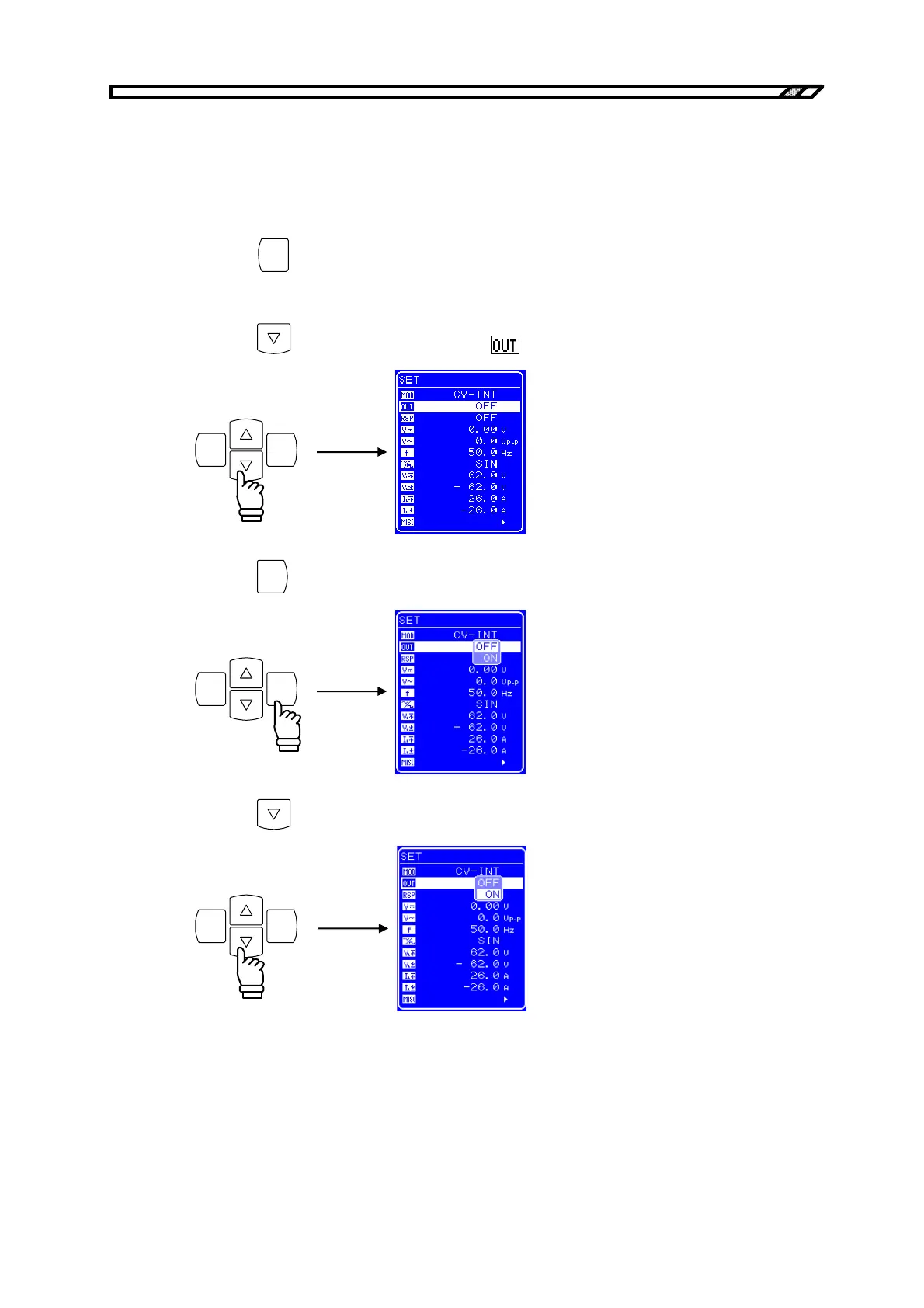
<1> Press the
CANCEL
key to return to the top menu. The top menu is displayed as “SET” in the top
part of the menu window.
<2> Press the
key to move the cursor to the icon.
ENTERCANCEL
<3> Press the
ENTER
key to display the Select box.
ENTERCANCEL
<4> Press the
key to move the cursor to “ON”.
ENTERCANCEL



 To Next Page