3.2 Access to the Volume Area
BP4610
3-7
!
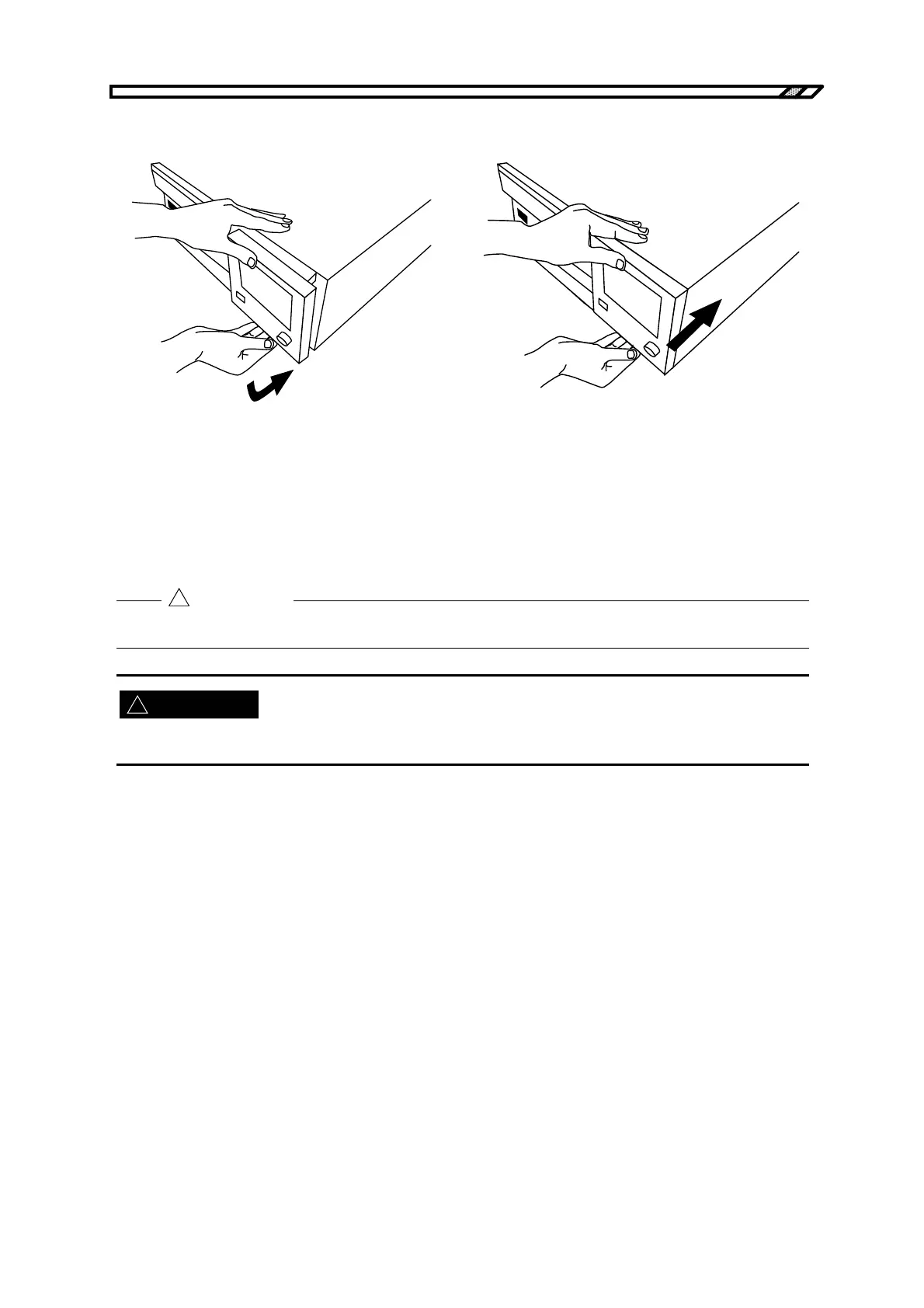
How to return the operation panel
(1) Holding the top and bottom of the operation
panel, gently lower the bottom of the panel.
(2) Lower the panel until it is parallel with the
face of the BP4610.
(3) Placing your hands on the top and bottom of
the operation panel (but not on the LCD
screen), push the panel in while keeping it
parallel with the face of the BP4610.
(4) Push the panel in until you hear a clicking
sound.
Figure 3-3. Operation Panel Return Method
Be sure to use both hands when pulling out, lifting, and returning the operation panel.
When opening/closing the operation panel, be careful not to get your fingers pinched.
!
CAUTION
WARNING



 To Next Page