2.4 Connection to I/O terminals
BP4610
2-7
!
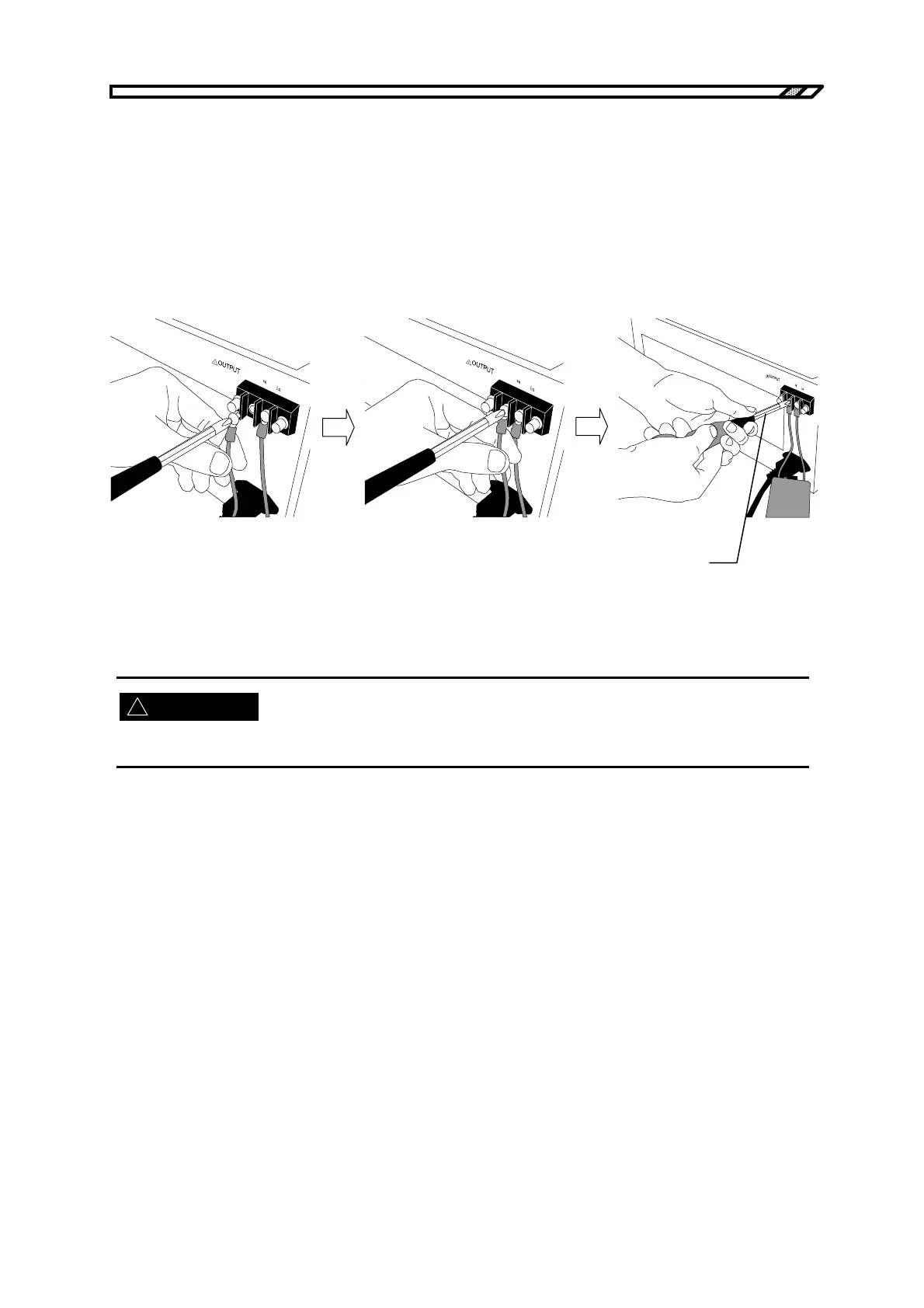
The procedure for connecting the cables to the output terminals is described below.
<1> Remove the screw attached to the output terminal.
<2> Insert the removed screw to the round crimp terminal attached to the cable.
<3> Insert this to the OUTPUT pin while making sure that the cable does not come off the screw.
<4> Securely tighten the screw until the terminal is fixed, using a torque of 1.2 (N·m).
<5> After connecting both the “Hi” and “Lo” output terminals, attach the supplied terminal covers.
● To tighten: Turn clockwise.
● To loosen: Turn counterclockwise.
Figure 2-6. Connection to Output Terminals
For safety’s sake, be sure to connect the outputs after switching the power off.
WARNING



 To Next Page