4.9 System Menu
BP4610
4-65
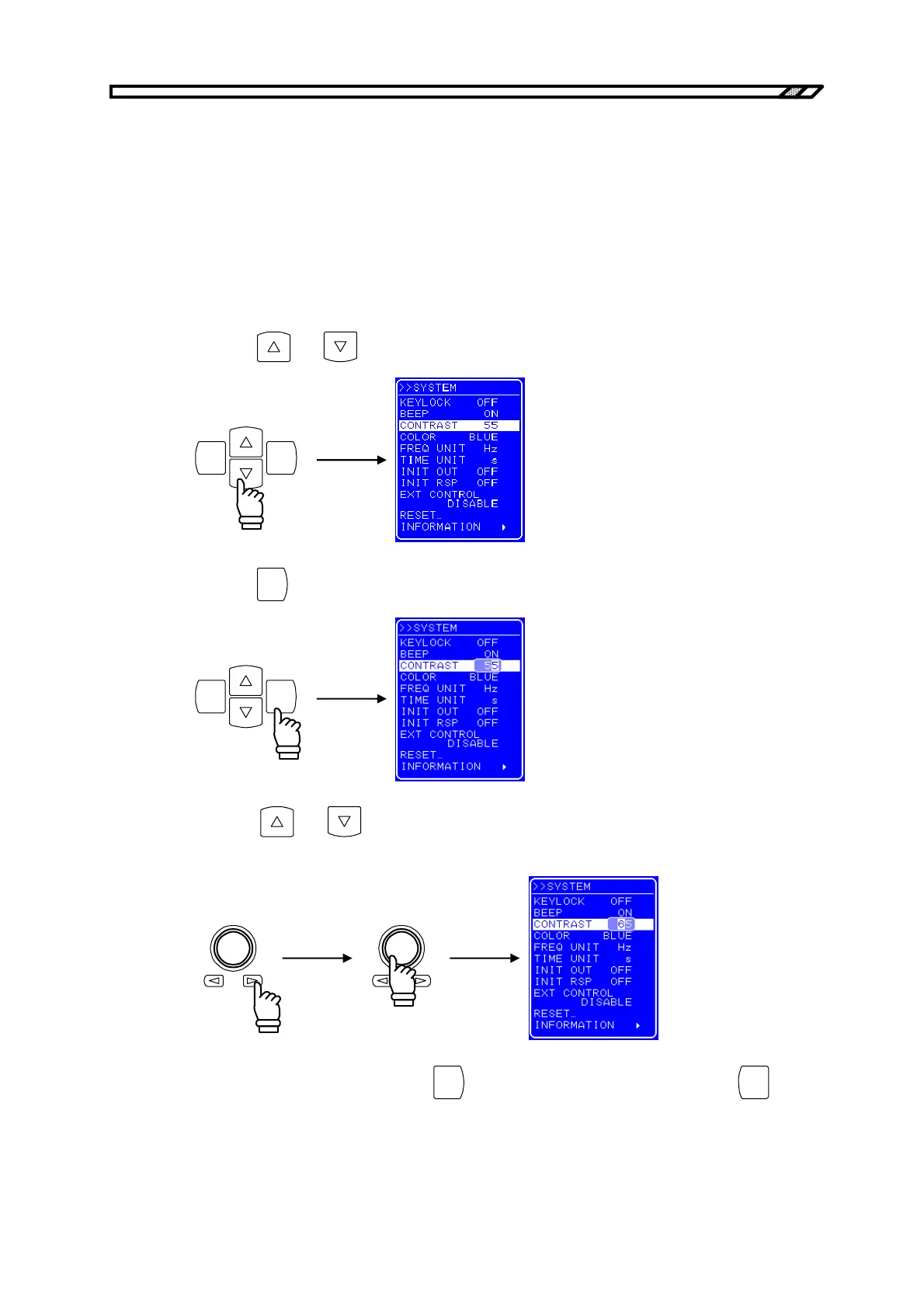
4.9.3 LCD contrast adjustment
The contrast of the LCD screen can be set in 100 steps according to the operating environment.
The adjustment entry box can also be displayed by simultaneously pressing the [ENTER] key and the
[CANCEL] key. Therefore, even when the contrast is inadequate and the characters on the LCD screen
cannot be made out, it is still possible to adjust the contrast. In this case, the digit cursor forcibly goes to
the decimal position.
Operation procedure
<1> Press the
and keys to move the cursor to [CONTRAST].
ENTERCANCEL
<2> Press the
ENTER
key to display the Modify box.
ENTERCANCEL
<3> Press the
and keys to move the cursor to the digit to be modified and turn the
MODIFY dial to set the value.
<4> After setting all the digits, press the
ENTER
key. The LCD contrast is set. Press the
CANCEL
key to
cancel the setting.



 To Next Page