3.1 Nomenclature
BP4610
3-1
3.1 Nomenclature
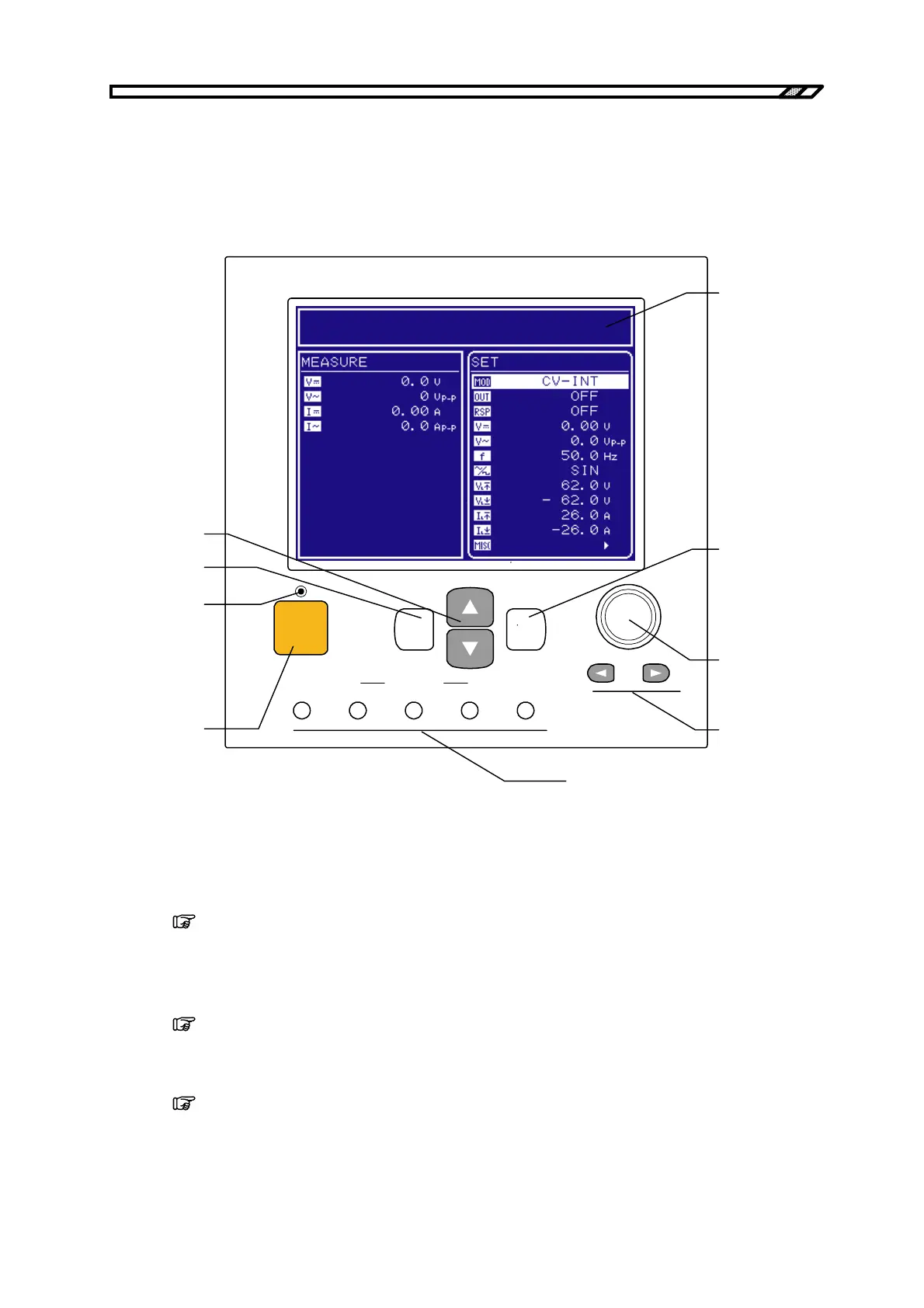
3.1.1 Operation panel
SEQUENCE
TOP
MENU
START STOP HOLD LOCAL
OUTPUT
CANCEL ENTER
BIPOLAR DC POWER SUPPLY BP4610
<9>
<7>
<8>
<2>
<3>
<6>
<1>
<5>
<4>
<1> LCD
This is a 320 (horizontal) × 240 (vertical) pixel, blue and white 2-color liquid crystal
display. The contrast can be adjusted by operating the operation panel.
Refer to “4.1 LCD Screen”.
<2> On/Off LED
This is a lamp that displays the output on/off status.
It is lit when the output is on and extinguished when the output is off.
Refer to “4.3.2 Output on/off”.
<3> OUTPUT key
This key switches the output on/off.
Refer to “4.3.2 Output on/off”.



 To Next Page