4.9 System Menu
BP4610
4-70
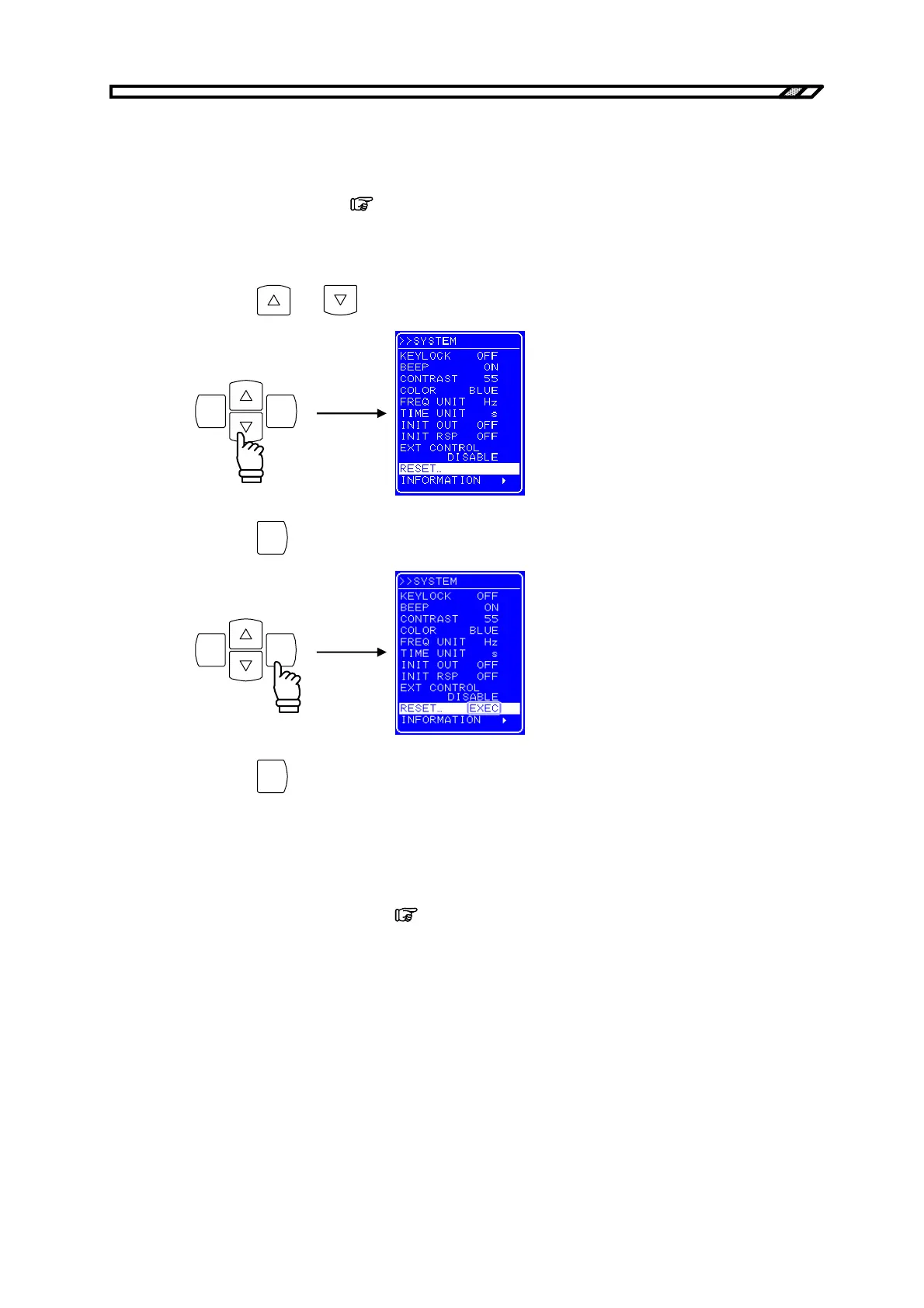
4.9.8 Reset function
The reset function returns the basic settings to the factory settings.
The BP4610 cannot be reset when output is on. Reset the BP4610 in the output off status.
For the setting values after reset,
refer to “9. INITIAL SETTING LIST”.
Operation procedure
<1> Press the
and keys to move the cursor to [RESET...].
ENTERCANCEL
<2> Press the
ENTER
key to display the Exe box.
ENTERCANCEL
<3> Press the
ENTER
key while [EXEC] is selected to reset the BP4610.
4.9.9 System information
The firmware version number and other system information can be displayed by selecting
[INFORMATION] on the [SYSTEM] screen.
For how to display system information,
refer to “7.4 Version Number Verification Method”.



 To Next Page