4.10 Response Calibration
BP4610
4-74
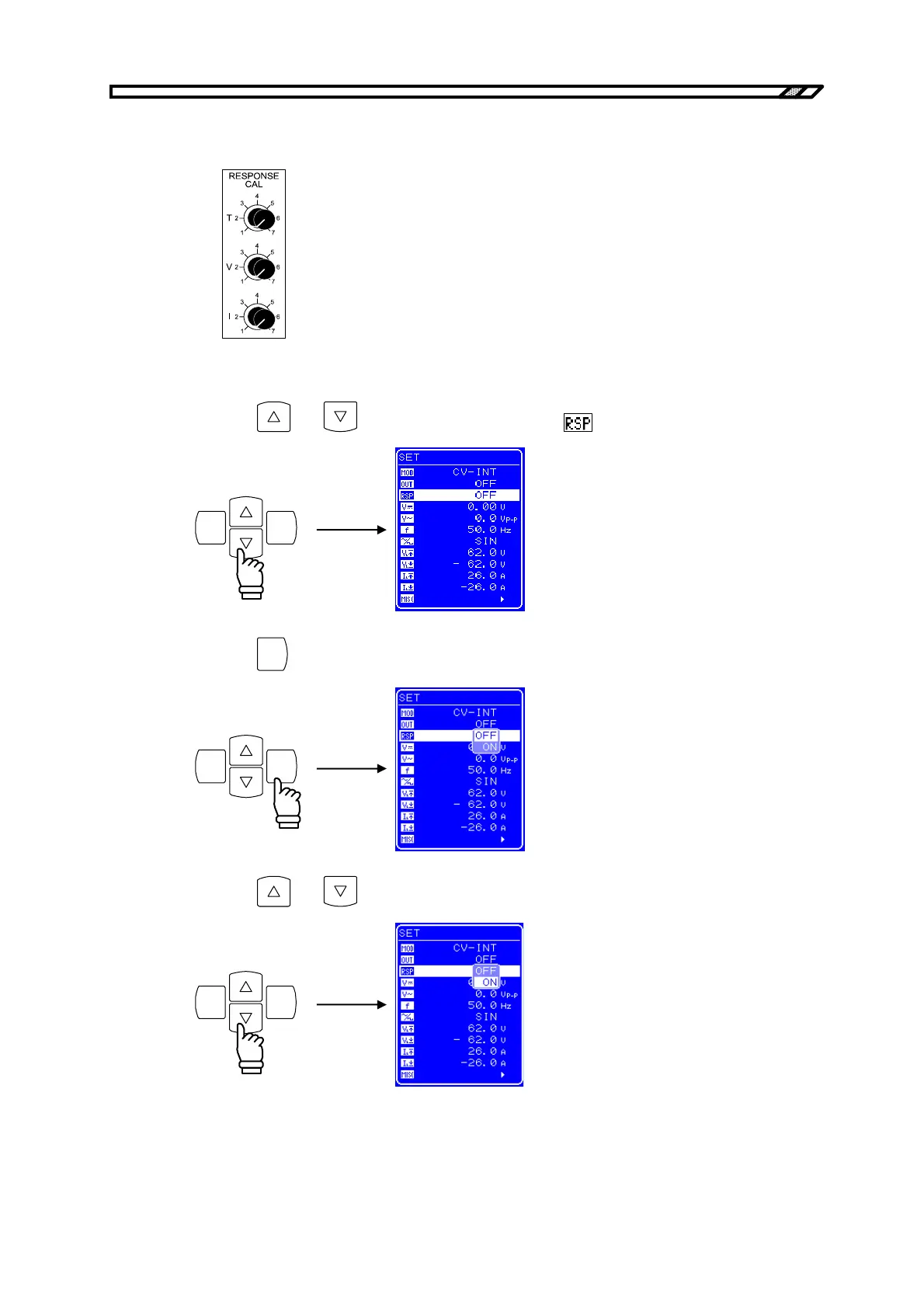
<4> Check that each volume is turned to the left-most position. (A click can be heard when the
volume reaches the left-most position.)
<5> Connect the load.
<6> Press the
and keys to move the cursor to the icon.
ENTERCANCEL
<7> Press the
ENTER
key to display the Select box.
ENTERCANCEL
<8> Press the
and keys to move the cursor to “ON”.
ENTERCANCEL



 To Next Page