4.9 System Menu
BP4610
4-62
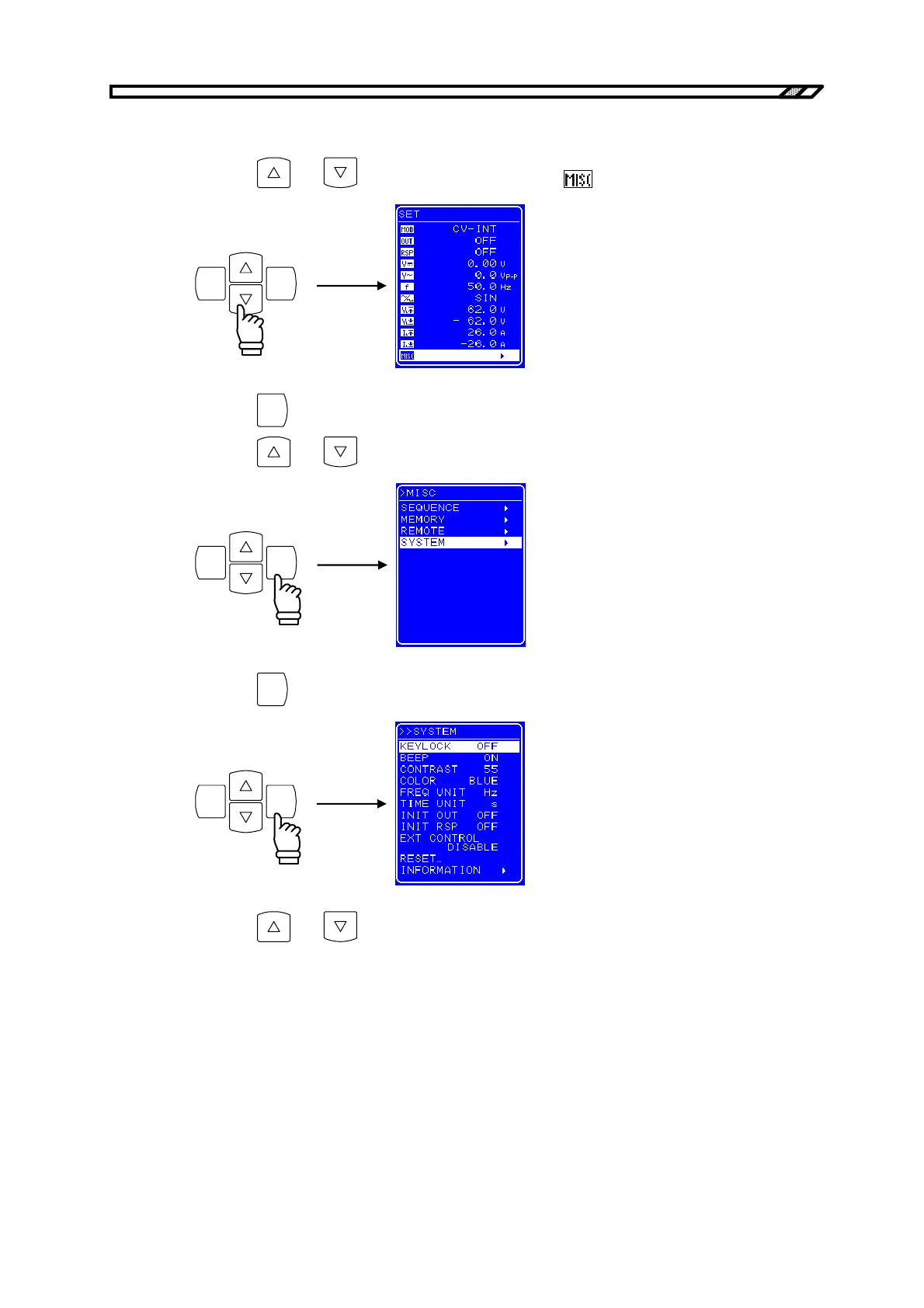
[SYSTEM] screen display procedure
<1> Press the
and keys to move the cursor to the icon.
ENTERCANCEL
<2> Press the
ENTER
key to display the MISC screen.
Press the
and keys to move the cursor to [SYSTEM].
ENTERCANCEL
<3> Press the
ENTER
key to display the SYSTEM screen.
ENTERCANCEL
<4> Press the
and keys to select the operation to be performed.



 To Next Page